Pet owners need security that protects doors, windows, packages, and yards without turning everyday pet movement into false alarms. The strongest 2026 systems combine adjustable motion sensing, privacy-aware cameras, smart access, and clear monitoring choices.
What to compare
- Motion settings: pet sensitivity, activity zones, schedules, and false alarm controls.
- Cameras: indoor privacy zones, audio controls, clip storage, and night view.
- Access: smart locks, guest codes, pet-sitter access, activity logs, and fast user removal.
- Monitoring: self-monitoring, pro monitoring, cellular backup, and emergency contacts.
- 3-year cost: hardware, monitoring, storage, batteries, mounts, and add-on sensors.
Related guides
- Best systems for roommates
- Best systems for renters
- Best smart locks for home security
- Ring vs SimpliSafe home security
June 2026 pet-owner placement and access refresh
Pet-owner security works best when the system separates normal animal movement from real entry risk. Start with door and window coverage, then add cameras only where they answer a clear question: did a package arrive, did the dog walker leave, or did someone open the gate?
- Set pet motion rules first: tune sensitivity, activity zones, and schedules before judging a camera or motion sensor.
- Keep access temporary: give pet sitters unique lock codes, then remove them after the visit window closes.
- Use cameras narrowly: aim at doors, yards, crates, or package zones. Avoid always-on views into private living spaces unless everyone in the home agrees.
- Plan for no-fee fallback: if monthly storage is not needed, pair local alerts with sensors and smart locks instead of paying for clips you rarely review.
Related refresh links: no-subscription cameras for renters, smart locks for shared access, smart-home security devices, and systems without monthly fees.
Bottom line
Pick the system with adjustable alerts, clear camera privacy, simple pet-sitter access, and predictable monthly cost.
June 2026 refresh: pet-friendly security starts with clean entry signals
Pet owners should not rely on camera motion alone. Dogs, cats, walkers, sitters, and package deliveries can create noisy alerts. The strongest pet-friendly setup starts with door and window sensors, adds named access rules for trusted visitors, then uses cameras only where video answers a clear question.
- Use sensors first on doors used by walkers, sitters, and family members so each open-close event is clear.
- Add smart locks carefully when temporary access matters more than hiding a spare key.
- Place cameras with privacy in mind around exterior approaches, package zones, or shared pet areas rather than private rooms.
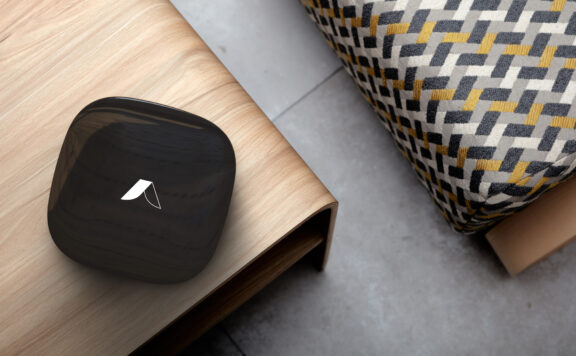
For Abode shoppers, compare the Abode Smart Security Kit, Mini Door/Window Sensor, Abode Cam 2, and Abode plans. Related pet-owner guides: smart locks for pet owners, smart-home security systems for pet owners, and no-subscription cameras for pet owners.
Pet-owner alert, sitter, and evidence workflow
A pet-friendly system is only useful when the household knows which signal matters and who should act. Build the workflow around the entry event first, then use video to explain it. A camera motion alert by itself cannot tell you whether a sitter used an approved code, a gate was left open, or a pet crossed an activity zone.
1. Assign one signal to each question
- Did a person enter? Use the door contact and a named lock or keypad code.
- Did the pet move? Use a camera zone that excludes ceiling fans, windows, feeding areas, and other repeat triggers.
- Was the property left unsecured? Use door-open duration, lock state, and alarm state together.
- Does anyone need to respond? Decide whether the owner, sitter, nearby keyholder, or monitoring provider receives the first alert.
Households that use professional dispatch should check permit, verification, and contact rules before enabling every sensor. The alarm permit and dispatch readiness checklist explains what to confirm before a pet-related motion event can become an avoidable dispatch.
2. Give each sitter a named, removable path
Do not share the owner’s app login or reuse one permanent door code. Create a separate user, limit camera access to what the sitter needs, and set a code that expires after the final visit. Record who can arm, disarm, unlock, view live video, download clips, change settings, or invite another user.
Use the security-camera shared-user access audit for app permissions and the smart-lock access-code audit for lock and keypad credentials. Test removal while the sitter is still available: the old code should fail, the former app user should lose access, and the owner should retain control.
3. Test the event sequence, not just each device
- Have the sitter unlock the correct door with the assigned code.
- Confirm the door event identifies the expected user or access path.
- Let the pet cross the camera zone and check that the alert is useful rather than repetitive.
- Arm or disarm exactly as the written visit instructions require.
- Leave the door open briefly, then close and lock it; confirm the household sees the state change.
- Repeat once with home Wi-Fi unavailable and record what still reaches the owner.
If multiple cameras compete for upload bandwidth, run the camera bandwidth and data-usage test. A pet camera that works during setup can miss the useful clip when another camera, call, or upload is using the same connection.
4. Save evidence before the timeline rolls over
When an incident matters, export the useful clip, record the door and alarm timeline, and preserve the original timestamp. Do not rely on an app thumbnail or assume an online clip will remain available. The insurance-claim evidence checklist covers receipts, system inventory, video, monitoring records, damage photos, and recovery notes.
5. Keep a recovery owner
Name one backup adult who can recover the account without borrowing the owner’s password. That person should know the system brand, monitoring provider, primary email, recovery method, device list, and safe location of offline records. Use the home-security recovery checklist to test account, hub, network, storage, and alert recovery after a phone replacement or outage.
30-minute pet-sitter acceptance test
| Test | Pass condition |
|---|---|
| Named entry | The correct sitter code works and the event is attributed correctly. |
| Pet movement | Normal movement does not create a flood of alerts. |
| Door left open | The responsible person receives a useful warning. |
| Privacy | The sitter sees only the cameras and controls needed for the visit. |
| Internet loss | The household knows which sensors, sirens, recordings, and alerts continue. |
| Offboarding | The former code and app access fail without affecting the owner’s access. |
| Evidence | A clip and matching entry timeline can be exported and read on another device. |
Fail the setup if one shared login controls everything, normal pet movement creates ignored alerts, no one owns the response, or evidence cannot be exported. Fix those operating gaps before adding more cameras or sensors.