
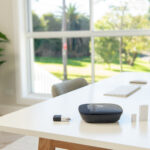
Abode Review 2026: Hubs, Direct Sensors, Monitoring, Apple Home, Cameras, Cost, and a 60-Minute Test
Updated August 2026. Abode is best understood as a configurable DIY alarm platform, not as one fixed kit. The hub determines the smart-home radios and Apple Home support; the devices determine what the system can detect; and the chosen service state determines cellular backup, cloud features, and professional response. A useful Abode review therefore starts with the job your household needs done and tests the exact configuration before the return period closes.
This review is source-based, not a claim that we installed every current bundle in every type of home. Product names, bundles, service features, and compatibility can change. Confirm the current Smart Security Kit record, device catalog, and plan page for the exact configuration you are considering.
Abode review: the short answer
Abode is a strong fit when you want direct door and window detection, DIY installation, the option to self-monitor, and a path to temporary or ongoing professional monitoring without designing the whole home around cameras. It is especially worth evaluating when Apple Home, Zigbee, or Z-Wave matters, but those capabilities are hub-specific. The basic Security Hub is not interchangeable with the Smart Security Hub or Iota for every integration.
Abode is a weaker fit when you want a technician to own the entire design and acceptance process, when you expect every third-party device to behave like a native alarm zone, or when camera quality is the primary buying criterion. A buyer should also treat app notifications, camera storage, cellular backup, automations, and monitoring as separate service questions rather than assuming every feature works in the unpaid state.
Start with the hub, not the bundle name
The hub is the system authority. It receives direct sensor events, maintains alarm modes, sounds or commands sirens, and exposes whatever integrations its hardware and software support. Bundle names can change while the hub differences remain consequential.
| Decision | What to verify | Why it matters |
|---|---|---|
| Alarm authority | Which devices become direct alarm zones | A smart-home status tile is not necessarily an alarm input |
| Network path | Ethernet, Wi-Fi, and cellular conditions | Internet and power failures do not have the same effect |
| Apple Home | Exact hub and supported Abode device types | Apple Home support is not universal across every Abode hub |
| Device radios | AbodeRF, Zigbee, and Z-Wave support | A radio being present does not certify every device |
| Camera role | Built-in, separate, cloud, and local paths | Video verification and intrusion detection are different jobs |
| Backup | Battery duration and cellular plan dependency | A powered hub can still lose its remote path |
Write down the exact hub model before ordering sensors, locks, cameras, or a service plan. Then confirm each planned device against the current compatibility record. This prevents the common mistake of buying an attractive bundle and discovering later that the required Apple Home or third-party radio path belongs to a different hub.
Direct sensors should carry the security load
For most homes, the useful core is simple: direct contact sensors on exterior openings, motion coverage where it adds evidence without creating predictable false alarms, audible warning, and a clear response owner. Cameras can help verify what happened, but they should not be the only way the system learns that a door opened.
Door and window contacts
Map every exterior opening before choosing a kit. Record the door or window type, frame material, magnet clearance, opening direction, and whether a renter can use adhesive. Sliding doors, steel gates, recessed doors, and wide-gap outdoor openings can require different sensor forms. Temporary-mount each contact, open and close it twenty times, and confirm that the app name identifies the physical location without guesswork.
Motion detection
Motion sensors are useful for interior confirmation and rooms with several openings, but placement determines results. Check mounting height, field of view, heat sources, curtains, pets, stairs, and the difference between Home and Away behavior. Walk-test from the edge and center of the protected path. A sensor that responds from one demonstration position has not yet passed a room-level test.
Glass, smoke-listener, leak, and environmental devices
These devices solve narrower jobs. Acoustic and vibration glass sensors require different placement and testing. A smoke-alarm listener does not replace required smoke or carbon-monoxide alarms. A leak sensor gives early warning but does not stop water unless a separately compatible shutoff path has been designed and tested. Label each device by the response it should trigger, not simply by room.
Modes, delays, and response ownership
A system is only as usable as its daily operating rules. Define who arms it, which openings remain active while people are home, how much entry delay is necessary, and what happens when a phone is unavailable. Keep the first configuration conservative. Add automations only after ordinary arming and alarm cancellation work reliably.
- Standby: decide which life-safety or environmental alerts remain active.
- Home: identify the perimeter zones that should stay armed while residents move inside.
- Away: confirm interior motion coverage and any camera privacy changes.
- Entry delay: time the real route from the door to the keypad or phone.
- Alarm: name the person who verifies, cancels, or escalates.
Test these states with the app, keypad, and any key fob the household will actually use. A phone-only design can fail when a battery is flat, a guest arrives, or the account owner is on a flight. A keypad or assigned fob can provide a simpler fallback, but codes and devices need named ownership and prompt revocation.
Self-monitoring and professional monitoring are different operating models
Self-monitoring means the household receives and acts on alerts. Professional monitoring adds a response center under the plan and service terms in force. Cellular backup is another distinct layer: it may preserve a remote communication path when broadband fails, but only under the applicable plan and signal conditions.
| Question | Self-response check | Professional-response check |
|---|---|---|
| Who receives the first alert? | Named household members | Monitoring center plus named contacts |
| What if broadband fails? | Local behavior and any remaining path | Cellular eligibility, signal, and event path |
| Who can cancel? | Account roles and passcodes | App, keypad, call, and monitoring procedure |
| What is retained? | App history and household evidence | Plan history and monitoring records |
| What changes on cancellation? | Document the permanent unpaid state | Document the plan-dependent features removed |
Do not choose a plan from the headline price alone. Record taxes, annual-versus-monthly billing, camera storage, automation limits, cellular service, monitoring, and cancellation behavior. If you plan to turn monitoring on only for travel, verify activation timing and test the service before leaving.
Apple Home and smart-home integrations
Abode’s integration range is a real reason to shortlist it, but integration is not the same as alarm certification. Apple Home can provide household control and automations for supported hubs and exposed devices. Zigbee and Z-Wave can widen device choice on supported hubs. Alexa and Google can provide voice or routine paths. Each path still needs a written boundary.
- Which platform can arm, disarm, or only read status?
- Which device is a direct Abode zone versus a smart-home accessory?
- Which controller or home hub owns the automation?
- What happens when the internet, controller, or cloud account is unavailable?
- Can a voice command disclose status or change an alarm state?
- Who can add household members or third-party integrations?
Build alarm behavior first. Then add a small number of automations with explicit failure states. For example, an entry sensor may turn on a light after dark, but the light is not proof that the alarm event reached every intended recipient. Review integrations after app updates, hub resets, router changes, and household-member changes.
Cameras: verification, privacy, and storage
Abode cameras and the Iota camera can add visual context, but evaluate them as cameras rather than assuming alarm-brand ownership guarantees the right view. Check field of view, night detail, backlighting, audio, notification delay, storage, retention, person detection, power, Wi-Fi, and what remains without a subscription.
Place indoor cameras only where the security benefit justifies the privacy cost. Avoid bedrooms, bathrooms, and routine private activity. Use named accounts instead of shared passwords. Test every invited user, remove old users, enable strong authentication where available, and document who can export or delete clips.
For outdoor or entry cameras, capture the approach without unnecessarily recording neighboring private areas. Check local audio and recording rules rather than relying on a generic national answer. A camera should also have a failure plan: a direct contact sensor can still report the opening when video is unavailable.
Installation and acceptance
DIY installation is valuable because the household can understand and maintain its own system. It also transfers design responsibility to the buyer. Do not permanently mount everything on the first pass. Use temporary placement, name devices clearly, test from real routes, and keep a rollback state.
Before mounting
- Inventory every box and record device identifiers.
- Update the app and hub before adding optional integrations.
- Choose a hub location with power, network access, radio reach, and acceptable camera privacy.
- Create named adult accounts rather than sharing the owner’s credentials.
- Pair and label one device at a time.
Before declaring the system ready
- Open and close every contact twenty times.
- Walk-test motion sensors from the edges of the intended path.
- Measure audible warning in bedrooms with doors closed and normal noise present.
- Verify alerts on Wi-Fi and mobile data for two intended recipients.
- Test internet loss, a short power loss, restart, low-battery behavior, and recovery.
- Practice a real entry, alarm, verification, cancellation, and reset sequence.
Cost: compare the complete three-year configuration
A useful cost comparison includes the exact hub, every sensor, keypads and sirens, cameras, installation materials, taxes, replacement batteries, storage, and the intended plan state. Avoid fixed three-year savings claims unless every compared quote uses the same coverage and response model.
Build three totals: permanent self-monitoring, permanent professional monitoring, and the actual mixed pattern you expect to use. Add a contingency for replacement adhesive, batteries, and one extra contact. If a competing quote includes professional design or installation, record that service separately rather than pretending the equipment lists are identical.
Where Abode fits best
Abode deserves a close look for renters, Apple households using a compatible hub, smart-home users who want supported Zigbee or Z-Wave paths, and buyers who value a permanent self-response option. It can also work well as a conventional direct-sensor alarm with limited cameras.
It needs more scrutiny for large homes with difficult radio paths, camera-first buyers, households that want one provider to own installation and maintenance, or buyers who expect third-party smart devices to become direct alarm zones automatically. In those cases, quote the complete design and test it rather than choosing from a brand-level feature table.
60-minute Abode acceptance test
- 0–10 minutes: record the hub model, firmware, plan state, network path, account owner, and installed devices.
- 10–20 minutes: test every door and window contact repeatedly and confirm exact names and history.
- 20–30 minutes: walk-test motion coverage, check siren audibility, and verify Home versus Away behavior.
- 30–40 minutes: deliver alerts to two phones on Wi-Fi and mobile data; check camera views and privacy.
- 40–50 minutes: test internet loss, a short power interruption, app recovery, keypad or fob fallback, and any cellular path.
- 50–60 minutes: run entry, alarm, verification, cancellation, reset, and re-arm; save the results and unresolved defects.
Any failed security-critical step should remain simple until corrected. Disable the optional automation that obscures the failure, restore a known-good configuration, and retest. The goal is not a perfect demonstration; it is a system the household can operate under ordinary stress.
FAQ
Can Abode work without a monthly fee?
Abode offers a self-response path, but the exact unpaid features can change. Verify app alerts, history, automations, camera storage, cellular backup, and monitoring against the current plan page before purchase and again before cancelling a plan.
Does every Abode hub support Apple Home?
No. Apple Home support is hub-specific, and not every Abode device is necessarily exposed in the same way. Confirm the exact hub and device list in current support documentation.
Can third-party Zigbee or Z-Wave devices trigger an Abode alarm?
Do not assume so. A supported integration may provide control or automation without becoming a direct security zone. Verify the exact device, hub, event, and failure behavior.
Is Iota better than a separate hub?
Iota combines alarm, motion, and indoor camera functions in one unit, which can suit a compact home. A separate hub can offer more placement freedom and less indoor-camera privacy exposure. The right choice depends on the property and integration needs.
Does professional monitoring guarantee a particular response time?
No response time should be assumed from a generic review. Confirm the current service terms, permits, verification process, contact order, cellular conditions, and local response rules, then test the account procedure.
What should be tested during the return window?
Test direct zones, modes, delays, sirens, every intended user, app and non-phone controls, internet and power failures, cellular service if purchased, camera views, privacy, monitoring, cancellation, and recovery after a restart.
Latest News
Abode Edge Camera Review 2026: Wi-Fi HaLow, AI Detection, and What Happened After CES 2024
Last Updated: April 2026 Abode announced the Edge Camera at CES 2024 as a long-range outdoor camera using Wi-Fi HaLow (802.11ah) — a low-frequency Wi-Fi standard that reaches up to 1.5 miles. The prom...

Alder vs Abode 2026: Contract Sales Model vs Flexible DIY Security
Alder sends door-to-door salespeople and locks you into 36-60 month contracts with early termination fees up to $1,500. Monthly plans run $35-50/mo — no free tier, no self-monitoring option. Abode sel...
Abode Security Hub Review 2026: Kits, Sensors, HomeKit, Plans, Ownership, and 3-Year Cost
Abode Security Hub review covering kits, direct sensors, local alarms, HomeKit, cameras, plans, outages, ownership, and full three-year cost.

ADT vs Abode 2026 Update: Cameras, Monitoring, Smart Home Fit, and 3-Year Cost
ADT costs $2,100-$3,500 over 3 years with mandatory contracts. Abode costs $415 with no contract. We compare equipment, monitoring plans, smart home support (HomeKit, Alexa, Google), cameras, and real...
Abode Review 2026 Update: Equipment, Monitoring, Cameras, and Cost
Abode stands out as the best overall home security system, offering a versatile & cost-effective solution suitable for both renters and homeowners.