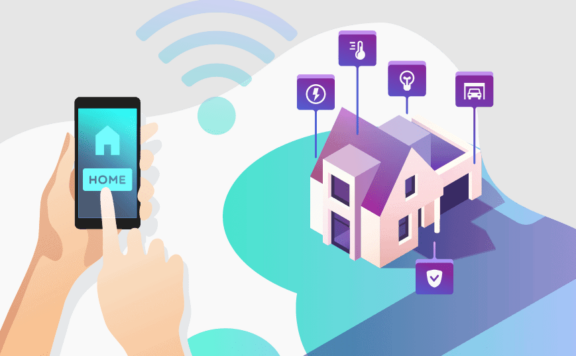
Abode has quietly become one of the most versatile DIY home security systems on the market. It’s the only major system that works with Apple HomeKit, Amazon Alexa, AND Google Home — a trifecta no competitor matches. With plans starting at free (self-monitoring) and going up to $20/month for professional monitoring, plus a massive sensor ecosystem and no contracts, Abode hits a sweet spot between budget DIY and premium smart security.
Quick Specs
| Feature | Details |
|---|---|
| Starting Kit Price | $199 (Smart Security Kit — currently 50% off) |
| Monthly Plans | Free (self-monitor), $6/mo (Connect), $20/mo (Connect+/Pro) |
| Contract | None — cancel anytime |
| Installation | 100% DIY (15-30 minutes) |
| Smart Home | HomeKit, Alexa, Google Home, Z-Wave, ZigBee |
| Pro Monitoring | Yes — 24/7 with police/fire dispatch ($20/mo) |
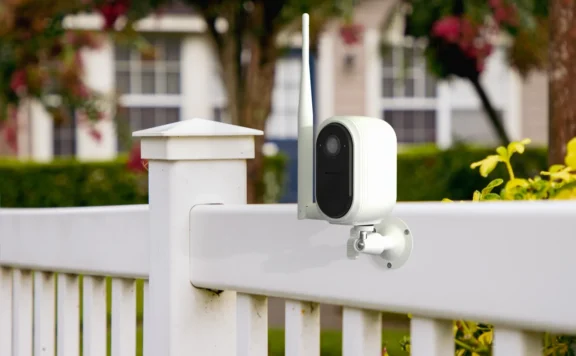
| Cameras | Abode Cam 2, Wireless Video Doorbell |
| Cellular Backup | Yes (on paid plans) |
2026 Product Lineup
Security Kits
| Kit | Price | Includes |
|---|---|---|
| Smart Security Kit | $199 (50% off sale) | Gateway, keypad, motion sensor, door sensor |
| Abode Security Kit | $149 (50% off sale) | Gateway, mini sensor, keyfob |
| Iota Security Kit | $279 | All-in-one gateway with built-in camera + sensors |
Cameras & Doorbell
| Product | Price | Key Feature |
|---|---|---|
| Abode Cam 2 | $34.99 (42% off) | 1080p indoor/outdoor, motion zones, night vision |
| Wireless Video Doorbell | $89.99 | Battery-powered, 2-way audio, motion detection |
Sensors & Accessories
- Door/Window: Mini Sensor, Slim Strip Sensor, Recessed Sensor
- Glass Break: Acoustic Glass Break, Vibration Glass Break
- Motion: Motion Sensor, Multi Sensor (40% off)
- Control: Keypad 2 (33% off), Keyfob, Panic Button
- Sirens: Indoor Siren, Outdoor Siren
- Environmental: Smoke Alarm Monitor, Water Leak Sensor
- Smart Home: Abode Lock, Smart Power Switch, Color Bulbs
Monitoring Plans
| Plan | Price | Features |
|---|---|---|
| Free (Self-Monitor) | $0/mo | App alerts, automation, smart home control |
| Connect | $6/mo | Cellular backup, timeline history, automation+ |
| Connect+ | $20/mo | Everything in Connect + 24/7 pro monitoring with police/fire dispatch |
No contracts on any plan. Annual billing saves ~17%.
Pros
- Triple smart home support: The only system with HomeKit + Alexa + Google Home. No one else does this.
- No contract: Month-to-month on every plan, including pro monitoring
- Huge sensor ecosystem: Z-Wave and ZigBee support means you can add hundreds of third-party devices
- Free self-monitoring: Full app control with push notifications costs nothing
- True DIY install: 15-30 minutes, no drilling, renter-friendly adhesive mounts
Cons
- Camera lineup is limited: Only 2 cameras (Cam 2 + doorbell) vs Ring’s 15+ models
- No outdoor camera (yet): The Cam 2 is rated for indoor/outdoor but isn’t a dedicated weatherproof outdoor cam
- App can be slow: Some users report delayed notifications and sluggish live view
- Pro monitoring is $20/mo: More expensive than Cove ($17.99/mo) or Wyze ($9.99/mo)
- Smoke alarm monitor out of stock: Key environmental sensor currently unavailable
Abode vs Competitors
| Feature | Abode | SimpliSafe | Ring | Cove |
|---|---|---|---|---|
| Starting Kit | $149 | $249 | $199 | $149 |
| Pro Monitoring | $20/mo | $29.99/mo | $20/mo | $17.99/mo |
| Free Plan | ✅ | ❌ | ❌ | ❌ |
| HomeKit | ✅ | ❌ | ❌ | ❌ |
| Google Home | ✅ | ✅ | ❌ | ❌ |
| Z-Wave/ZigBee | ✅ | ❌ | ✅ (Z-Wave) | ❌ |
| Contract | None | None | None | None |
| Cameras | 2 | 3 | 15+ | 1 |
Who Should Buy Abode?
- Apple HomeKit users: Abode is the undisputed #1 choice for HomeKit-compatible security
- Smart home enthusiasts: Z-Wave + ZigBee + triple-platform support = ultimate flexibility
- Renters: No contract, no drilling, easy to move
- Budget-conscious buyers who want pro monitoring: $20/mo with no contract undercuts ADT and Vivint significantly
Who Should Look Elsewhere?
- Camera-first buyers: If you need 5+ cameras, Ring or Blink have much larger camera lineups
- Absolute lowest price: Cove is cheaper for pro monitoring at $17.99/mo
- Want pro installation: Vivint or ADT offer tech-installed systems
Abode in 2026: What’s New
Abode has continued to strengthen its position as the best DIY security system this year:
- Matter controller support — The Smart Security Hub now acts as a Matter controller via firmware update. You can pair Matter-certified smart locks, lights, and sensors from any brand directly to Abode — no additional bridges needed. This makes Abode the most interoperable security hub on the market.
- Connect plan dropped to $6/month — The mid-tier plan went from $8 to $6/month, making it the cheapest enhanced monitoring option available. You get timeline history, automation rules, unlimited users, and integrations for less than the cost of a streaming service.
- HomeKit Secure Video enhancements — The Abode Cam 2 now supports enhanced activity zones, improved face recognition, and package detection through Apple’s HSV. No other security system camera offers this depth of HomeKit camera integration.
- Free plan still fully functional — While Ring moved more features behind its $10/month paywall and SimpliSafe raised plan prices, Abode’s free tier remains unchanged: full app control, push notifications, arming/disarming, and HomeKit/Alexa/Google integration at $0/month. Increasingly rare in this market.
- Zigbee 3.0 device compatibility expanded — Support for IKEA DIRIGERA-compatible sensors and Philips Hue motion sensors means more affordable accessories for your Abode system. Combined with Z-Wave Plus and Matter, Abode supports more third-party devices than any competitor.
Bottom line: Abode keeps widening its competitive moat. Matter + HomeKit + Z-Wave + Zigbee + free self-monitoring in a $199 kit is a combination no other system can match. The value proposition gets stronger every year while competitors raise prices.
Current Sale
🔥 Spring Forward Sale (March 2026): Up to 50% off security kits + FREE Abode Cam 2 + 2 Wi-Fi Color Bulbs when you buy a kit with a yearly plan. This is the best deal we’ve seen from Abode in months.
→ Check current pricing at goabode.com
FAQs
Does Abode work with Apple HomeKit?
Yes — Abode is the only major DIY security system with full HomeKit support. You can arm/disarm, view sensor status, and run automations from the Apple Home app.
Is Abode good for renters?
Excellent. No contract, adhesive-mounted sensors, 15-minute DIY install, and a free self-monitoring plan. Take it with you when you move.
How does Abode compare to SimpliSafe?
Abode is better for smart home integration (HomeKit/ZigBee/Z-Wave), while SimpliSafe has a larger camera selection and slightly more polished app. Abode’s free plan and no-contract pro monitoring are major advantages.
What happens if I don’t pay for monitoring?
The system still works. You get app notifications, local siren, and full smart home control. You just won’t have 24/7 professional monitoring or police/fire dispatch.
Related Reviews & Comparisons
Abode Comparisons
- Alder vs Abode 2026 — Contract lock-in vs no-contract DIY, full pricing breakdown
- ADT vs Abode 2026 — Legacy pro-install vs modern DIY with HomeKit
Competitor Reviews
- SimpliSafe Review 2026 — Abode’s closest DIY competitor (but no HomeKit)
- Ring Alarm Review 2026 — Amazon’s ecosystem play vs Abode’s open platform
- Cove Review 2026 — Budget challenger with similar monitoring pricing
- Vivint Review 2026 — Premium pro-installed alternative
- Frontpoint Review 2026 — $50/month Alarm.com dealer vs Abode’s free plan
- ADT Review 2026 — Legacy pro-install vs modern DIY
- Brinks Review 2026 — Another Alarm.com-based competitor
- Alder Review 2026 — Why door-to-door contracts are a red flag
- eufy Cameras Review 2026 — Best local-storage cameras to pair with Abode
- Blink Review 2026 — Amazon’s budget cameras (no alarm system)
More Comparisons
- Ring vs Frontpoint 2026 — Amazon DIY vs Alarm.com dealer
- Cove vs SimpliSafe 2026 — Two budget DIY systems compared
- Brinks vs Vivint 2026 — Two contract-based alarm companies
- Ring vs Brinks 2026 — Amazon DIY vs legacy alarm company
- SimpliSafe vs Alder 2026 — No-contract DIY vs 5-year lock-in
Buying Guides
- Best HomeKit Security Systems 2026 — Full guide to Apple-compatible options
- Best HomeKit Security Cameras 2026 — Camera picks for Apple households
- Best No-Contract Security Systems 2026 — Systems that work without subscriptions
- Best Smart Home Security Systems — HomeKit, Alexa & Google compared
- Best Smart Locks 2026 — Locks that work with Abode and other systems
- DIY vs Professional Security Systems — Full comparison guide
- Home Security for Renters — Portable, landlord-friendly options
- Best Alexa Security Devices 2026 — Cameras, sensors, locks that work with Echo
- Best Google Home Security Systems 2026 — Which alarms work with Google Assistant
- Best Z-Wave Devices 2026 — Sensors, locks, plugs for Z-Wave hubs like Abode
Last updated: March 2026
2026 update: Abode buyer-fit checklist
- Confirm which monitoring tier you actually need before buying extra accessories or paid add-ons.
- Test automations, alert latency, and mobile control across your real home-network weak spots.
- Compare 36-month ownership against Ring, SimpliSafe, and Cove including storage and expansion costs.
Related reads: Ring vs Abode 2026 and ADT vs Abode 2026.
2026 Abode review comparison and smart-home link map
- ADT vs Abode — compare pro-install contracts against Abode’s DIY/no-contract path.
- Best HomeKit security systems 2026 — useful for Apple Home buyers comparing Abode’s smart-home fit.
- Best no-contract home security systems 2026 — see flexible alternatives before choosing a monitoring plan.
- Best home security systems for condos 2026 — match Abode against smaller-space setups.
2026 refresh: rural homes, long driveways, cameras, backup alerts 13
2026 buyers should pressure-test this choice against rural homes, long driveways, camera coverage, and backup alerts before deciding.
- Rural homes: confirm cellular backup, siren volume, and who can respond locally.
- Long driveways: use approach alerts and exterior cameras before the front door.
- Cameras: compare privacy zones, night view, storage rules, and notification quality.
- Backup alerts: check cellular, battery behavior, sirens, and emergency contacts.
June 2026 update: where Abode fits best
Abode remains strongest for buyers who want a real alarm system without locking themselves into a long contract. The clearest fit is a renter, condo owner, or townhome owner who wants sensors, app control, optional monitoring, and smart-home compatibility in one setup instead of stitching together cameras and locks.
If you are comparing Abode against lower-cost camera ecosystems, start with the difference between access control, video, and intrusion response. Our newer guides on no-subscription condo security, smart locks for condos, and HomeKit security for townhomes show where Abode can sit as the alarm layer while cameras and locks handle narrower jobs.
- Pick Abode if you want DIY setup, no long contract, and optional pro monitoring.
- Pick a camera-only platform if your main goal is video clips, not entry-sensor alarm response.
- Pick a pro-install brand only if you prefer installation help and are comfortable with higher commitment.
June 2026 next reads for Abode shoppers
If you are considering Abode, match the system to the entry points and rooms that actually create risk. The strongest setup is usually a focused mix of sensors, smart locks, cameras, and monitoring choices, not the biggest kit.
- Smart locks for garages for side doors, interior garage entries, codes, and access logs.
- Condo security systems for main doors, balconies, shared garages, and building-rule constraints.
- No-subscription condo security for buyers who want alerts without another monthly bill.
- Smart locks for condos for guest codes, HOA rules, Apple Home households, and alarm fit.
For current Abode checks, compare the Abode Lock and Abode plans before deciding how much monitoring or smart access control you need.
July 2026 refresh: verify the exact Abode system you are buying
An Abode review should separate the brand from the exact hub, kit, sensors, cameras, app functions, integrations, and service state in the cart. Product names, bundles, plan inclusions, compatibility, and sale prices can change. Save a dated proposal and test the permanent state rather than applying one feature to every Abode product.
| Decision | Evidence to save | Failure to test |
|---|---|---|
| Direct alarm coverage | Exact hub or kit, door and window contacts, motion detectors, local warning, keypad or local control, modes, delays, batteries, and zone names | Internet unavailable, phone unavailable, low battery, weak signal, wrong zone name, and restored service |
| Camera evidence | Exact camera, power, network, physical view, first useful frame, alert time, recording start, storage, retention, playback, export, audio, and privacy boundary | Backlight, night lighting, weak Wi-Fi, internet loss, expired plan, unavailable owner, and removed viewer |
| Smart-home fit | Exact hub, integration claim, exposed functions, controller, bridge, account owner, automation, and supported software version | Controller unavailable, duplicate automation, stale state, removed user, internet loss, and account recovery |
| Monitoring and response | Selected plan, communicator, local warning, event types, contacts, verification, cancellation, permit, test mode, and restoration | Primary contact unavailable, internet loss, communicator trouble, plan end, and cancelled alarm |
| Ownership and exit | Equipment owner, account owner, billing owner, user roles, data, reset, cancellation, replacement, move, and disposal steps | Lost phone, departing resident, owner unavailable, service ended, failed hub, and home sale |
Build a matched bill of materials
Map every exterior door, accessible window, interior motion area, keypad point, local-warning need, camera view, doorbell, lock, garage, gate, smoke and carbon-monoxide boundary, water risk, detached area, network path, power source, user, responder, and evidence-retention requirement. Mark each job required, optional, or unsupported before comparing prices.
Use Abode’s current Smart Security Kit page and plan page for the current offer. Record the exact SKU, included equipment, quantity, mount, battery, power supply, communication path, trial, selected service, tax, shipping, return rule, warranty, and support owner. Do not copy a current sale into a three-year cost as if it were permanent.
Write the permanent unpaid state
Record what remains after every trial and optional service ends: direct sensing, arming, local warning, keypad or local control, app control, remote access, notifications, history, live camera view, recording, retention, playback, export, detection labels, automations, integrations, multiple users, support, and data access. A no-contract offer and a no-fee feature are separate claims.
The no-subscription system guide compares permanent unpaid functions. The HomeKit system guide covers Apple Home boundaries, and the Ring, SimpliSafe, and Abode guide compares matched DIY-system jobs.
Measure ownership over three years
Total the hub or kit, sensors, cameras, mounts, batteries, power, network work, selected plans, permits, tax, shipping, installation help, local storage where used, support, and replacement. Price four scenarios: normal ownership, one failed major device, optional-service cancellation, and a move.
List owners, residents, restricted users, guests, camera viewers, alarm users, emergency contacts, installers, billing owners, automation owners, and recovery contacts. Add then remove a temporary user. Prove old alarm control, codes, camera view, recordings, shared links, app sessions, automations, invitations, and recovery routes fail.
45-minute Abode acceptance test
- Reconcile the exact kit, hub, sensors, cameras, controls, zones, users, integrations, plan, network, power, response, ownership, and three-year cost.
- Open, close, tamper, and restore each approved direct sensor 10 times. Confirm the correct name, state, local warning, alert, history, and restoration.
- Walk every camera route by day and in low light. Save the first useful frame, alert, recording, timestamp, retention, playback, export, audio, and privacy result.
- Test each approved mode, delay, local control, household role, monitoring event in approved test mode, cancellation route, and removed user.
- Disconnect internet safely, then run the documented power-loss route. Record direct sensing, warning, cameras, app, communicator, batteries, missed events, restart, and restoration.
- End optional service in the worksheet and confirm every required job in the permanent state.