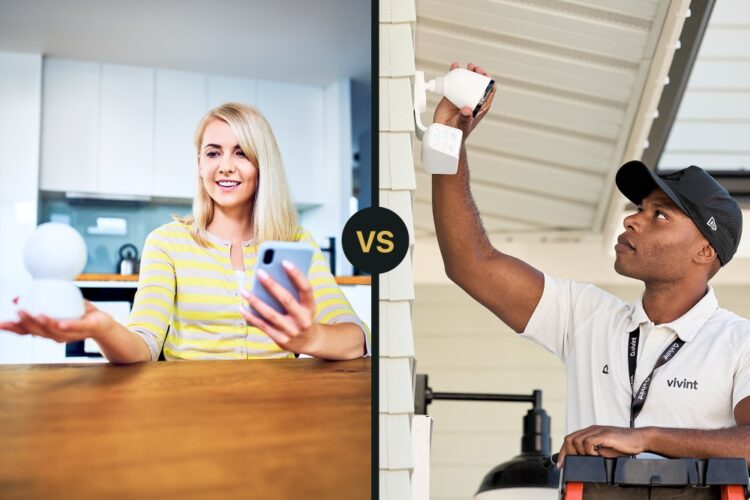
DIY and professionally installed security are no longer opposites. A DIY kit can include professional monitoring, while an installer may use wireless equipment that looks much like a retail system. The real decision is who designs the coverage, who installs and tests it, which response service you buy, what you own, and how easily you can change providers later.
This 2026 guide avoids fixed “typical” prices because equipment, promotions, monitoring tiers, permits, and dealer contracts change. Compare written proposals for the same property and calculate the full three-year cost before choosing.
DIY vs professional home security at a glance
| Decision | DIY route | Professional-install route |
|---|---|---|
| System design | Homeowner maps openings, rooms, hazards, and device placement | Salesperson or technician proposes the design; homeowner should still verify coverage |
| Installation | Homeowner mounts, pairs, names, tests, and maintains devices | Technician installs and should document and test each zone |
| Monitoring | May offer self-monitoring, professional monitoring, or both | Often sold with professional monitoring, but terms vary by provider and dealer |
| Ownership | Often bought upfront; confirm what works without a plan | May be purchased, financed, leased, or tied to service; read the agreement |
| Changes and moves | Usually easier to add, remove, or relocate devices yourself | May require approved hardware, a service visit, account release, or a new agreement |
| Best fit | Buyers who want direct control and can test their own installation | Buyers who value an installer, documented service, and one support path |
Start with one property plan
Do not compare a five-piece starter kit with a professionally quoted whole-home system. Give every seller the same coverage worksheet:
- Exterior doors, accessible windows, garage entry, basement bulkhead, and detached buildings.
- Interior motion zones, pet size, sleeping areas, and household accessibility needs.
- Smoke, carbon monoxide, heat, freeze, and water-leak locations.
- Indoor and outdoor camera jobs, including the face or event each camera must capture.
- Keypads, key fobs, panic buttons, sirens, and household users.
- Internet, cellular, and battery-backup expectations.
- Smart locks, lights, garage controls, thermostats, and voice assistants.
Mark every device on a floor plan. A cheap kit can become expensive after adding the sensors needed for equal coverage. A high dealer quote may include life-safety devices, labor, permits, or cellular service that a retail bundle omits.
Installation: convenience is not the same as proof
What DIY installation requires
A DIY system shifts the site survey and quality check to the owner. Before applying adhesive or drilling:
- Confirm the hub has power, internet access, and a workable cellular signal if the chosen service uses cellular backup.
- Check door and window alignment, magnet gaps, motion-detector height, and camera power.
- Pair and name one device at a time with plain labels such as “Basement East Window.”
- Walk-test every zone and confirm tamper, low-battery, open, closed, and alarm states.
- Test the home at night and with doors, Wi-Fi, and household routines in their normal state.
DIY is not automatically less reliable. An untested DIY installation is the risk. Keep a device list and repeat a short test after battery changes, router changes, app updates, or a move.
What professional installation should include
Paying for installation should buy more than mounting labor. Require a written scope, exact model numbers, zone list, test results, warranty, service contact, and account handover. Ask the installer to explain:
- Why each sensor and camera is placed where it is.
- Which devices are wired, wireless, encrypted, or reused from an older system.
- What happens during internet and power outages.
- Which trouble conditions reach the homeowner, dealer, or monitoring center.
- Who holds the installer code and whether another provider can take over the equipment.
Do not accept “professionally installed” as a substitute for an owner-observed acceptance test.
Self-monitoring and professional monitoring are separate choices
Installation and monitoring should be compared independently. A DIY system can be professionally monitored. A professionally installed system may also have app alerts, but the service agreement can control what remains available after cancellation.
| Event | Self-monitoring question | Professional-monitoring question |
|---|---|---|
| Door or motion alarm | Who receives the alert, and who calls for help if the owner is unavailable? | How is the signal verified, which contacts are called, and when can dispatch occur? |
| Smoke or CO alarm | Does the app alert add anything beyond listed local alarms and household evacuation? | Is the device listed for the system, and what exact response workflow applies? |
| Internet failure | Which local sirens and controls continue, and can remote alerts fail? | Does the quoted tier include cellular reporting and supervision? |
| False alarm | Can the owner cancel quickly and safely? | What verification, passcode, permit, and false-alarm fee rules apply? |
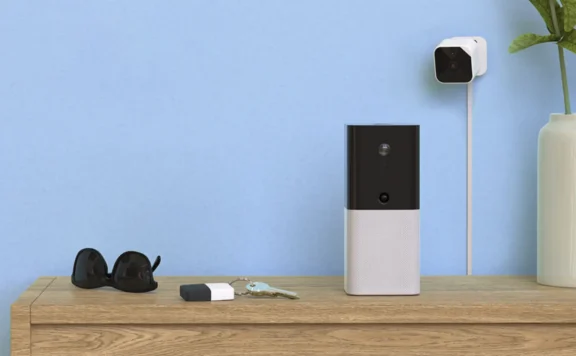
Abode is one example of a directly purchased system with multiple plan choices. Its current plans page is useful when comparing no-plan, self-managed, and professional-monitoring states. SimpliSafe also publishes separate equipment packages and monitoring information. Use current provider pages and the checkout agreement, not an old price table.
Contracts, financing, cancellation, and ownership
Do not assume every DIY plan is contract-free or every installer requires a long contract. Ask each seller for these items in writing:
- Equipment purchase price, financed balance, lease terms, and installation charge.
- Monitoring term, renewal language, introductory pricing, and future price-change terms.
- Early-termination formula, moving policy, transfer process, and account-release conditions.
- Who owns the panel, communicator, cameras, sensors, and recordings at each point.
- Which app, automation, video, and local-alarm functions remain after service ends.
- Whether the system can be monitored or serviced by another company.
For qualifying sales made at a home or certain temporary locations, the FTC explains a federal Cooling-Off Rule, but it has limits and exceptions. Read the FTC guidance and the signed agreement rather than assuming every security sale can be cancelled within three days.
Equipment and smart-home control
Compare exact models and supported functions, not logo lists. “Works with Alexa,” “Google compatible,” or “HomeKit support” can mean different things: voice arming, status checks, automations, camera viewing, locks, or only a subset.
Check these six states:
- What can the security app do with no paid plan?
- What can each household member see and control?
- Can a voice assistant disarm the alarm, and what protection prevents misuse?
- Do automations run locally or require cloud access?
- Can third-party locks, lights, or sensors trigger security actions, or are they display-only?
- What happens to integrations after a provider, dealer, or internet outage?
HomeKit buyers can use our HomeKit security systems guide. Buyers comparing broader hubs and protocols should use the smart-home security comparison.
Cameras: evidence, privacy, and recurring cost
A camera does not replace a door contact, smoke alarm, or monitored alarm signal. Give every camera a defined job, then compare:
- Resolution, field of view, night performance, power, Wi-Fi path, and mounting height.
- Event recording versus continuous recording, retention, clip limits, and download rights.
- Local storage, cloud storage, subscription requirements, and behavior during an outage.
- Two-factor authentication, encryption claims, shared users, privacy zones, and account deletion.
- Who reviews events and whether video verification or live intervention is actually included.
Run day and night tests at each location. Porch glare, infrared reflection, distance, foliage, and weak Wi-Fi can matter more than the resolution printed on the box.
Failure-mode worksheet
| Failure | DIY evidence to collect | Professional evidence to collect |
|---|---|---|
| Internet outage | Local alarm behavior, cellular path, app limitations | Panel path, communicator, monitoring receipt, service-tier requirement |
| Power outage | Hub, router, camera, and keypad runtime | Panel and communicator battery, trouble reporting, service response |
| Phone lost | Session revocation, recovery, secondary admin | Session revocation, dealer support, recovery and passcodes |
| Provider or dealer exit | Local operation, export, replacement path | Equipment ownership, installer code, account release, takeover options |
| Move | Removal, reset, adhesive, re-pairing, new address | Transfer fee, new agreement, technician, equipment left behind |
Calculate a three-year cost
Three-year cost = equipment + installation + permits + 36 months of service + storage + expected maintenance + cancellation or transfer costs − written rebates.
Calculate three cases: keep the system for 36 months, cancel after 12 months, and move after 24 months. Mark any missing amount as “unknown,” not zero. Also record the no-plan state: local siren, keypad, app, automations, camera live view, recordings, cellular backup, and professional response.
45-minute acceptance test for either route
- Account: confirm the owner is primary administrator, enables two-factor authentication, and removes installer or temporary users that are no longer needed.
- Zones: open every protected door and window and confirm the correct plain-language name.
- Alarm: use test mode to trigger entry, exit, motion, panic, and monitoring workflows.
- Life safety: test listed smoke and CO devices according to their instructions and monitoring procedure.
- Outages: disconnect home internet and briefly remove AC power; confirm documented local and remote behavior.
- Video: test day and night events, notifications, privacy zones, recordings, and downloads.
- Users: test owner, child, guest, cleaner, and emergency access where relevant.
- Handover: save the zone list, model numbers, receipts, warranty, permit, contract, support contact, and transfer terms.
Which route should you choose?
Choose DIY when you can design and test the coverage, want direct account control, expect to move or expand the system yourself, and the documented no-plan state meets your needs.
Choose professional installation when a wired takeover, large property, accessibility need, life-safety project, or complicated radio plan makes expert installation worth the cost—and the provider gives you clear ownership and service terms.
Choose a hybrid when you want directly purchased hardware with optional professional monitoring or want to hire an independent installer for difficult mounting and wiring. Abode’s Smart Security Kit and plan choices show how direct purchase and professional response can sit in the same route.
Frequently asked questions
Is DIY home security always cheaper?
No. DIY often removes installation labor, but equal coverage, cameras, storage, cellular backup, monitoring, replacements, and your time can change the result. Compare the same property over three years.
Does professional installation mean a long contract?
Not always. Dealer, financing, and monitoring terms vary. Read the complete agreement, renewal language, cancellation formula, and equipment ownership terms.
Can a DIY system have professional monitoring?
Yes. Several directly purchased systems offer optional professional monitoring. Verify which equipment, cellular, app, video, and dispatch features are included in the chosen tier.
Which route is better for renters?
Portable DIY equipment often fits renters, but check the lease, mounting method, internet setup, monitoring address, and move process. A renter with accessibility or installation needs may still prefer professional help.