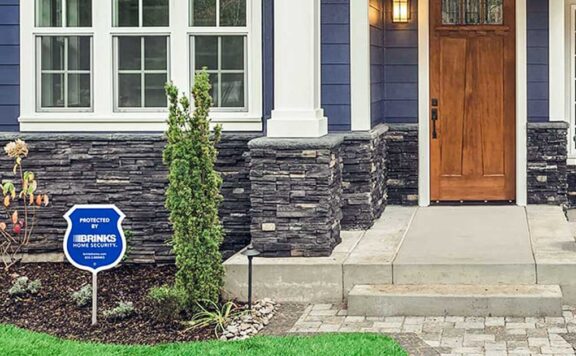
A home office can hold a work laptop, client files, prototypes, tax records, and access to company accounts. The right security setup does more than show a camera feed. It should tell you which door opened, preserve useful evidence, protect work calls from unnecessary recording, and keep basic protection running when the internet or power fails.
This guide compares the jobs a smart-home security system must do for a home office in 2026. It also gives you a 30-minute test to run before you trust the setup with a real workday or trip.
Home-office security at a glance
| Job | Best starting point | Common mistake |
|---|---|---|
| Detect entry | Contact sensor on the office door and any accessible window | Using indoor motion as the only signal |
| Verify an event | Camera covering the approach, not the desk | Recording screens, calls, or private paperwork |
| Control access | Named users or temporary codes | Sharing one permanent PIN |
| Own the response | One primary person and one backup | Sending every alert to everyone |
| Keep working offline | Local alarm behavior plus tested battery backup | Assuming Wi-Fi loss means nothing works |
| Recover safely | Written account, network, and device handover record | Leaving devices tied to a former employee or installer |
Start with the office boundary
Map the room before buying devices. List every realistic route into the office: the interior door, a side or patio door, accessible windows, an attached garage, and any shared hallway. A direct contact sensor tells you that a specific opening changed state. Motion can add context, but it cannot tell you which door or window was used.
If the office is inside a shared home, decide whether the room is private, shared during set hours, or open to family at all times. That policy should determine who gets access and when alerts are meaningful.
Choose direct sensors before automations
Put the most reliable signal closest to the event. For most offices, that means a door sensor, window sensors where entry is practical, and a glass-break or motion sensor only where it adds useful coverage. Name each device by location, such as “Office door” or “Office east window.” A generic “Sensor 4” alert slows down the response.
Readers building a broader setup should compare the main choices in our best smart-home security systems guide. If a monthly plan is not wanted, start with the best no-subscription systems and confirm exactly which alerts and recordings remain available without payment.
Place cameras around the approach, not the work
An office camera is most useful when it shows how someone approached or entered. It is often least useful when it points at a monitor, whiteboard, client file, or video-call area. Aim for the doorway or exterior approach and use privacy zones where the camera supports them.
Write down when recording is allowed. If employees, contractors, housemates, or clients may use the room, disclose the camera and follow local recording laws. The security-camera privacy guide covers placement, retention, access, and deletion questions.
Separate office alerts from household noise
A useful alert states what changed and who owns the next action. Use a small set of high-value notifications:
- Office door opened while the system is in Away mode.
- Office window opened outside an approved work period.
- Camera detected a person at the office approach after hours.
- Office door remained open longer than the chosen threshold.
- Sensor, hub, camera, or backup battery reported a fault.
Avoid a rule that sends every motion event to every household member. It creates alert fatigue and makes the important event easier to miss.
Use named access and remove it on schedule
Where a smart lock fits the door, give each regular user a named credential. Use a temporary code for a cleaner, technician, dog walker, or short-term guest. Set an expiry time when the lock supports it, and test removal from a second phone before the visitor arrives.
Do not treat a lock’s “locked” state as proof the door is physically closed. Check alignment, latch engagement, and door position separately. The front-door smart-lock guide explains fit, fallback entry, credentials, batteries, and failure testing.
Keep work automations conservative
Automations should reduce friction without hiding the system’s real state. Good office routines include turning on a light when the office door opens after dark, reminding the owner when the room is left open, or changing an alert schedule at the end of the workday.
Avoid automatic unlocking based only on phone location. Also avoid arming a whole-home system from a single office event. A delayed phone location or a bad sensor state can create an unsafe lockout or a false alarm.
Decide what happens during calls and focused work
Create a work mode that silences low-value motion notifications without disabling entry detection. The office door and accessible windows should continue to report state. If a camera has a privacy shutter or reliable privacy mode, test it and confirm how the app shows that state.
Do not rely on a spoken command alone for privacy. Verify the camera state in the app or with a visible hardware indicator before discussing confidential work.
Plan for internet, power, and phone failures
Test three different failures because they do not produce the same result:
- Internet outage: confirm whether local sensors still trigger the siren and whether events queue for later upload.
- Power outage: confirm the hub’s backup time, camera behavior, router backup, and safe physical entry.
- Phone loss: confirm a second authorized person can arm, disarm, and review a critical alert.
Apple-centered homes can use the HomeKit power-outage recovery checklist. For a broader ownership transfer, use the smart-home security handover checklist.
Protect the network and accounts
Change default router and device passwords, use unique account passwords, turn on multi-factor authentication where available, and remove old users. Keep security devices on a network arrangement you can maintain and document. The FTC’s home Wi-Fi guidance recommends changing default credentials, using current encryption, and keeping router software updated. NIST’s consumer IoT security program is a useful source for evaluating product security practices.
Where Abode fits
Abode can combine direct door and window sensors, cameras, app control, smart-home integrations, and optional professional monitoring without requiring a long-term contract. A small office can begin with the Abode Smart Security Kit, add an Abode Cam 2 where visual verification is appropriate, and choose among Abode plans based on the response and recording features needed.
The product mix still needs a written response plan. Hardware cannot decide who calls a neighbor, checks a live event, protects a client device, or contacts emergency services.
Three useful home-office setup patterns
Solo office inside an occupied home
Start with the office door sensor, accessible-window sensors, named alerts, and a camera outside the room if visual evidence is needed. Keep recordings away from work screens and calls.
Detached office or backyard studio
Add exterior approach coverage, lighting, tested Wi-Fi or wired connectivity, and a plan for power loss. Confirm the exterior door has safe mechanical fallback and that alerts identify the detached office clearly.
Shared office with staff or contractors
Use named accounts, unique codes, scheduled access, documented camera rules, and a same-day offboarding process. One person should own account administration and another should be able to recover access.
30-minute home-office security acceptance test
- Open each protected door and window and confirm the correct device name appears.
- Walk the camera approach and confirm the face or clothing details needed for verification are visible without exposing screens.
- Trigger an after-hours rule and time how long the primary responder takes to recognize it.
- Remove a temporary code and prove it no longer works.
- Turn off internet access and confirm local sensor and siren behavior.
- Disconnect mains power briefly and confirm the hub, router backup, locks, and cameras behave as documented.
- Sign in from the backup responder’s phone and verify arm, disarm, and alert review.
- Check that a normal work call does not create unwanted recording or repeated alerts.
- Restore service and confirm every device returns online without duplicate users or broken automations.
Record failures and fix them before relying on the system. A passing test is more useful than a long feature list.
Buying questions
- Which entry points report their true open or closed state?
- What works locally when internet service fails?
- How long does the hub run on backup power?
- Can users and temporary codes be named, scheduled, and removed?
- Can cameras avoid desks, screens, and work-call areas?
- Which recordings, alerts, and support features require a paid plan?
- Who can recover the system if the owner loses a phone?
- How are firmware updates and account-security notices handled?
FAQ
Do I need a camera inside my home office?
Not always. Direct door and window sensors may be enough for entry awareness. If a camera is needed, covering the approach usually protects privacy better than pointing it at a desk.
Should a home-office system have professional monitoring?
It depends on occupancy, travel, response needs, and budget. Monitoring can add a provider-run response path, but buyers should confirm what events are monitored, how verification works, and what happens during internet or cellular failure.
Can I use a smart lock on an interior office door?
Only if the lock matches the door, latch, fire-safety requirements, and safe-exit needs. Many interior doors are not prepared like exterior doors, so fit and egress matter more than app compatibility.
How often should I test the office setup?
Run a short test after device, router, phone, user, or plan changes. Run the full acceptance test at least twice a year and before an extended trip or staff handover.
Turn the home office into eight owned security routes
A home office mixes household security with work equipment, confidential calls, client information, expensive devices, visitors, deliveries, and network access. A single camera or lock does not manage those boundaries. Give each operating route a named owner, evidence record, failure rule, and retest date.
| Operating route | Home-office job | Proof to keep | Stop condition |
|---|---|---|---|
| Open-zone troubleshooting | Clear an office door or window that remains open, bypassed, or unready | Zone, physical closure, alignment, battery, tamper, clean re-arm | The office is left protected by an unexplained bypass |
| Siren audibility test | Prove an alarm can interrupt calls, headphones, sleep, music, and closed-door work | Room, door state, background noise, listener, result, correction | A required occupant cannot hear or recognize the alarm |
| Security-app permission audit | Limit camera, microphone, location, background, Bluetooth, and notification access | Phone, OS, app, permission, purpose, owner, retest | An app has authority with no documented security job |
| Alert escalation plan | Route an office alarm or camera event while the owner is in a meeting or unavailable | Event, primary, backup, safe verification, action, timeout | An important alert has no backup owner or safe response rule |
| Network segmentation guide | Separate work devices, household devices, guests, and security equipment | Network role, device list, allowed traffic, admin owner, restoration test | A guest or unmanaged device can reach protected work or security systems |
| Camera evidence-export checklist | Preserve a lawful clip after theft, damage, failed entry, or a disputed visit | Original time, timezone, camera, clip identifier, export, handling record | The only copy may be overwritten, edited, or deleted |
| Internet-outage test log | Prove local alarm, recording, access, alerts, and recovery when broadband fails | Loss time, local state, remote state, missed events, restoration time | The office depends on an untested cloud or remote-control path |
| Incident timeline worksheet | Join sensor, camera, access, call, person, and response records | One normalized timeline with source, timezone, owner, and confidence | A decision depends on memory or one unverified timestamp |
Write the office boundary as a one-page control sheet
- Protected spaces: office door, office windows, equipment storage, document storage, network cabinet, delivery point, and any detached route.
- Protected assets: work computers, removable media, client files, prototypes, keys, identity documents, payment devices, cameras, and backup drives.
- Authorized people: residents, staff, contractors, cleaners, clients, carers, children, and emergency contacts, each with the minimum needed authority.
- Office modes: occupied work, private call, vacant office, household night, whole-home away, delivery, visitor, maintenance, and emergency.
- Alert owners: one primary and one backup for entry, motion, camera, smoke, water, network, power, lockout, and account events.
- Closeout state: doors and windows checked, confidential material secured, guests removed, cameras in the agreed mode, alarm armed, and failed controls assigned.
Keep work calls and camera privacy inside one rule
Document whether an office camera may record during calls, client meetings, screen sharing, document handling, employee work, or visitor access. Record who can see live video, hear audio, download clips, change privacy modes, or delete history. Use visible placement and an agreed operating rule; do not rely on a hidden app setting to communicate that recording is active.
- Exclude screens, documents, neighboring windows, bedrooms, bathrooms, and shared spaces that do not need to be recorded.
- Test privacy mode, schedule, indicator, physical position, owner phone, invited phone, and any voice-display integration.
- Set a retention purpose and deletion date. Keep incident evidence separate from routine footage.
- Remove a test user and confirm live view, history, audio, downloads, alerts, and settings access end on that user’s device.
Use a meeting-safe alert matrix
| Event | Quiet action | Escalation | Do not do |
|---|---|---|---|
| Office door opens while occupied | Direct door-state alert to owner | Backup checks if owner does not acknowledge | Trigger an emergency response from an unverified opening |
| Office door opens while whole home is away | Alarm event plus safe camera or person verification | Follow the written monitoring or emergency rule | Approach a suspected intruder |
| Camera sees motion | Record event and route only the needed alert | Escalate after identity and context checks | Treat camera motion as direct proof of intrusion |
| Smoke, water, heat, or power warning | Notify assigned owner and property backup | Use the hazard-specific emergency plan | Silence a warning without checking the real condition |
| Network or account warning | Preserve logs and switch to the approved local route | Contact the service or work IT owner | Reset every device before evidence is captured |
Score the office on controls, not device count
| Control | Pass | Conditional | Fail |
|---|---|---|---|
| Direct perimeter state | Every required office opening is named and tested | One low-risk opening has a documented temporary control | An opening is unknown, bypassed, or inferred from a camera |
| People and access | Named authority matches the job and can be removed | A correction has an owner and short deadline | Shared owner credentials or stale users remain |
| Alert response | Primary, backup, verification, and action are tested | A non-critical route needs a scheduled retest | An important event has no owner or safe action |
| Privacy | Views, audio, users, retention, and call modes are agreed | A visible temporary restriction is documented | Work calls or private areas can be recorded without a rule |
| Network boundary | Work, guest, household, and security roles are documented and tested | One low-risk device awaits reassignment | Guests or unmanaged devices reach protected systems |
| Failure behavior | Internet, power, phone, account, storage, and restoration are tested | One non-critical correction has a retest date | The office depends on an undocumented remote path |
| Incident record | Times, sources, evidence, owners, and decisions can be joined | Minor record gaps have owners | No usable incident timeline can be built |
Run a 60-minute home-office security control test
- Minutes 0–10 — boundary: inventory openings, assets, users, cameras, locks, network roles, alarm zones, plans, and office modes.
- Minutes 10–20 — direct state: test the office door, one window where present, entry and exit delay, bypass behavior, and the siren with monitoring notified where required.
- Minutes 20–30 — people: add a temporary office user, test the intended access, remove the user, and confirm app, code, camera, alert, and settings access end.
- Minutes 30–40 — privacy and evidence: test the call privacy rule, owner and invited views, a permitted day or night event, playback, timestamp, export, and deletion authority.
- Minutes 40–50 — failures: test internet loss, router restoration, owner-phone unavailability, approved power behavior, account backup, and the alert escalation route.
- Minutes 50–60 — close: restore office mode, remove bypasses and test users, secure confidential assets, save the scorecard, assign failed controls, and set retest dates.
Do not approve the office setup until these blockers are cleared
- An office door or window has no direct tested state or remains bypassed without a temporary control.
- A resident, worker, contractor, cleaner, or former user has more authority than the job requires.
- An important office event has no backup alert owner or safe verification step.
- A camera can expose work calls, screens, documents, visitors, or shared space without an agreed privacy rule.
- A guest or unmanaged device can reach protected work or security systems.
- Internet, power, phone, account, storage, or service loss leaves an unknown alarm, recording, or access state.
- An incident clip cannot be exported with a useful time record or the only copy may be overwritten.
- A failed control has no owner, temporary safeguard, deadline, and retest record.