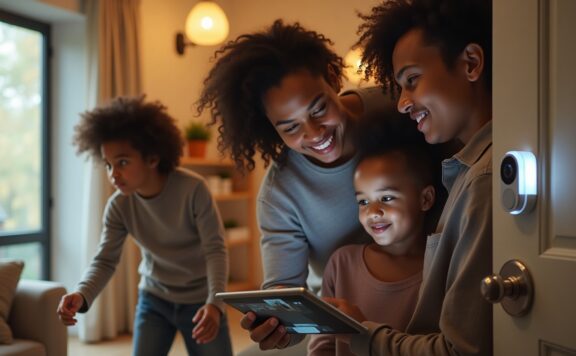
A delivery door needs more than a smart lock. It needs a contact sensor that proves the door closed, a privacy-safe camera view, temporary access that expires, useful notifications, a Home hub that stays online, and a response plan when nobody is home.
This guide is for side doors, mudroom entries, garage-to-house doors, package rooms, gated vestibules, and other entrances used by couriers, cleaners, pet sitters, tradespeople, or family helpers. The right setup separates three jobs: entry permission, door state, and incident response.
HomeKit delivery-door setup at a glance
| Job | Device or rule | Acceptance test |
|---|---|---|
| Know whether the door opened and closed | Named contact sensor on the actual delivery door | Open, close, and leave it ajar; confirm all three states |
| See the approach or handoff | Exterior or entry-zone camera with a narrow view | Export a clip showing face, package, and door |
| Grant entry | Named, scheduled smart-lock code | Use it once, then expire and retest |
| Keep automations available | Powered Home hub with stable network coverage | Disable the main phone and run the scene again |
| Detect forced entry | Independent alarm hub, contact sensor, and siren | Test with internet disconnected |
| Handle an unexpected event | Named alert owner and local responder | Stage an alert while the primary owner is unavailable |
Start with the door, not the app
Identify the exact opening used for deliveries. A label such as “Back Door” is weak when the property also has a rear gate, patio door, garage door, and garage-to-house door. Use names that a responder can understand without seeing the app: “East delivery gate,” “Mudroom exterior door,” or “Garage-to-kitchen door.”
Check the physical door before buying electronics:
- Does the latch engage without pushing or lifting the door?
- Is the frame split, loose, or weather-damaged?
- Can the selected lock fit the deadbolt, mortise, or multi-point hardware?
- Is the contact-sensor gap small enough when the door is closed?
- Can a person stand outside without the camera viewing a neighbor’s window?
- Is there safe power, Wi-Fi, and maintenance access?
A motorized deadbolt cannot correct a misaligned frame. A camera cannot prove the door latched. Fix the mechanical path first.
Use a contact sensor as the source of truth
A smart lock reports lock position. It does not always prove that the door is fully closed. Install a contact sensor such as the Abode Mini Door/Window Sensor on the same opening and give the sensor and lock matching names.
Build alerts around door state:
- notify when the door opens during an expected delivery window;
- escalate when it remains open beyond a short, tested delay;
- flag an opening outside the schedule;
- do not auto-lock a door that is still physically open;
- treat repeated open/close cycles as a possible handoff or work visit, not automatically as a break-in.
The Abode Smart Security Kit gives the contact sensor an alarm hub and siren rather than leaving the Home app as the only security layer.
Camera placement: verify the handoff without filming private life
Point the camera at the approach, threshold, and package area. Avoid a broad indoor view that records the kitchen, family room, bedrooms, or a neighboring unit. A camera should answer: who arrived, what they carried, whether they crossed the threshold, and where the package was left.
The Abode Cam 2 can add a camera view to an Abode setup. If HomeKit Secure Video is part of the design, confirm the exact camera’s current compatibility, supported recording features, iCloud requirements, and Home hub requirements before purchase. Product families and firmware support can change.
Evidence test
- Walk toward the door carrying a box.
- Stand at the delivery position and face the camera.
- Open the door, place the package, and leave.
- Export the event to a second phone or computer.
- Check that the first useful frame appears before the handoff.
- Confirm the date, time, camera name, and audio policy are clear.
Use the HomeKit camera evidence checklist to test retention and export before an incident.
Temporary access: one person, one code, one window
Do not give couriers, cleaners, pet sitters, or contractors a resident’s permanent code. Create a named credential with a defined start, end, door, and owner. A delivery-door code should not unlock the front door or another private unit.
| Visitor | Access pattern | Removal rule |
|---|---|---|
| One-time courier or installer | Short one-day window | Expire immediately after the verified visit |
| Weekly cleaner | Named recurring schedule | Pause during travel or service gaps; remove when the relationship ends |
| Pet sitter | Named code plus alarm handoff | Remove after the final visit and audit event history |
| Family helper | Individual code, not a shared household code | Review quarterly and after phone/account changes |
| Emergency responder | Protected backup method | Test on a schedule and after any lock replacement |
Review the smart-lock access-code audit and HomeKit guest-access checklist for code ownership and removal steps.
Home ownership and hub design
Keep the property in a Home owned by a stable household account, not a contractor, former resident, installer, or temporary helper. Add people under their own Apple IDs with the least access they need. Do not share the owner’s password.
Home automations and remote control depend on the Home hub and network design. Place a powered hub where it has reliable connectivity. For a delivery entrance at the edge of coverage, test from the actual threshold with the door closed. If the property depends on automations, consider a second compatible hub and document which device is normally connected.
The Home hub redundancy guide covers hub placement, failover, and acceptance tests. Keep the alarm capable of sounding locally even if HomeKit remote access stops.
Safe automations for deliveries
Automations should reduce missed steps without silently granting entry. Good delivery-door routines include:
- turn on an exterior light when motion occurs after dark;
- notify the responsible person when the door opens during a delivery window;
- announce that the delivery door remains open;
- record the camera view when the door opens, subject to platform and plan support;
- remind the owner to remove a temporary code after the window ends.
Avoid routines that unlock solely because a phone enters a broad geofence, disarm the entire alarm after any delivery-door code, or auto-lock without confirming the door is closed. The auto-unlock safety checklist explains why presence signals need a second condition.
Delivery workflows that work
Package placed outside
- Camera detects and records the approach.
- Courier leaves the package in the defined zone.
- Owner checks the event or package notice.
- No unlock or alarm change occurs.
Package placed inside a vestibule
- Courier receives a one-door, short-lived code.
- Contact sensor reports the shared entry opening.
- Camera verifies the handoff without viewing private interiors.
- Door-ajar alert escalates if the entry does not close.
- Code expires at the end of the window.
Cleaner, sitter, or trade visit
- Named person uses a scheduled code.
- Alarm handoff uses a separate named PIN or documented mode.
- Private rooms remain locked or outside the person’s permission.
- Event history is reviewed after the visit.
- Access is removed when the work ends.
Notifications need an owner and a response
Do not send every motion and lock event to every household member. Assign high-value alerts:
- door opened outside the expected window;
- door left open;
- repeated failed code attempts;
- lock battery low;
- camera or hub offline;
- alarm triggered after a delivery-door opening.
Write who checks the camera, who contacts the expected visitor, and who can attend locally. Test the list using the HomeKit notification audit. An alert without an owner is only noise.
Internet, power, phone, and battery failures
Test each failure separately. Do not assume that because one part works locally, the entire workflow survives.
| Failure | What may stop | Required fallback |
|---|---|---|
| Internet outage | Remote alerts, remote video, cloud recording, remote unlock | Local alarm, local lock credential, key, and later event review |
| Power outage | Router, Home hub, plug-in camera, alarm equipment without backup | Battery-backed alarm path and protected physical entry method |
| Owner phone unavailable | Primary alert review and remote action | Second named responder and tested account access |
| Lock battery depleted | Motorized entry and keypad | External emergency-power method if supported and a tested key |
| Camera offline | Visual verification and clip export | Contact-sensor and alarm response that do not depend on video |
| Home hub offline | Remote Home access and automations | Independent lock, sensor, and alarm operation |
Use the home-security internet-outage guide to record what detects, sounds, stores, alerts, and calls for help. Compare current Abode response options on the plans page.
Privacy and shared access
A delivery camera can expose household routines, children, neighbors, and service workers. Limit its view and user list. Tell recurring workers where recording occurs. Review audio-recording and surveillance rules for the property.
Remove former residents, staff, helpers, and installers from the Home, camera account, alarm app, smart-lock account, codes, and voice assistants as one checklist. The HomeKit member-removal guide covers the cross-system test.
Three-year cost worksheet
Use the current checkout price rather than a temporary sale. Include:
- alarm hub and door sensor;
- smart lock and any required bridge;
- camera, mount, power, and storage plan;
- Home hub if the property does not already have one;
- professional monitoring, if selected;
- batteries, charging labor, and replacement media;
- network or backup-power work;
- maintenance and failed-device replacement.
The cheapest device list is not the cheapest working system if nobody replaces batteries, removes old codes, exports evidence, or responds to alerts.
20-minute delivery-door acceptance test
- Open, close, and leave the delivery door ajar; verify each state.
- Use a temporary code and confirm it works only on the intended door.
- Expire the code and prove that it no longer works.
- Stage a package handoff and export the camera clip.
- Trigger the door-ajar alert with the primary phone unavailable.
- Disable internet and test the lock, key, local sensor, and alarm.
- Remove power from the router and Home hub, then record what remains.
- Verify the local responder can identify the door from the alert name.
- Remove a test user and confirm app, camera, lock, and Home access stop.
- Lock the door from outside and physically pull it to confirm the latch holds.
Bottom line
The best HomeKit delivery-door system treats access, door state, video, automation, and response as separate jobs. Abode is a strong fit when the property needs a sensor-led alarm, optional monitoring, a camera, and a smart lock alongside Apple Home control. Test the exact devices, plans, and failure behavior before the return window ends.
Frequently asked questions
Can I let a courier unlock a HomeKit delivery door?
A compatible smart lock may support a temporary or scheduled credential, but capability varies by lock, platform, region, and account design. Use a one-door credential and expire it immediately after the verified handoff.
Does a smart lock prove the door is closed?
No. Lock position and door position are separate. Add a contact sensor and test open, closed, and ajar states.
Should the delivery camera point inside?
Usually it should cover the approach, threshold, and package zone while avoiding broad views of private rooms and neighboring property.
Will HomeKit keep working without internet?
Some local controls and automations may continue, but remote access, notifications, cloud video, and third-party service paths can stop. Test the exact setup with internet disconnected.
Can a delivery-door setup replace a home alarm?
No. One lock, sensor, and camera do not cover every opening, siren, panic, smoke, carbon-monoxide, water, or response need. Build those jobs into the wider alarm plan.
Add a delivery-door chain-of-custody plan
A delivery door is not secure because a camera saw a person or a smart lock accepted a code. The household needs a short record that joins the expected delivery, visitor identity, door state, lock action, package handoff, evidence, and access removal. Without that chain, the system can show activity while leaving the door open, the code active, or the package outside.
Use the eight operating routes below as separate controls. Each route should have one owner, one pass condition, and one failure action. Do not combine them into a single “delivery complete” automation.
| Operating route | Question | Pass record |
|---|---|---|
| Doorbell and announcement | Did the press reach the right HomePods, phones, and household members? | Named recipients, alert time, recording start, and fallback |
| Camera activity zone | Does the approach zone capture a courier without filming a neighbour’s private area? | Day, night, rain, and backlight walk-test results |
| Camera household access | Who can watch live, replay, export, change zones, or disable recording? | Named viewers, roles, removal date, and recovery owner |
| Apple Home activity history | Can the owner join lock, door, alarm, and resident actions into one timeline? | Time-zone check, expected events, missing events, and retention limit |
| Temporary-code removal | Does the delivery credential expire and disappear after the approved window? | Person or service, purpose, start, expiry, removal owner, and retest |
| Alert-delay test | How long do door, lock, camera, and alarm alerts take on Wi-Fi and cellular data? | Median and worst delay plus escalation threshold |
| Coverage and blind spots | Can the view show approach, handoff, and departure without relying on one wide shot? | Marked map, blind spots, overlap, mounting height, and privacy boundary |
| Incident timeline | Can the household preserve a useful record after a package loss or access dispute? | Sensor times, video times, calls, exports, hashes, and evidence owner |
Write the delivery state machine
Use named states instead of one broad delivery routine. A simple plan can use expected, arrived, verified, access granted, package placed, door closed, lock confirmed, access removed, and exception. Each state needs evidence. The next state must not start because time passed alone.
| State | Required proof | Do not accept |
|---|---|---|
| Expected | Order or visit record, delivery window, destination, and owner | An unscheduled visitor claiming a delivery |
| Arrived | Doorbell, camera, or direct resident confirmation | Motion outside the approach zone |
| Verified | Expected carrier or visitor plus matching delivery details | A uniform, vehicle, or caller ID by itself |
| Access granted | Named temporary credential with a narrow window | Owner code, shared household code, or remote unlock from a weak trigger |
| Package placed | Camera view or resident confirmation at the approved location | Door opened without proof of handoff |
| Door closed | Contact sensor closed after the handoff | Lock command or video appearance alone |
| Lock confirmed | Door closed, bolt engaged, no jam, and direct pull test where safe | App “locked” while the door remains ajar |
| Access removed | Code expired or deleted, sessions checked, and reuse test failed | A plan to remove access later |
| Exception | Named person takes over and freezes risky automation | Repeated remote unlock attempts |
Keep door state separate from lock state
A smart lock can report that its motor moved even when the door is not fully closed. Use a direct contact sensor for the door and the lock’s own state for the bolt. The delivery is not complete until both states agree. Test a nearly closed door, a package blocking the swing, a misaligned strike, and a weak battery. Confirm the alert names the exact failure instead of only saying “routine failed.”
Do not use camera motion, courier departure, or elapsed time to prove the door closed. A person can leave while the door remains open. Set an open-too-long alert and assign a response owner who can check the live view, contact the property, or attend safely.
Limit temporary access
The safest delivery access is one person or service, one purpose, one door, and one short window. Use a different credential for cleaners, dog walkers, trades, relatives, and regular residents. Do not give a courier a code that also opens a garage, side door, or second unit.
- Create the code only after the delivery window is known.
- Record who approved it and which door it controls.
- Test it before the delivery without sharing an owner credential.
- Set an automatic expiry where supported, then verify removal manually.
- Review lock history and Apple Home activity after the handoff.
- Attempt the old code after expiry and record the rejection.
If the platform cannot provide a narrow, named, and removable credential, use attended delivery or an exterior package location. Convenience does not justify permanent shared access.
Audit the camera as evidence, not decoration
The camera should show the approach, face or identifying detail where lawful, package handoff, door movement, and departure. A single view may not cover all five. Mark blind spots created by the open door, porch columns, screen doors, parked cars, plants, hats, and night glare.
Run the same route in daylight, at dusk, after dark, and in poor weather. Test a fast approach, a person standing close to the lens, a large package, and someone moving out of the activity zone. Export one clip and verify timestamp, audio, first useful frame, retention, and playback on another device.
Assign alerts before enabling them
Doorbell, person, package, door-open, lock, low-battery, offline, tamper, and alarm notifications should not all have the same priority. Choose a primary and backup owner for each event. Measure delay on Wi-Fi and cellular data. Test Focus modes, muted devices, Apple Watch routing, and a phone with the app signed out.
| Alert | Primary action | Escalation |
|---|---|---|
| Unexpected visitor | Do not unlock; review live view and expected schedule | Contact the property or local responder if behavior is concerning |
| Door open too long | Check contact state and camera view | Call the resident or send a safe responder |
| Lock jam | Stop automatic retries and confirm the door is closed | Use the approved backup entrance or local help |
| Camera offline | Do not grant unattended access | Move to attended or exterior delivery |
| Code used outside window | Remove the code and review all access history | Change related credentials and preserve evidence |
| Package missing | Freeze relevant clips and event history | Build the incident timeline and follow carrier or police guidance |
Separate household, vendor, and Apple Home permissions
Apple Home access does not prove vendor-app access ended, and removing a lock code does not remove camera viewing. Keep a record of Apple Home residents, vendor-app administrators, camera viewers, lock users, monitoring contacts, shared devices, and trusted sessions. Review all routes after a move, breakup, contractor visit, phone replacement, or account recovery.
Test removal from a second device. Confirm the former user cannot watch live, replay clips, export evidence, change activity zones, unlock, edit automations, or invite another user. If any path remains, the removal is incomplete.
Run delivery failures before trusting the setup
- Disconnect internet and record which sensors, locks, cameras, automations, and local alarms continue.
- Unplug the active home hub and repeat the delivery-state test.
- Remove power from the camera or chime and verify a health alert reaches the owner.
- Use a low smart-lock battery and test the documented backup entry.
- Sign the owner phone out, switch it off, and confirm the backup owner can act.
- Block the door from closing and confirm the system does not report a completed secure delivery.
- Let the temporary code expire during the test and verify it cannot be reused.
Run a 75-minute HomeKit delivery-door acceptance test
- Minutes 0–10: review expected visitor, approved door, access window, alert owners, and privacy boundary.
- Minutes 10–20: press the doorbell and measure announcements, notifications, and recording start.
- Minutes 20–30: walk the activity zone in daylight and low light, then export one clip.
- Minutes 30–40: use the temporary code, place a package, close the door, and confirm door and lock states separately.
- Minutes 40–50: test door-open-too-long, lock jam, camera offline, and delayed alert responses.
- Minutes 50–60: remove the credential and household access, then attempt reuse from a second device.
- Minutes 60–70: disconnect internet and the active home hub separately; record what remains.
- Minutes 70–75: review the event timeline, assign fixes, and set the retest date.
Delivery-door control scorecard
- Expected delivery and visitor are recorded.
- Doorbell alerts reach a primary and backup owner.
- Camera coverage passes day, night, weather, and blind-spot tests.
- Door state and lock state are independent and agree.
- Temporary access is named, narrow, tested, expired, and removed.
- Apple Home and vendor-app permissions are separately recorded.
- Alert delays and escalation thresholds are measured.
- Internet, hub, power, phone, and battery failures have safe outcomes.
- Evidence can be exported with a usable timestamp.
- A failed delivery can be reconstructed from one incident timeline.
Do not approve unattended delivery until these blockers are cleared
- The lock can report secure while the direct door sensor reports open.
- A courier or service uses an owner, household, or permanent shared code.
- The camera cannot show the handoff or creates an unjustified privacy intrusion.
- No named person owns door-open, jam, offline, or delayed-alert events.
- The temporary credential remains usable after the delivery window.
- A former resident or vendor can still view cameras or change automations.
- The setup grants access when the camera, home hub, internet, or owner phone is unavailable.
- The household cannot export a clip or reconstruct a package-loss timeline.