A basement bulkhead or cellar door needs mechanical repair, direct sensing, safe exit, weather control, and tested alert paths before it needs an automation. These openings can include paired exterior leaves, sloped steel covers, horizontal hatches, steps, drains, an inner basement door, exposed hinges, surface latches, padlocks, gas struts, and unusual clearances. Apple Home can add household status, lighting, camera access, and carefully chosen routines, but it cannot prove that rusted hardware, a flooded stairwell, or a partly latched leaf is secure.
Bulkhead and cellar-door plan at a glance
| Opening | Mechanical job | Direct security job | Apple Home role |
|---|---|---|---|
| Paired sloped bulkhead leaves | Inspect frame, overlap, hinges, lift assistance, hold-open hardware, corrosion, latch, drainage, and safe operation | Prove both leaves are closed and the inner basement door is secured | Named contact states, exterior light, camera view, and household alerts |
| Single horizontal cellar hatch | Check weight, pinch points, hinges, weather seals, support, inside release, and fall protection | Mount a compatible contact where the hatch cannot crush it | Status and alerts only; never automate movement or trap access |
| Walkout basement door under a cover | Repair the conventional door, frame, threshold, lock, drainage, and cover separately | Use a direct door contact and treat the cover as a separate layer where sensing is practical | Door status, lighting, camera access, and approved alarm routines |
| Shared, rental, or common-area opening | Confirm ownership, lease, strata, emergency, fire, accessibility, and privacy rules | Use only approved hardware and personal sensors that do not obstruct others | Least-privilege household access without filming neighbours or shared interiors |
1. Identify every moving part and secure boundary
Photograph the leaves, hatch, hinges, pins, frame, overlap, fasteners, latch, hasp, padlock point, gas strut, spring, chain, hold-open arm, handle, inner door, stairs, handrail, drain, threshold, seals, corrosion, sharp edges, lighting, electrical equipment, and existing sensors. Record which leaf closes first, whether both can be opened from inside, and whether the inner basement door is the actual conditioned and locked boundary.
A two-leaf cover is not one device. One leaf may overlap the other, and a contact on only the final leaf may show “closed” while the first leaf is still unsafe. A hatch may also rest on a warped frame without engaging its latch. Define the secure state in plain language before choosing sensors.
2. Repair mechanics before adding sensors
Open and close the assembly slowly. Stop for excessive weight, uncontrolled movement, failed lift assistance, loose hinges, cracked welds, severe corrosion, sharp edges, unstable stairs, missing handrails, water, ice, blocked drains, or a cover that cannot be held safely. Do not work under an unsupported leaf or hatch.
The door hinge security guide explains exposed pins, retained pins, interlocking protection, compatible fasteners, frames, and latch-side limits. The HomeKit outward-opening-door guide covers sensor clearance, locks, cameras, and failure tests. Bulkhead hardware is specialised; use the manufacturer, a qualified door or metalwork professional, locksmith, building manager, or contractor when the assembly is damaged, heavy, altered, or unclear.
3. Choose direct contacts for the exact geometry
A contact and magnet must remain within their specified alignment when closed, separate reliably when opened, avoid collision through the full travel, tolerate the location, and remain reachable for approved battery and tamper service. Weather, condensation, steel, sloped surfaces, vibration, large gaps, and moving overlaps can make a standard indoor adhesive contact unsuitable.
For paired leaves, test whether each leaf needs its own contact. Name them precisely—“Bulkhead left leaf,” “Bulkhead right leaf,” and “Inner basement door”—rather than “Door 7.” The zone naming guide gives a clean household and monitoring handover method. Verify open, closed, partly closed, wrong closing order, latch missed, tamper, low battery, lost device, restored device, and cold or wet conditions supported by the exact sensor.
4. Keep the inner basement door in the design
An exterior cover may provide weather and deterrence while the inner door provides the conventional lock, frame, seal, alarm contact, and fire or energy boundary. Inspect both. A padlocked cover can create an unsafe exit or maintenance problem, while an unlocked inner door can leave the home exposed after the cover is opened.
Use the basement-door smart-lock guide to compare the inner door’s handing, deadbolt, alignment, key or code fallback, moisture, household access, and egress. Many bulkhead leaves and hatches are not compatible with residential smart locks. Do not improvise powered locking or make escape depend on a phone, battery, internet connection, or cloud account.
5. Add Apple Home without hiding the alarm path
Apple Home can show compatible accessories, run supported automations, and provide remote access when the required home hub, account, network, permissions, and device path are working. Verify the exact sensor and bridge exposure, status wording, notifications, household roles, automation conditions, history, remote behavior, and what remains during internet or home-hub loss.
Review Apple’s current guidance for setting up a home hub and sharing control of a home. Use a second trusted administrator and separate household identities. A useful routine might turn on a basement light after a verified contact opens. Avoid automatic unlocking, suppressing alarms, or treating one geofence, voice, motion, or camera event as proof that the opening is safe.
6. Keep local alarm and response independent
A Home app alert is a useful household signal, not a local siren or complete response path. Where the chosen equipment supports it, direct contacts should report to an alarm hub that can warn locally. Verify entry delay, exit delay, stay, away, night, tamper, low battery, lost sensor, communication loss, restoration, test mode, household contacts, and any selected provider response.
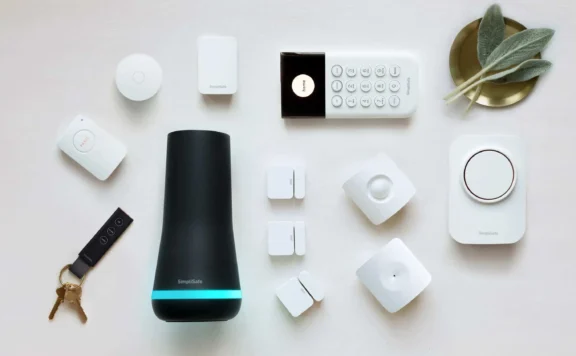
For a sensor-led DIY path with Apple Home compatibility and optional service choices, compare the Abode Smart Security Kit and current service options. Match the exact hub, contacts, keypad, siren, cameras, backup power, communication, monitoring functions, and plan-end behavior to the opening.
7. Use cameras and lighting for approach evidence
A camera can document someone approaching, lifting, tampering with, or leaving the bulkhead. It cannot prove that both leaves are latched or that the inner door is locked. Place the view outside private basement rooms and away from neighbouring property. Check whether an open leaf blocks the lens or light, whether reflective metal or snow overwhelms night exposure, and whether rain, insects, vegetation, and moving shadows create unusable alerts.
Walk the full approach in daylight and darkness. Record the first useful frame, face and clothing detail, direction of travel, alert delay, false events, retention, export, timestamp, audio, shared access, internet loss, power loss, and recovery. Use lighting that makes the steps and handle visible without creating glare or a trip hazard.
8. Treat water, ice, and utility access as security conditions
Blocked drains, failed seals, runoff, snow, ice, and condensation can damage the opening, hide sensor faults, and make the stairs unsafe. Keep drains and steps maintained, but do not assume an automation can prevent flooding or freezing. Place approved leak or temperature sensors at the actual risk points and give each alert a named response owner.
Do not block access to gas, water, electrical, heating, or emergency equipment. Shared and service openings may need access by landlords, technicians, firefighters, or utilities. Document approved keys, codes, contacts, and emergency release without publishing them in camera views or broadly shared notes.
Failure matrix
| Failure | What to test | Safe end state |
|---|---|---|
| Internet unavailable | Direct contacts, local siren, keypad, Apple Home access, remote alerts, camera recording, provider communication, and restoration | Local detection and safe manual operation remain understood; remote gaps are documented |
| AC power loss | Alarm hub, router, modem, home hub, bridge, lights, cameras, keypad, backup runtime, and restart | Opening still closes, latches, releases, and can be checked without automation |
| One bulkhead leaf reports incorrectly | Wrong closing order, overlap, partial closure, magnet movement, tamper, low battery, and lost-device warning | Household can identify the exact leaf and does not receive a false “secure” state |
| Primary phone lost | Second administrator, keypad or manual control, MFA, device removal, camera access, and account recovery | Home remains operable and the lost phone can be removed promptly |
| Water, snow, or ice blocks the opening | Drainage, steps, safe approach, sensor condition, manual release, alternate exit, and response owner | No one relies on a dangerous opening; maintenance and emergency routes are used |
40-minute bulkhead-door acceptance test
- Photograph every leaf, hinge, frame, overlap, latch, hold-open part, inner door, stair, drain, light, camera, and sensor.
- Open and close each leaf through its full safe travel; verify support, order, clearance, latch, inside release, and sensor survival.
- Test each contact in open, closed, partly closed, wrong-order, tamper, low-battery, lost-device, and restored-device states.
- Trigger the selected alarm path in approved test mode; verify local sound, household contacts, and provider behavior where selected.
- Walk the camera approach by day and night; open the leaves and prove the view and lighting remain useful.
- Disconnect internet safely and record direct sensing, sirens, Apple Home, app access, alerts, cameras, communication, and restoration.
- Test safe AC loss and record runtime for the alarm hub, network, home hub, bridge, lights, cameras, and keypad.
- Invite and remove a test user; prove old alarm, camera, automation, sharing, and recovery access fails.
- Reconcile mechanical repairs, the opening map, device inventory, service functions, emergency access, maintenance, and return deadline.
Verdict
Secure a bulkhead or cellar door in layers: make the assembly safe and operable, define the true secure state, sense every necessary leaf and the inner door directly, preserve local warning and manual exit, then add Apple Home status, lighting, and camera evidence. If the opening is heavy, corroded, shared, flooded, rated, or structurally unclear, professional inspection is the security improvement.
FAQ
Can one contact sensor protect a two-leaf bulkhead door?
Sometimes, but only if one contact reliably proves the defined secure state. Overlapping leaves and closing order often make separate contacts safer and clearer. Test partial and wrong-order closure.
Can I install a smart lock on a cellar hatch?
Many hatches and bulkhead leaves are not compatible with residential smart locks. Do not improvise powered locking or create an exit that depends on a phone, battery, or cloud service.
Will Apple Home still report the door during an internet outage?
Behavior depends on the exact accessory, bridge, home hub, network, account, and alert path. Test local and remote behavior with internet unavailable before relying on it.
Should the inner basement door also have a sensor?
Usually it should be evaluated separately. The exterior cover and inner door perform different weather, mechanical, locking, and alarm jobs, so one state should not be assumed from the other.