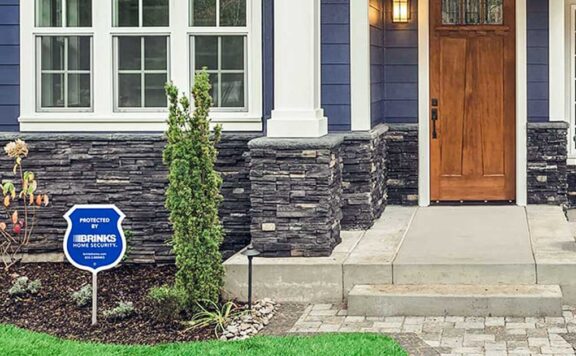
Airbnb guest-suite security has a narrow job: protect the property, deliveries, and separate entry points without making guests feel watched. The best smart-home setup uses sensors, exterior visibility, and simple automations rather than cameras inside private spaces.
Best Smart-Home Setup for Airbnb Guest Suites
| Guest-Suite Need | Best Device Layer | Why It Works |
|---|---|---|
| Separate guest entry | Door/window sensor plus smart lock where allowed | Confirms access without filming guests |
| Package or supply deliveries | Exterior camera or package-zone camera angle | Checks arrivals without indoor surveillance |
| Host turnover routine | Arm/disarm reminder and open-door checks | Reduces missed steps between stays |
| Outdoor path at night | Path lighting automation | Improves safety and camera visibility |
| Remote host response | Optional monitoring backup | Useful when the host cannot respond quickly |
Where Abode Fits
The Abode Smart Security Kit is a strong base for a guest suite because it can separate practical security alerts from guest privacy. Use Mini Door/Window Sensors on guest-suite entries and storage areas, use Abode Cam 2 only for exterior or package-zone verification, and compare Abode plans if the host needs saved clips, cellular backup, or monitoring while off-site.
Related Guides
Start with the broader Airbnb guest-suite security guide. For a wider device shortlist, see smart home security devices. Hosts trying to avoid subscriptions should compare systems without monthly fees. For platform fit, use HomeKit, Alexa, and Google security systems. If guest deliveries are a weak spot, add smart-home package-zone devices.
Bottom Line
For Airbnb guest suites, smart-home security should be privacy-first and entry-first. Cover doors, deliveries, and outdoor access. Keep cameras out of private guest areas, and use monitoring only when the host cannot respond quickly.
FAQ
What smart-home security devices work best for Airbnb guest suites?
The best devices are entry sensors, exterior or package-zone cameras, smart locks where allowed, and automations that protect the unit without recording private guest spaces.
Should Airbnb guest suites use indoor cameras?
No. Focus cameras on exterior approaches, package areas, and shared outdoor access where allowed. Avoid private guest spaces.
Do Airbnb guest suites need monitoring?
Monitoring is useful when the owner is not nearby or when a guest suite has a separate entry, valuable equipment, or frequent turnover.
Run security as part of every guest turnover
A device list is only the starting point. The safer operating model assigns one person to close the prior stay, issue the next guest’s access, check exterior-camera boundaries, verify sensors, and record changes. Use the smart-lock rental turnover checklist to remove old codes and confirm the next access window rather than leaving a permanent guest credential active.
| Booking stage | Security task | Pass record |
|---|---|---|
| Before arrival | Create a time-limited code, check the assigned door and lock, verify the contact sensor, and send only the access instructions the guest needs | Named code owner, start and end time, tested entry, backup route, and no unrelated device access |
| During the stay | Keep cameras limited to disclosed exterior or permitted shared areas; review who can view, download, or share footage | Camera map, disclosure record, viewer list, microphone state, zones, retention, and response owner |
| Checkout | Expire the guest code, remove temporary viewers, close open entries, inspect batteries, and preserve only incident records that must be retained | Removal test, door and window state, device health, evidence record, and deletion schedule |
| Between stays | Run one entry alert and one approved exterior-camera event; confirm internet-loss behavior and document any setting or firmware change | Alert time, recording, backup owner, outage result, change record, and rollback |
Control camera privacy and viewer access
Use the security-camera privacy-zone guide to document what each exterior camera can see, which activity zone creates alerts, whether audio is enabled, and where neighboring or guest-only areas must be excluded. Then run the shared-user camera access audit. A removed property manager, cleaner, installer, or co-host should lose live view, history, downloads, notifications, shared links, signed-in sessions, and account-recovery paths—not merely disappear from one app screen.
Separate an app alert from an emergency response
A camera alert or door-open notification does not automatically mean police, fire, or a monitoring center will respond. If the property uses professional monitoring, confirm the local rule with the alarm permit and dispatch readiness checklist. Record the protected address, jurisdiction, permit number where required, monitoring contacts, verification steps, keyholder, false-alarm rules, and safe test procedure.
Test the property when internet service fails
Remote hosts should know which jobs continue without the router or broadband connection. The home security without internet guide helps separate local siren, direct sensing, local lock operation, local recording, remote alerts, cloud history, automations, and monitoring communications. Run a controlled outage between stays, never during an active emergency or while a guest depends on remote access.
Keep a change and rollback record
Guest-suite systems change often: new codes, seasonal schedules, camera angles, cleaners, co-hosts, firmware, Wi-Fi, and subscription state. Record each change in the home-security system change log with the operator, old value, new value, reason, test result, and rollback. That record prevents a later host from treating an undocumented automation or stale account as the intended setup.
25-minute turnover security check
- Minutes 0–5: identify the prior and next booking, assigned entry, guest code, access window, backup key route, and responsible host.
- Minutes 5–10: expire prior codes and viewers; create and test the new time-limited code without exposing unrelated locks, cameras, or alarm controls.
- Minutes 10–15: inspect exterior-camera view, privacy boundary, microphone, storage, timestamp, alert, and current viewer list.
- Minutes 15–21: test the guest entry sensor, host notification, local warning path where configured, and one approved internet-loss behavior.
- Minutes 21–25: sign the pass record, exceptions, change log, rollback, maintenance owner, and next checkout check.