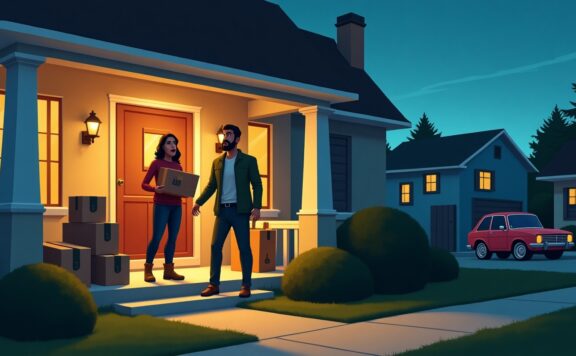
A garden apartment needs more than a generic renter security kit. Ground-level windows, a patio or private entrance, nearby foot traffic, and shared outdoor space create more reachable openings and more chances for harmless movement to look suspicious.
A no-subscription setup can cover these risks, but only if the resident accepts responsibility for alerts and response. Start with opening sensors, add a camera only where it answers a clear question, and test every feature after a trial or paid plan ends.
Best no-subscription garden-apartment setups at a glance
| Setup | Best fit | What it covers | Main limit |
|---|---|---|---|
| Sensor-led alarm with free self-monitoring | Residents who want doors, windows, siren, and optional paid monitoring later | Private entrance, patio door, reachable windows, interior path | You must verify which history, automations, cellular, and recording features remain free |
| Local camera plus opening sensors | Residents who want visual context without ongoing cloud recording | Entry approach plus selected openings | Cards and local media can fail or be taken with the camera |
| Standalone sensors and smart lock | Small units where entry control matters more than video | Door state, unique access, local siren or phone alerts | Limited evidence after an event |
Best starting point: a sensor-led system with a contact sensor on every reachable private opening and a local siren. Abode’s Smart Security Kit is one option to assess because it can start as a self-monitored alarm and keep optional monitoring as a separate decision. Check current equipment and plan terms before buying.
Map the garden apartment first
Walk the unit from outside during daylight and again after dark. Mark every place a person can reach without a ladder and every route used by neighbors, maintenance, deliveries, pets, or wildlife.
| Zone | Primary control | Optional control | Test |
|---|---|---|---|
| Private exterior door | Contact sensor and reliable lock | Doorbell or approach camera | Open slowly, force the latch, arrive at night |
| Patio or sliding door | Contact sensor and physical secondary restraint | Glass or interior motion coverage | Lift, slide, leave slightly open |
| Reachable windows | Contact sensor on selected openings | Window lock or secondary stop | Open each one in home and away modes |
| Side path or garden | Lighting and sightline cleanup | Privacy-safe exterior camera | Neighbor, pet, branch, rain, and delivery movement |
| Interior entry path | Alarm keypad or clear app control | Motion sensor where pets permit | Normal arrival, guest arrival, late-night movement |
Prioritize sensors over extra cameras
A contact sensor answers a narrow, useful question: did this opening change state? A camera can add context, but it also adds power, Wi-Fi, storage, privacy, and plan decisions. Cover the private door, patio door, and reachable windows before adding a second or third view.
Use motion sensors only after testing pets, curtains, heating vents, and the resident’s nighttime route. Ground-floor units often have small rooms and short sightlines, which makes careless motion placement noisy. Follow the false-alarm reduction checklist before enabling high-priority motion alerts.
No subscription does not mean no recurring work
A free plan can remove a monthly fee, but the owner still pays with time and maintenance. Write down who receives alerts, how quickly they should act, and what happens when they are asleep, traveling, driving, or offline.
- Check batteries on sensors, locks, keypads, and cameras.
- Verify notification permissions after phone and operating-system updates.
- Review users, lock codes, and shared camera access.
- Test local storage and export a clip before it is needed.
- Check the router and power path for every connected device.
- Re-read current plan terms after a trial or promotion ends.
Our broader no-subscription security systems guide explains the free-plan questions to ask across brands.
Camera placement without recording the neighbors
Garden apartments often face a shared path, courtyard, parking area, or neighboring window. Aim at the resident’s own threshold and immediate approach. Use the smallest useful field of view and mask areas that do not belong to the security question.
- Stand where a visitor first becomes relevant to the private entrance.
- Aim low and narrow enough to avoid other residents’ windows and patios.
- Test faces in daylight, backlight, and the actual nighttime lighting.
- Walk the common path without approaching the door and tune the activity zone.
- Check microphone rules, signage, lease terms, and local law.
- Review the security camera privacy guide with every household member.
Local storage and evidence
Local recording can avoid an ongoing cloud plan, but it is not automatically reliable. A microSD card can corrupt, fill, or leave with a stolen camera. A local hub can fail or lose power. Test the exact recording mode after the system is off trial.
| Evidence check | Pass condition |
|---|---|
| Event start | The useful action is captured before the person reaches the door |
| Timestamp | Date, time, and time zone are correct after a power or internet interruption |
| Export | A clip can be downloaded and played on a second device |
| Retention | The resident knows when old events are overwritten |
| Second copy | Important clips can be preserved away from the camera or recorder |
Use the evidence preservation guide to build an incident routine before an event happens.
Locks, landlords, and temporary access
Do not change apartment hardware without written permission. A retrofit smart lock may preserve the exterior key cylinder, but door fit, lease terms, fire rules, and move-out restoration still matter. A keypad or unique code can help cleaners, pet sitters, or family members without copying a physical key.
Give each regular visitor a separate code if the lock supports it. Avoid permanent shared codes. Test code removal, low battery, lost phone, Wi-Fi outage, jammed bolt, and the physical-key fallback. If a smart lock is not allowed, use a documented key handover and keep the alarm user separate.
Modes for a ground-floor unit
Home mode
Keep the exterior door, patio door, and selected closed windows active while allowing normal interior movement. If a window is intentionally open for ventilation, create a visible exception rather than silently bypassing it forever.
Night mode
Protect all accessible openings but avoid an interior motion rule that the resident will cross. Put alarm control where it can be reached without walking through a protected zone.
Away mode
Activate the full selected perimeter and tested interior sensor set. Confirm the resident sees a door left open before leaving.
Maintenance mode
Use a temporary code or narrow access period for building staff. Do not disable unrelated sensors or share the owner account. Remove access after the work order closes.
Internet and power failure plan
No-subscription devices still depend on electricity, Wi-Fi, apps, and vendor services. Turn off internet and record what remains: local siren, contact-sensor state, local recording, lock operation, keypad control, and event history. Then unplug power and repeat.
The security without internet guide gives a device-by-device worksheet. Keep a physical key, flashlight, contact list, and landlord emergency number where they remain available during an outage.
Self-monitoring response plan
A push notification is only the start. Decide what the resident will do for each event.
| Event | First action | Do not do |
|---|---|---|
| Unexpected door opening | Move to safety, check context, call the agreed contact or emergency service | Walk toward a possible intruder to inspect |
| Window opened while away | Check another sensor or agreed camera, then escalate | Assume it is a sensor fault without evidence |
| Camera motion only | Review the event and a second signal | Treat every shared-path movement as a break-in |
| Device offline | Check power, Wi-Fi, battery, and local backup | Leave the gap unresolved for days |
| Smoke, CO, or immediate danger | Follow emergency guidance and leave if needed | Rely on a consumer app as the only life-safety plan |
Residents who cannot reliably respond should price optional month-to-month monitoring or another response service. No subscription is a cost choice, not a rule that must be kept in every situation.
Three-year cost worksheet
- Hub, alarm base, keypad, and siren.
- Contact sensors for the private door, patio, and selected windows.
- Lock or keypad access hardware allowed by the lease.
- Camera, local media, mount, power cable, and weather protection.
- Replacement batteries and storage cards.
- Router, Wi-Fi extension, or backup power if required.
- Optional monitoring during travel or other higher-risk periods.
- Move-out repair, adhesive removal, and equipment transfer.
Compare the same opening map, not the starter-kit price. A system with two included sensors may look cheaper than the kit that actually covers six reachable openings.
15-minute garden-apartment acceptance test
- Open every private door and selected window in home, night, and away modes.
- Walk the shared path without approaching the private entrance and count false camera events.
- Stage a doorway approach in daylight and at night.
- Export one recorded event and play it on another device.
- Disable Wi-Fi; test the siren, lock, keypad, sensors, and local recording.
- Disconnect power; record the systems and alerts that stop.
- Add and remove a guest code and shared app user.
- Confirm the paid trial has ended and repeat the features the resident expects to keep free.
Bottom line
The best no-subscription garden-apartment setup protects reachable openings first, controls access second, and uses cameras carefully. A free plan works when the resident tests alerts, storage, outages, and response. If reliable response is the weak point, keep optional monitoring in the plan rather than buying more cameras.
Frequently asked questions
Can a garden apartment use security cameras without recording neighbors?
Usually, with careful placement. Aim at the private threshold, narrow the activity zone, mask shared areas where the device allows it, disable unnecessary audio, and check lease and local privacy rules.
Which opening should be protected first?
Start with the private exterior door, then the patio or sliding door, then reachable windows. Use the actual outside walk-through rather than room size to set priority.
Does no subscription mean the alarm works without internet?
No. Plan price and outage behavior are separate. Test the exact hub, siren, sensors, lock, cameras, local storage, and notifications with internet disabled.
Is professional monitoring necessary for a ground-floor apartment?
Not always, but self-monitoring requires someone to see and act on alerts. Compare optional monitoring if the resident travels, works nights, misses notifications, or wants a separate response path.
Build a no-subscription garden apartment proof plan
A no-subscription system is not simply a cart with no monthly line item. It is a household operating plan that still detects the mapped events, warns people locally, produces evidence, survives common failures, and gives a named person responsibility for response and maintenance. Garden apartments add ground-level windows, a patio or private entrance, close neighbors, shared paths, landlord rules, and exterior-camera limits. Test the full property before the return deadline.
Map the garden apartment as six separate jobs
| Job | Garden apartment proof | No-subscription pass condition |
|---|---|---|
| Front approach | Lawful doorbell or camera view, entry sensor, local warning, useful day/night evidence | The household can distinguish a person, delivery, animal, and unknown event without a paid feature assumption |
| Patio and private garden entry | Patio door, private gate where applicable, and the approach tested separately | Open/close state, local warning, privacy boundary, and outage behavior are known |
| Rear door or patio | Entry, gate, lighting, privacy boundary, and camera distance mapped | The route is not left uncovered because the front door received most of the budget |
| Windows and shared walls | Reachable openings identified without treating normal neighbor noise as intrusion | Sensor choice and placement pass nuisance and missed-event tests |
| Water, smoke, and carbon monoxide | Required alarms remain separate from optional leak and environmental alerts | Local life-safety warning does not depend on a camera, phone, or internet service |
| Household response | Every alert has a named recipient, safe action, backup person, and escalation rule | An event does not sit in one unavailable phone with nobody assigned to act |
Use the return window as a test period
Run the no-subscription return-window test with the intended permanent free state enabled. End any trial features before the final test where the vendor allows it, or document the exact date and retest plan. Record local arming, entry delay, local siren, phone notifications, camera live view, recording, playback, export, users, locks, automation, internet loss, power loss, and account recovery as separate rows.
Test from the full unit, private entrance, patio, reachable windows, and the weakest normal Wi-Fi location. Include every resident’s phone and access method. A successful owner-phone test does not prove that a second resident can arm, view, export, recover, or remove access.
Prove evidence without a cloud-plan assumption
Use the no-subscription evidence checklist for every selected camera. Record the exact local or included storage path, required hub or card, supported capacity, overwrite behavior, event trigger, pre-event or first-useful-frame result, timestamp, playback, export, file ownership, and internet-outage state. Check the current documentation for the exact hardware and region.
Run one safe test by day and one in the lowest normal light. Walk the real path at the actual mounting distance, then locate and export the clip from another authorized device. If the camera provides only live view, a thumbnail, or a notification in the permanent free state, write that limitation into the decision instead of calling it recording.
Write a recovery plan that does not depend on support rescuing the account
Complete the no-subscription system recovery checklist. Save model numbers, serials, ownership records, recovery contacts, multi-factor methods, hub and storage details, router settings, device names, zones, codes, user roles, automation rules, reset order, and the safe state during rebuilding.
Run a tabletop drill for a lost owner phone, failed hub, replaced router, corrupted storage card, and a vendor account that cannot be reached. The household should know what still warns locally, how to enter safely, how to preserve existing evidence, how to revoke the old device, and how to restore coverage without exposing a door or disabling a required alarm.
Price the real free state
Use the no-subscription cost guide to calculate a 36-month total. Include the complete device quantities, hub or base, keypads, sirens, cameras, mounts, local storage, cards or drives, batteries, chargers, backup power, router or mesh work, lock hardware, replacement devices, tax, shipping, and installation. Separate required hardware from optional convenience items.
Keep a second column for optional paid services. A household can choose a free operating state today and keep an upgrade route for travel, work changes, health needs, or slow response. Do not mix the free-state feature set with the paid-state feature set when scoring the system.
Plan account deletion and ownership transfer before purchase
Use the account deletion and data-export checklist to record how clips, event history, receipts, device ownership, household users, billing, and personal data leave the account. Test removal of a secondary user and an old phone. Save the factory-reset and transfer steps for a move, sale, breakup, renter change, or device disposal.
Local storage does not eliminate account risk. Cameras, hubs, apps, shared users, device registrations, and remote notifications can still expose household data or prevent a new owner from enrolling hardware. Ownership must be recoverable and transferable without leaving a former resident with access.
Assign maintenance instead of assuming “free” means “hands-off”
Follow the home-security maintenance calendar. Name the person responsible for sensor tests, batteries, camera cleaning, local-storage health, clip export, lock fallback, router changes, firmware, user reviews, emergency contacts, and replacement dates. Put the work on a recurring calendar.
Garden apartments need seasonal checks after landscaping growth, glare changes, holiday decorations, patio use, new neighbors, landlord work, or shared-area changes. Retest the affected view and privacy boundary rather than assuming last season’s result still applies.
Run a 75-minute no-subscription garden apartment acceptance test
- Minutes 0–10: record the six-job property map, exact models, device quantities, users, storage, network, permanent free state, and optional paid state.
- Minutes 10–20: test private-entrance, patio-door, private-gate, and reachable-window sensors. Confirm local warning, names, open-entry behavior, bypass, and restoration.
- Minutes 20–32: run day and low-light camera tests at real distances. Check detection, notification, useful frame, recording, playback, export, timestamp, and privacy.
- Minutes 32–42: test locks, keypad or key fallback, low battery, a late arrival, and any automation without allowing a stale geofence to unlock or disarm.
- Minutes 42–52: interrupt internet in a controlled window. Record local alarm, storage, cameras, locks, phones, automation, outage visibility, and recovery separately.
- Minutes 52–61: test a second user, lost-owner-phone response, multi-factor recovery, device revocation, and account ownership records.
- Minutes 61–69: run tabletop responses for intrusion, water, smoke/CO, a failed lock, and an unavailable primary resident. Keep life-safety tests within approved device procedures.
- Minutes 69–75: restore all devices, confirm the intended free state, export the test record, assign every failure, and decide return, replace, or keep.
Do not approve the system until these blockers are cleared
- A private entrance, patio door, private gate, or reachable-window job is unmapped.
- The permanent free state has not been tested separately from a trial or paid plan.
- Local warning, required life-safety alarms, or safe entry depends on internet or one phone.
- Night evidence is unusable, cannot be exported, has an unreliable timestamp, or records a private neighboring area.
- A router, hub, storage, power, battery, or account failure has no known local state and recovery owner.
- An old resident, guest, installer, device, code, or shared account retains access.
- The 36-month cost omits storage, batteries, network work, replacements, or the hardware needed to keep the free state useful.
- No one owns alerts, evidence, batteries, storage health, tests, updates, and incident response.
Retest after changing a resident, door, lock, camera, storage device, router, account, phone, landlord rule, service state, automation, or patio use. A no-subscription system stays useful because the household maintains it, not because the checkout page once showed zero monthly cost.