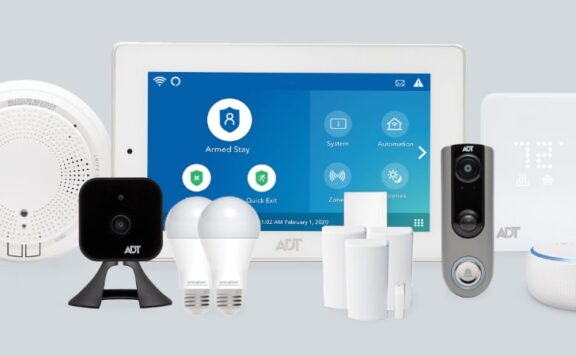
Updated July 2026. AT&T Connected Life is a current home-security bundle that combines Google Nest cameras and doorbells, Abode security hardware and professional monitoring, AT&T connectivity, and an AT&T Connected Life app. It is not the discontinued AT&T Digital Life service.
The offer is real and the current official pages are specific about the core terms: DIY installation, optional third-party professional installation in select areas, self- or 24/7 professional monitoring, no long-term contract, plans starting at $10.99 per month, cellular and hub battery backup, and equipment financing through Affirm. The weak point is not a missing feature. It is the number of companies and service layers involved, which makes support ownership, app roles, camera behavior, and cancellation worth testing before the return window closes.
Quick verdict
AT&T Connected Life is a good fit for an AT&T household that wants Google Nest video plus a sensor-led alarm and optional Abode monitoring in one retail path. It is less convincing for buyers who already own an Abode system, want to select every sensor directly, or prefer one company to own the hardware, app, billing, monitoring, and support experience.
| Choose Connected Life when | Compare another path when |
|---|---|
| You want Google Nest cameras and Abode alarm hardware together | You already own compatible alarm or camera equipment |
| You want AT&T cellular backup tied into the security offer | You may change carrier or broadband provider soon |
| You want self-monitoring now and a professional option later | You need a wider sensor catalog or more direct automation control |
| You prefer a packaged Starter+ or Advanced kit | You want to build the smallest possible kit opening by opening |
What AT&T Connected Life includes
AT&T’s official launch announcement says Google Home supplies smart-home devices and intelligence, Abode supplies professional monitoring, and AT&T supplies the connectivity and customer-facing bundle. The current store page adds a useful detail: buyers can choose self-monitoring or 24/7 professional monitoring.
Official sources checked July 26, 2026:
Starter+ and Advanced kit contents
The live product pages list two main packages. Kit names and contents can change, so check the cart before ordering.
| Device | Starter+ | Advanced |
|---|---|---|
| Google Nest Doorbell (battery) | 1 | 1 |
| Google Nest Cam (outdoor or indoor, battery) | — | 1 |
| Security hub | 1 | 1 |
| Door/window sensors | 2 | 4 |
| Motion sensors | 1 | 2 |
| Key fob | — | 1 |
| Keypad | — | 1 |
Two opening sensors are enough for a small apartment with a single entry and patio door. They are not enough for many detached homes. Count exterior doors, reachable windows, garage entries, and basement openings before deciding that the kit is complete.
Monitoring, contract, and backup
The AT&T FAQ currently states that professional monitoring starts at $10.99 per month, can be canceled at any time, and has no long-term contract or cancellation penalty. It also says cellular backup keeps the security hub connected to 24/7 monitoring when home internet or power fails. The hub has battery backup.
Those claims do not mean every feature remains available during an outage. AT&T’s footnotes say mobile notifications, remote control, video streaming, and video recording require working internet and Wi-Fi, and live camera streaming may not be available during a power outage. Buyers should separate the alarm’s cellular path from the camera and app path.
App and account ownership
AT&T says the system is managed through the AT&T Connected Life app. The kit pages also say Google Nest devices need a home in the Google Home app. That creates at least two account layers during setup. Test the following before adding every household member:
- Which app arms and disarms the alarm?
- Which app controls live video, event clips, camera settings, and household sharing?
- Which account owns the Google Home structure?
- Which company handles a failed sensor, camera, hub, app login, or monitoring event?
- What must be removed from each app when a resident moves out?
Use separate named accounts for adults instead of sharing one password. Confirm that a second authorized adult can cancel a false alarm, recover access, and remove a former household member.
Installation: DIY first, professional option second
The official FAQ says the system is designed for a 30-minute DIY installation without drilling. That time estimate may be reasonable for a starter layout, but placement and testing matter more than speed. Dry-fit sensors, confirm magnet alignment, check motion paths, and test camera views before pressing adhesive mounts into place.
AT&T also states that third-party professional installation may be available in select areas for an added cost. If you choose it, ask who returns to fix a failed mount, poor camera view, or sensor that was placed on the wrong side of an opening.
Cameras and video
The Starter+ kit includes a battery Nest Doorbell. The Advanced kit adds a battery Nest Cam for indoor or outdoor use. Before paying for video service, test:
- notification delay on Wi-Fi and cellular;
- whether the clip includes the start of the event;
- night identification at the real mounting distance;
- clip export and sharing;
- video history after a plan downgrade;
- camera behavior during internet and power loss;
- privacy permissions for each household member.
A camera should add context to an opening sensor, not replace it. Direct contacts on key doors and windows provide a clearer alarm event than motion analysis alone.
AT&T Connected Life versus buying Abode directly
| Decision | AT&T Connected Life | Direct Abode |
|---|---|---|
| Retail relationship | AT&T bundle | Abode direct |
| Camera emphasis | Google Nest camera and doorbell kits | Abode camera catalog |
| Alarm hardware | Abode-backed hub and sensors in fixed kits | Choose kit and sensors directly |
| Monitoring | Abode monitoring through AT&T offer | Abode plans purchased directly |
| Best fit | AT&T + Google Home household | Buyer who wants direct equipment and plan control |
For a direct quote, start with the Abode Smart Security Kit, add the same number of opening and motion sensors, choose the needed cameras, and compare Abode plans. Use the same 36-month worksheet for both.
36-month ownership worksheet
| Cost line | Connected Life | Direct alternative |
|---|---|---|
| Kit or hub | $___ | $___ |
| Extra door/window and motion sensors | $___ | $___ |
| Cameras and doorbell | $___ | $___ |
| Professional installation | $___ | $___ |
| 36 months of monitoring | $___ | $___ |
| Video history or camera subscription | $___ | $___ |
| Batteries, mounts, and permits | $___ | $___ |
| Financing cost | $___ | $___ |
| Total | $___ | $___ |
Affirm financing changes payment timing, not the total equipment requirement. Compare the financed total with the cash price and include any camera plan separately from alarm monitoring.
Return-window acceptance test
| Test | Pass condition |
|---|---|
| Open every protected door/window | The correct name appears once in the app and history |
| Disconnect home internet | The alarm follows the stated cellular path; lost app/video functions are documented |
| Unplug the hub | Battery and trouble behavior match the written terms |
| Trigger and cancel a test alarm | Every adult can complete the documented verification path |
| Remove the main phone | A second user can arm, disarm, view status, and recover the account |
| Downgrade the plan | The remaining monitoring, app, camera, and automation features are clear |
| Ask a support question | AT&T, Google, and Abode ownership is clear before an emergency |
Connected Life is not Digital Life
AT&T Digital Life was the company’s earlier home-security service and was discontinued in 2022. Connected Life is a new offer built around current Google Home and Abode components. Used Digital Life hardware should not be treated as compatible with Connected Life unless AT&T explicitly lists the exact model.
Turn the AT&T Connected Life offer into a tested operating plan
AT&T Connected Life combines a sales channel, selected Google Nest devices, Abode security equipment, an app experience, and optional monitoring. A buyer still needs to prove who supplies, owns, supports, monitors, and replaces each part. Do that before the return window closes, not after the first alarm or outage.
Start one record for the exact quote and delivered system. Use the home-security equipment inventory checklist to capture model numbers, serial numbers, quantities, firmware, power sources, mounts, batteries, hubs, radios, included accessories, and missing items. Save the dated Connected Life order, Abode plan terms, installation record, return deadline, warranty route, and normal price after any introductory offer.
Assign ownership for each account and support path
Write down the owner of the AT&T account, Connected Life app, Abode account, Google Home household, Nest camera history, Wi-Fi network, monitoring profile, and any installer access. Do not assume one login controls or can recover every service. Use a named adult account, current recovery email, current recovery phone, unique password, and multi-factor authentication where supported.
Run the smart-home security account recovery guide with the people who would actually handle a lost phone, password failure, owner departure, or emergency. Confirm which company can reset each account and what proof it requires. Remove installer, former resident, shared, test, and unused roles once commissioning is complete.
Map each device to one property job
List each protected door, window, room, approach, smoke or carbon-monoxide risk, camera view, and response need. Then map the exact delivered device and alert to that job. A kit name does not prove that every opening or risk is covered. Record gaps instead of stretching a camera, motion detector, or entry sensor beyond its stated job.
- Test every door and window sensor from closed, open, bypassed, low-battery, and restored states.
- Test motion detection with the real furniture, pets, heating, sunlight, and walking paths.
- Confirm each camera’s field of view, night image, event trigger, clip length, storage path, timestamp, and lawful privacy boundary.
- Confirm which life-safety devices are included, which are separate, and which response path applies.
- Label every device in the app with a stable room and opening name that matches the written inventory.
Prove monitoring and call delivery
If monitoring is part of the proposal, record the monitoring provider, plan name, service address, permit requirement, emergency contacts, verbal passcode process, cancellation rule, and what happens when the internet or power fails. Marketing language such as “professional monitoring” is not a substitute for a completed alarm test and a known response sequence.
Use the monitoring call-delivery test during the approved test window. Confirm the expected event reaches the correct monitoring record, the call or message reaches the correct people in order, the service address is read back correctly, and the operator follows the expected verification path. Do not trigger an emergency dispatch without the provider’s approved test procedure.
Test camera evidence, not just the live view
A live thumbnail proves only that a camera can show an image at that moment. It does not prove that motion started a recording, the full event was retained, the timestamp is correct, an authorized person can export it, or the file remains usable after a service or account change.
Run the camera evidence export checklist for every included camera. Create a lawful test event, wait for processing, find the clip from a second authorized device, export it, replay the saved file, and record the time taken. Check day, night, backlight, package area, face-height, and weak-network conditions that match the property.
Record internet, cellular, and power failure behavior
Connected services can fail in layers. The broadband connection, Wi-Fi, router, hub, cellular backup, app, cloud service, camera service, phone, and mains power do not share one uptime record. Test them separately and write down what still works locally, what queues for later, what becomes unavailable, and what alert reaches the household.
Use the internet-outage test log. Disconnect the approved network path without resetting equipment. Test local arming, entry delay, siren, sensor events, camera recording, notifications, remote control, monitoring delivery, recovery time, and any cellular path. Repeat the documented power-failure test with charged backup equipment and a safe restoration plan.
Run a 75-minute Connected Life acceptance test
- Match the delivered models, quantities, accessories, subscriptions, and prices to the dated order.
- Confirm ownership and recovery for the AT&T, Connected Life, Abode, Google, monitoring, camera, and network accounts that apply.
- Trigger every sensor and verify its stable device name, zone, notification, and history entry.
- Arm and disarm through each promised local and remote path with the approved delays.
- Create one lawful camera event and export the retained clip from a second authorized device.
- Run the monitoring call-delivery test through the provider’s approved test mode.
- Test the approved internet and power failures, then confirm recovery without an account or device reset.
- Remove test users and installer access, update the inventory, and save the result before the return deadline.
Do not approve the handoff until these blockers are cleared
- The delivered model, quantity, subscription, normal price, return deadline, warranty owner, or cancellation path is missing.
- No one owns recovery for one or more required accounts.
- An installer, former resident, shared user, or test account retains unnecessary access.
- A promised property job has no exact device, alert, or response owner.
- The monitoring address, contacts, passcode process, permit, or test result is wrong or unverified.
- A camera shows live video but cannot produce and export the promised retained event.
- Internet, cellular, battery, or power-loss behavior is assumed rather than tested.
- The return window will close before the failed item or missing service is corrected and retested.
Related buyer guides
- Abode security review
- Best smart-home security systems
- Best no-subscription security systems
- Security zone naming guide
- False-alarm reduction checklist
FAQ
Is AT&T Connected Life available in 2026?
Yes. AT&T’s Connected Life home-security and shopping pages were live on July 26, 2026, with Starter+ and Advanced kits, self-monitoring, and optional professional monitoring.
Who monitors AT&T Connected Life?
AT&T states that professional monitoring is provided by Abode. Buyers can also choose a self-monitoring path.
Does AT&T Connected Life require a contract?
The current official FAQ states there is no long-term contract and that professional monitoring can be canceled without a cancellation penalty. Confirm the terms shown at checkout.
Is AT&T Connected Life the same as Digital Life?
No. Digital Life was discontinued in 2022. Connected Life is a new offer using Google Home devices, Abode security and monitoring, and AT&T connectivity.