Last Updated: April 2026
A smart home security system does more than sound an alarm. It locks your doors when you arm the system, turns on lights when motion is detected at night, sends a camera clip to the monitoring center when a sensor trips, and disarms automatically when your phone enters the geofence.
This guide covers how to build that connected setup from scratch — which hub to start with, what to add first, and how to make everything work together.
What Makes a Security System Smart
| Basic Alarm | Smart Security System |
|---|---|
| Sensors trigger siren | Sensors trigger siren + camera recording + light activation + lock engagement |
| Arm/disarm via keypad | Arm/disarm via app, voice, geofencing, schedule, or keypad |
| One notification type | Custom alerts per sensor, time of day, and armed mode |
| Standalone devices | Z-Wave, Zigbee, Matter, and Wi-Fi devices all controlled from one hub |
| No automations | If/then rules: arm system → lock doors → turn off lights → lower thermostat |
Step 1: Choose Your Hub
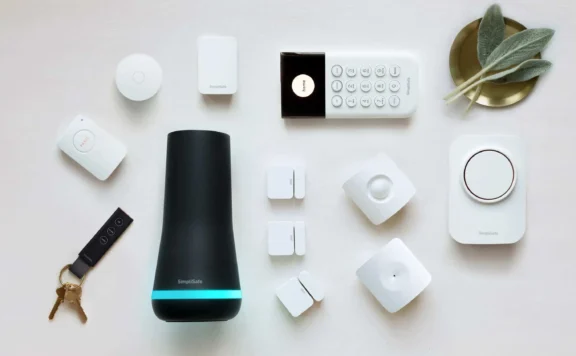
The hub is the brain. It connects sensors, cameras, locks, and lights. It also communicates with the monitoring center.
| Hub | Protocols | HomeKit | Monitoring | Price |
|---|---|---|---|---|
| Abode | Z-Wave, Zigbee, Matter, Wi-Fi | Yes | $0-20/mo | $199 (kit) |
| Ring Alarm | Z-Wave (limited), Wi-Fi | No | $0-20/mo | $199 (kit) |
| SimpliSafe | Proprietary only | No | $0-28/mo | $199+ (kit) |
| Home Assistant | Everything (DIY) | Via bridge | Self only | $50-150 (hardware) |
Abode is the best starting point because it supports the most protocols (Z-Wave + Zigbee + Matter + Wi-Fi), works with HomeKit, and has built-in professional monitoring from $6/month. You can add devices from dozens of brands without being locked into one ecosystem.
Step 2: Cover Entry Points (Sensors)
Start with door and window sensors on every exterior entry. Add motion sensors for hallways and open areas.
| Sensor Type | Where | Cost | Priority |
|---|---|---|---|
| Door/window contact | Every exterior door, ground-floor windows | $15-30 each | Must-have |
| Motion (PIR) | Hallways, living areas, stairways | $25-35 each | Must-have |
| Glass break (acoustic) | Rooms with large windows | $35-45 each | Recommended |
| Water leak | Under sinks, water heater, washing machine | $20-30 each | Nice to have |
Step 3: Add Cameras
| Camera | Price | Best For | Monthly |
|---|---|---|---|
| Abode Cam 2 | $35 | Alarm-integrated indoor cam | $0 (free clips) |
| Video doorbell | $80-180 | Front door — 34% of burglars enter here | $0-10 |
| Outdoor cam | $80-200 | Driveway, backyard, garage | $0-10 |
Step 4: Smart Locks
A smart lock lets you auto-lock when the alarm arms, unlock for trusted visitors remotely, and get alerts on every entry.
| Lock | Price | Protocol | Works With |
|---|---|---|---|
| Schlage Encode Plus | $300 | Wi-Fi + HomeKit | Abode (via HomeKit), Apple Home Key |
| Yale Assure Lock 2 | $200-280 | Z-Wave or Matter | Abode, Ring, SmartThings |
| August 4th Gen | $230 | Wi-Fi + BT | HomeKit, Alexa, Google (retrofit) |
For renters, see our renter-friendly locks guide.
Step 5: Automations
This is where smart security gets its value. Set rules that run automatically:
| Automation | Trigger | Action | Platform |
|---|---|---|---|
| Goodbye | Everyone leaves (geofence) | Arm system, lock doors, turn off lights, lower thermostat | Abode CUE, HomeKit |
| Welcome home | First person arrives (geofence) | Disarm, unlock door, turn on entry lights | Abode CUE, HomeKit |
| Night mode | 11 PM schedule | Arm home mode, lock all doors, dim lights | Abode CUE |
| Motion at night | Outdoor motion after 10 PM | Turn on floodlights, start camera recording | HomeKit, Abode CUE |
| Alarm triggered | Any sensor trips while armed | All cameras record, all lights on, siren, monitoring notified | Abode (automatic) |
For more ideas, see our HomeKit automation guide.
Sample Builds by Budget
| Budget | What You Get | Monthly | Total First Year |
|---|---|---|---|
| $234 | Abode kit + Cam 2 | $0 (free) | $234 |
| $450 | Kit + Cam 2 + doorbell + extra door sensor + smart lock | $6 | $522 |
| $700 | Kit + 2 cameras + doorbell + 4 extra sensors + glass break + smart lock + smart lights | $12 | $844 |
FAQ
Do I need a smart home hub separate from my security hub?
With Abode, no. The Abode hub is both a security system and a smart home controller (Z-Wave, Zigbee, HomeKit, Matter). With Ring or SimpliSafe, you may need a separate hub (Echo, SmartThings) for broader smart home control.
Can I mix brands?
Yes, if your hub supports open protocols. Abode works with Z-Wave devices from Schlage, GE, Yale, Aeotec, and others. With Matter, you can add devices from any Matter-certified brand. SimpliSafe only works with SimpliSafe sensors.
What if my internet goes down?
Z-Wave and Zigbee sensors communicate directly with the hub via radio — they do not use Wi-Fi. The hub sends alarm signals to the monitoring center via cellular backup. Your alarm works even without internet.
Is smart home security more hackable?
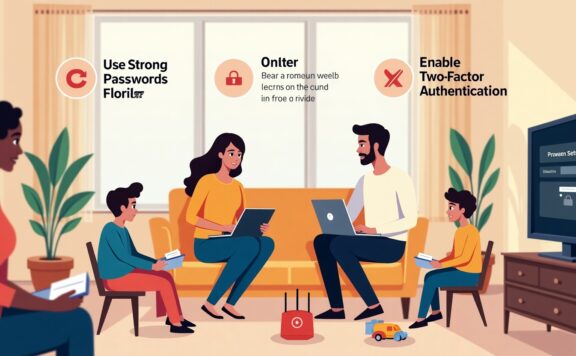
Not if set up correctly. Use 2FA on every account, unique passwords, and keep firmware updated. Z-Wave uses AES-128 encryption. HomeKit Secure Video encrypts camera footage end-to-end. See our cybersecurity guide.