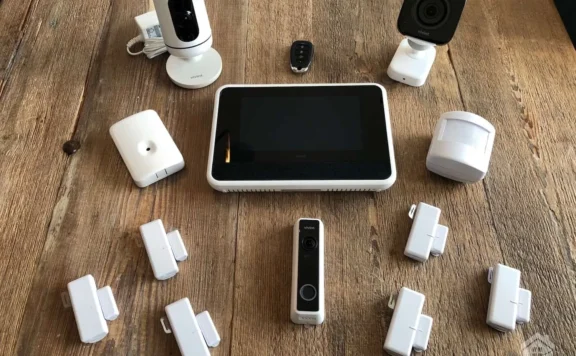
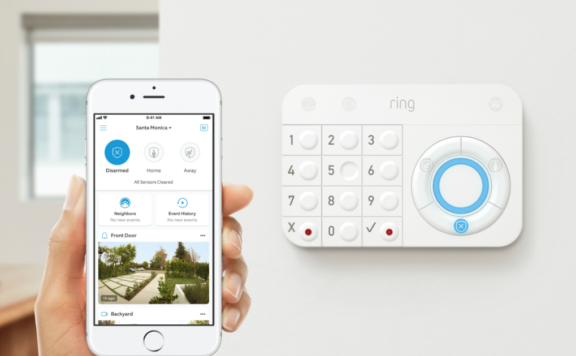
Finding a security camera that works natively with Apple HomeKit Secure Video is harder than it should be. Most major brands — Ring, Blink, Wyze, SimpliSafe — don’t support HomeKit at all. If you’re an Apple household wanting cameras in the Home app with iCloud recording, here are the cameras that actually work in 2026.
Quick Comparison Table
| Camera | Type | Resolution | HomeKit Secure Video | Price | Our Take |
|---|---|---|---|---|---|
| Logitech Circle View | Indoor/Outdoor wired | 1080p HDR | ✅ Full | $159 | Best overall |
| Eve Outdoor Cam | Outdoor floodlight | 1080p | ✅ Full | $249 | Best outdoor |
| Eve Indoor Cam | Indoor plug-in | 1080p | ✅ Full | $99 | Best budget indoor |
| Eufy Indoor Cam S350 | Indoor pan-tilt | 4K dual-lens | ✅ Full | $129 | Best pan-tilt |
| Aqara Camera Hub G3 | Indoor hub | 2K | ✅ Full | $109 | Best multi-protocol |
| Ecobee SmartCamera | Indoor | 1080p | ✅ Full | $99 | Best for Ecobee users |
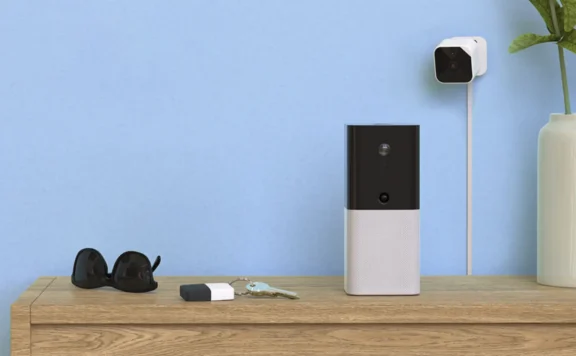
| Abode Cam 2 | Indoor/Outdoor | 1080p | Via Abode Hub* | $34.99 | Best with alarm system |
*Abode cameras connect through the Abode Security Hub, which has full HomeKit integration for the alarm system. Camera feeds are accessible via the Abode app.
How HomeKit Secure Video Works
HomeKit Secure Video (HSV) is Apple’s privacy-first camera platform. Key advantages:
- End-to-end encryption: Video is encrypted before leaving your home — not even Apple can see it
- iCloud storage: Clips stored in iCloud (included with iCloud+ plans at no extra camera cost)
- On-device AI: Face recognition and object detection runs on your Apple TV or HomePod — no cloud processing
- Activity Zones: Set zones to filter notifications in the Home app
- No vendor subscription: If you have iCloud+ ($2.99/mo for 200GB), HSV recording is included for up to 5 cameras
This is the biggest selling point: you avoid $3-10/month per-camera subscriptions that Ring, Blink, and Wyze charge.
1. Logitech Circle View — Best Overall HomeKit Camera
The Circle View was designed exclusively for HomeKit — no Logitech app, no Logitech cloud, no compromises. It shoots 1080p HDR with a 180° field of view and works as both indoor and weatherproofed outdoor camera.
Pros: True HomeKit-only design, excellent image quality, infrared night vision, built-in privacy shutter
Cons: Wired only (no battery), $159 price point, no pan/tilt
Best for: Apple purists who want the cleanest HomeKit camera experience
2. Eve Outdoor Cam — Best HomeKit Outdoor/Floodlight
Eve’s floodlight camera combines motion-activated LED lights with a HomeKit Secure Video camera. Thread-enabled for faster response times through your Apple home mesh.
Pros: Floodlight + camera combo, Thread support, no Eve cloud/subscription
Cons: $249 is pricey, requires hardwiring, 1080p only
Best for: Driveways and backyards where you want deterrence + recording
3. Eve Indoor Cam — Best Budget Indoor HomeKit Camera
Compact plug-in camera with full HSV support and Thread. No hub required — just plug in and add to Home app.
Pros: $99, tiny form factor, Thread-enabled, no subscription
Cons: 1080p only, no pan/tilt, wired only
Best for: Budget-friendly indoor monitoring in Apple homes
4. Eufy Indoor Cam S350 — Best Pan-Tilt HomeKit Camera
Dual-lens camera with 4K wide angle and 2K telephoto with 8x zoom. Full 360° pan and tilt with HomeKit Secure Video support.
Pros: 4K resolution, dual lenses, pan/tilt/zoom, local storage option
Cons: $129, larger form factor, Eufy’s past privacy issues (addressed in 2024 firmware updates)
Best for: Large rooms where you need to track movement
5. Aqara Camera Hub G3 — Best Multi-Protocol HomeKit Camera
The G3 doubles as a Zigbee hub and HomeKit camera, making it perfect if you’re also adding HomeKit-compatible sensors. Full HSV support with AI gesture recognition.
Pros: Camera + Zigbee hub combo, 2K resolution, pan/tilt, affordable
Cons: Requires Aqara app for initial setup, plastic build quality
Best for: Users building a Zigbee sensor network alongside HomeKit cameras
6. Ecobee SmartCamera — Best for Ecobee Thermostat Users
If you already have an Ecobee thermostat, the SmartCamera integrates with your existing setup and supports HomeKit Secure Video.
Pros: $99, person detection, integrates with Ecobee ecosystem
Cons: Limited to indoor use, 1080p, needs Ecobee account
Best for: Existing Ecobee users who want to add cameras to HomeKit
What About Abode + HomeKit?
Abode is the only DIY alarm system with native HomeKit integration — arm/disarm from the Home app, sensor status visible in Apple Home, and Siri voice commands. While the Abode Cam 2 ($34.99) doesn’t support HomeKit Secure Video directly, the alarm system integration makes Abode the top choice for HomeKit users who want a full security system (alarm + sensors + cameras) rather than cameras alone.
For cameras-only HomeKit users, pair one of the cameras above with an Abode Smart Security Kit for the complete package — see our HomeKit security systems guide for setup details.
Cameras That DON’T Work With HomeKit
| Brand | HomeKit Support | Why Not |
|---|---|---|
| Ring | ❌ | Amazon ecosystem only — Alexa, no HomeKit |
| Blink | ❌ | Amazon subsidiary — Alexa only |
| Wyze | ❌ | Never implemented despite promises |
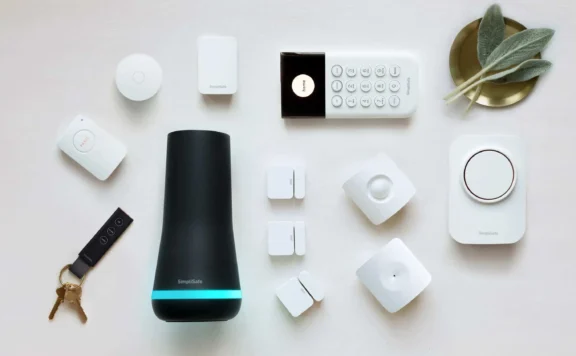
| SimpliSafe | ❌ | Closed ecosystem — no smart home integrations |
| Google Nest | ❌ | Google ecosystem only |
| ADT | ❌ | Proprietary + Google partnership |
Bottom Line: Which HomeKit Camera Should You Buy?
For most Apple households, the Logitech Circle View ($159) is still the gold standard — purpose-built for HomeKit with zero compromises. If budget matters, the Eve Indoor Cam ($99) delivers the same HSV features in a smaller, cheaper package.
But if you want security cameras AND a real alarm system in the Apple Home app, Abode is the only option that does both. Pair the Abode Smart Security Kit with any HSV camera above for the ultimate Apple-native home security setup.
See also: Best HomeKit Home Security Systems | Full Abode Review | Ring Alarm Review (no HomeKit)
FAQs
Do I need iCloud+ for HomeKit Secure Video?
You need iCloud+ for cloud recording and 10-day clip history. Without it, you get live view and notifications only. The 200GB plan ($2.99/mo) supports up to 5 cameras — far cheaper than Ring or Blink subscriptions.
Can I mix HomeKit cameras with a traditional alarm system?
Yes! Abode is the best option for this — HomeKit alarm integration + add any HSV camera. You get door/window sensors, motion detectors, and optional professional monitoring with cameras all visible in Apple Home.
Is HomeKit Secure Video actually private?
Yes. It’s the most private camera platform available. All AI analysis happens on your HomePod or Apple TV, and video is end-to-end encrypted in iCloud. No vendor can access your footage.
What about Matter cameras?
Matter camera support is still rolling out in 2026. Currently, HomeKit Secure Video remains the best Apple-native option. When Matter cameras arrive with HSV support, we’ll update this guide.
More HomeKit Guides
- Best HomeKit Home Security Systems 2026 — Which alarm systems actually work with Apple Home (only 4 do)
- Best Smart Home Security Systems — HomeKit, Alexa & Google compatibility compared across 6 systems
- Abode Security Hub Review 2026 — The $140 DIY hub with HomeKit, Z-Wave & free self-monitoring
Smart Home & Locks
- Best Smart Locks 2026 — Schlage vs Yale vs August vs Level with alarm system compatibility
- Best Z-Wave Security Devices 2026 — Sensors, locks, plugs & which hubs work with them
- Best Alexa Security Devices 2026 — Cameras, sensors, locks that work with Echo
Related Reviews
- Abode Review 2026 — The only DIY system with full HomeKit alarm integration
- Eufy Cameras Review 2026 — Local storage with HomeKit Secure Video on select models
- Ring Alarm Review 2026 — No HomeKit support, but Amazon’s biggest DIY system
- SimpliSafe Review 2026 — No HomeKit, but solid budget DIY alternative
Buying Guides
- DIY vs Professional Security Systems — Full comparison guide
- Best No-Contract Security Systems 2026 — Systems that work without a subscription
- Home Security for Renters — Portable, landlord-friendly options
- Smart Home Privacy Guide — What families unknowingly sacrifice for convenience
Last updated: March 2026