

Last Updated: March 2026
Cove and SimpliSafe are both budget-friendly DIY home security systems, but they take different approaches. SimpliSafe manufactures its own hardware, sells direct, and offers Fast Protect verified monitoring. Cove sells through an online-first model with lower upfront costs and simple plan tiers.
We compared equipment, pricing, monitoring, smart home features, and total 3-year costs to help you pick — and included a third option most shoppers miss.
Quick Comparison
| Feature | Cove | SimpliSafe | Abode |
|---|---|---|---|
| Installation | DIY | DIY | DIY |
| Equipment cost | $0-$280 (with plan) | $199-$509 | $199-$399 |
| Cheapest monitoring | $17.99/mo | $0 (self-monitor) | $0 (self-monitor) |
| Pro monitoring | $17.99-$27.99/mo | $19.99-$29.99/mo | $6-$20/mo |
| Contract | None (month-to-month) | None | None |
| Self-monitoring | ❌ Requires paid plan | ✅ Free | ✅ Free |
| HomeKit | ❌ | ❌ | ✅ |
| Video doorbell | ❌ | ✅ | ❌ |
| Cameras | 1 indoor | Indoor + outdoor + doorbell | Cam 2 (indoor/outdoor) |
| Smart home | Alexa, Google (basic) | Alexa, Google | Alexa, Google, HomeKit, Z-Wave, Zigbee, Matter |
3-Year Cost Comparison
Both Cove and SimpliSafe are no-contract, but their total ownership costs differ more than you might expect.
| Cost | Cove | SimpliSafe | Abode |
|---|---|---|---|
| Equipment | $0-$280 | $199-$509 | $199-$399 |
| Monthly fee | $17.99-$27.99 | $0-$29.99 | $0-$20 |
| 3-year monitoring | $648-$1,008 | $0-$1,080 | $0-$720 |
| 3-year total | $648-$1,288 | $199-$1,589 | $199-$1,119 |
| Free tier available? | No | Yes | Yes |
Cove looks cheaper when you factor in the free equipment deals, but there is no free self-monitoring tier. You must pay $17.99+/mo from day one. SimpliSafe and Abode both let you self-monitor for free — a big deal if you want alerts without monthly fees.
Equipment & Hardware
SimpliSafe
SimpliSafe designs and builds all its own hardware. The 2026 lineup:
- Base Station: Built-in cellular, Wi-Fi, 24-hr battery backup
- Keypad: Touchscreen, backlit
- Entry sensors: 100+ ft wireless range
- Motion detector: Pet-immune up to 50 lbs
- SimpliCam: Indoor 1080p with person detection
- Outdoor Camera: 1080p, color night vision, spotlight
- Video Doorbell Pro: Wide-angle, HDR
- Smart Lock: PIN + app control + auto-lock
- Smoke/CO detector, water sensor, freeze sensor
SmashSafe technology reroutes the cellular signal through sensors if someone destroys the base station — a feature unique to SimpliSafe.
Cove
Cove uses third-party manufactured equipment (rebranded sensors and panels). The lineup is smaller:
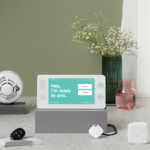
- Cove Panel: 7″ touchscreen hub, cellular + Wi-Fi
- Door/window sensors: Standard wireless
- Motion detector: Pet-friendly
- Key remote: One-touch arm/disarm
- Indoor camera: 1080p (one option)
- Smoke/CO, flood sensor, medical pendant
Cove has no outdoor cameras, no video doorbell, and no smart lock. If you need outdoor coverage, that is a significant gap.
Monitoring Plans
| Plan | Cove | SimpliSafe |
|---|---|---|
| Self-monitoring (free) | ❌ Not available | ✅ Push alerts, no dispatch |
| Basic pro monitoring | $17.99/mo — 24/7, no camera | $19.99/mo — 24/7, no camera |
| Full plan | $27.99/mo — camera, app control | $29.99/mo — cameras, smart locks, recordings |
| Fast Protect (live listen) | ❌ | ✅ Agent listens during alarm |
| Cellular backup | ✅ All plans | ✅ All plans |
| Battery backup | ~24 hours | 24 hours |
Cove is $2/mo cheaper on both tiers, but SimpliSafe includes Fast Protect (monitoring agents can listen through your system during an alarm to verify break-ins) and has a free self-monitoring option that Cove lacks entirely.
Smart Home Integration
| Feature | Cove | SimpliSafe | Abode |
|---|---|---|---|
| Amazon Alexa | ✅ Basic | ✅ | ✅ |
| Google Home | ✅ Basic | ✅ | ✅ |
| Apple HomeKit | ❌ | ❌ | ✅ |
| Z-Wave | ❌ | ❌ | ✅ |
| Zigbee | ❌ | ❌ | ✅ |
| Matter | ❌ | ❌ | ✅ |
| Smart locks | ❌ | SimpliSafe Smart Lock | Z-Wave compatible locks |
| Garage control | ❌ | ❌ | ✅ (via Z-Wave) |
Neither Cove nor SimpliSafe are smart home platforms. They both work as standalone alarm systems with basic voice assistant support. Cove is more limited — no smart lock, no third-party device support.
If you want a security system that doubles as a smart home hub, Abode is the only option here with Z-Wave, Zigbee, Matter, and Apple HomeKit support.
Camera Comparison
| Camera | Cove | SimpliSafe |
|---|---|---|
| Indoor camera | 1 option (1080p) | SimpliCam (1080p, person detection) |
| Outdoor camera | ❌ None | ✅ 1080p, spotlight, color night vision |
| Video doorbell | ❌ None | ✅ Video Doorbell Pro (HDR, wide-angle) |
| Cloud recording | With Plus plan | With Interactive plan ($29.99/mo) |
SimpliSafe wins cameras outright. Cove only offers a single indoor camera — no outdoor cameras, no doorbell. If outdoor monitoring matters (and for most homes, it should), SimpliSafe is the better choice between these two.
Who Should Choose Cove
- You want the lowest possible entry price (free equipment with monitoring plan)
- You only need indoor sensors and basic monitoring — no outdoor cameras
- You prefer a simple panel-focused system without extras
- Budget is the top priority and you are fine paying $17.99+/mo
Who Should Choose SimpliSafe
- You want a complete system with indoor cameras, outdoor cameras, and a video doorbell
- You value Fast Protect verified monitoring
- You want the option to self-monitor for free
- SmashSafe anti-tamper technology matters to you
- You want a smart lock integrated with your alarm
A Better Alternative to Both
Abode beats both Cove and SimpliSafe on price, flexibility, and smart home integration:
| Cove | SimpliSafe | Abode | |
|---|---|---|---|
| 3-year cost | $648-$1,288 | $199-$1,589 | $199-$1,119 |
| Free self-monitoring | ❌ | ✅ | ✅ |
| Pro monitoring from | $17.99/mo | $19.99/mo | $6/mo |
| HomeKit | ❌ | ❌ | ✅ |
| Smart home protocols | None | None | Z-Wave + Zigbee + Matter |
| Contract | None | None | None |
Abode’s Connect plan at $6/mo is the cheapest professional monitoring from any major provider. You get 24/7 dispatch, cellular backup, and full app control — features that cost $18-30/mo at Cove and SimpliSafe.
The Verdict
SimpliSafe is the better system between these two. Better cameras (outdoor + doorbell), free self-monitoring, proprietary hardware with SmashSafe, and Fast Protect verified monitoring. Cove’s only edge is lower entry cost with free equipment deals, but you give up outdoor cameras and a free tier.
For the best overall value, Abode outperforms both — lower monitoring costs, HomeKit support, and the broadest smart home compatibility of any security system. Between Cove and SimpliSafe specifically, go SimpliSafe.
Frequently Asked Questions
Is Cove a good security system?
Cove is adequate for basic indoor protection on a budget. The panel works well, sensors are reliable, and monitoring is affordable at $17.99/mo. But the lack of outdoor cameras, no video doorbell, and no free self-monitoring tier limit its appeal against SimpliSafe and Abode.
Does Cove require a monthly fee?
Yes. Cove has no free self-monitoring option — the cheapest plan is $17.99/mo. SimpliSafe and Abode both offer free self-monitoring with push notifications and app control.
Which has better cameras — Cove or SimpliSafe?
SimpliSafe, by a wide margin. SimpliSafe offers an indoor cam, outdoor cam, and video doorbell — all with person detection. Cove has a single indoor camera only. No outdoor camera, no doorbell.
Can I use Cove without a subscription?
No. The Cove panel requires an active monitoring subscription to function. If you want a system that works without monthly fees, look at SimpliSafe (free self-monitor) or Abode (free tier with full app access).
Is there something better than both Cove and SimpliSafe?
Abode offers professional monitoring from $6/mo (vs $18-20/mo), free self-monitoring, Apple HomeKit, Z-Wave + Zigbee + Matter support, and no contract. It’s the strongest value in DIY home security for 2026.
Related Comparisons
- Alder vs Abode 2026 — Contract lock-in vs no-contract DIY
- SimpliSafe vs Alder 2026 — No-contract DIY vs 5-year lock-in
- Ring vs Cove 2026 — Amazon camera ecosystem vs budget alarm
- Ring vs Frontpoint 2026 — DIY cameras vs Alarm.com dealer
- Ring vs Brinks 2026 — Amazon DIY vs legacy alarm company
- Brinks vs Vivint 2026 — Two contract-based alarm companies compared
System Reviews
- Abode Review 2026 — The best value in DIY security
- Cove Review 2026 — Budget monitoring, no contracts
- SimpliSafe Review 2026 — Mid-range DIY with Fast Protect
- Ring Alarm Review 2026 — Amazon’s camera-first ecosystem
- Frontpoint Review 2026 — Premium Alarm.com dealer pricing
Buying Guides
- Best No-Contract Security Systems 2026 — All the systems that work without a subscription
- Best HomeKit Security Systems 2026 — Which alarms work with Apple Home
- DIY vs Professional Security — Full comparison guide
- Home Security for Renters — Portable, landlord-friendly options
Last updated: March 2026
Related comparisons and guides (Apr 2026 update)
- SimpliSafe review 2026 — monitoring tiers, setup speed, and app behavior.
- Cove review 2026 — contract terms and total ownership cost context.
- Ring vs SimpliSafe 2026 — alternate no-contract benchmark.
- Best no-subscription home security systems — lower-recurring-cost options.
2026 refresh: budget DIY monitoring and cancellation checkpoint
- Price the full kit: include sensors, cameras, keypad, siren, cloud video, monitoring, and any cellular backup before judging the cheaper starter package.
- Check cancellation and downgrade rules: confirm what app controls, alerts, video clips, and emergency-response options remain if you pause or cancel monitoring.
- Match the system to the home: condos, apartments, and small houses may need fewer sensors than detached homes with garages, basements, and rear entries.
Related reads: best no-contract home security systems, best no-subscription home security systems, and home security buying guide.
2026 internal links: home studios, backyard offices, garden sheds, privacy 7
- Home studio security systems
- Backyard office security systems
- Garden shed security systems
- No-subscription security systems
June 2026 refresh: buyer checklist
This older guide has been refreshed for 2026 shoppers comparing DIY alarm systems, camera-first brands, and smart-home security setups. The most useful comparison is not the starter-kit price alone. Build the same setup across each brand, then compare monitoring, cloud recording, cellular backup, smart-home support, and contract flexibility.
- Coverage first: count doors, ground-floor windows, garage entries, package zones, and side gates before pricing a kit.
- Plan cost: include monitoring, camera history, cellular backup, and warranty terms in a 3-year estimate.
- Smart-home fit: verify HomeKit, Alexa, Google Home, Matter, and Z-Wave support by exact device model.
- Upgrade path: choose a system that can add locks, cameras, keypads, and water/leak sensors without rebuilding from scratch.
Related 2026 reads: Ring vs SimpliSafe vs Abode, best no-monthly-fee systems, smart-home security setup checklist, best smart locks, and HomeKit door sensor checklist.
June 2026 buyer update: budget monitoring vs broader DIY ecosystem
Cove and SimpliSafe are both budget-friendly DIY alarm paths, but they pull buyers in different directions. Cove is best for shoppers who want a simple monitored kit and clear support path. SimpliSafe has the broader brand footprint, more device familiarity, and more comparison-shopping momentum.
- Choose Cove if the priority is a straightforward monitored DIY alarm with simple equipment decisions.
- Choose SimpliSafe if the buyer wants a larger DIY brand, more camera/device options, and heavier retail awareness.
- Compare Abode if HomeKit support, free self-monitoring, and optional professional monitoring need to live in one setup.
Source check: Cove official site and SimpliSafe official site. Related reads: Ring vs SimpliSafe vs Abode, systems without monthly fees, and no-subscription garden office systems.
For Abode shoppers, start with the Smart Security Kit and compare Abode plans before choosing between self-monitoring and professional response.
Compare one exact Cove system with one exact SimpliSafe system
Start with a dated bill of materials for the same property jobs. Save Cove’s current first-party record and product range. Save SimpliSafe’s current packages and monitoring-plan record. Record the exact hub or base, keypad, every direct sensor, siren, camera, lock route, communications path, selected service, account roles, support, cancellation, warranty, transfer, and permanent state after service ends. A package or plan name does not prove an installed behavior.
| Property job | Cove record | SimpliSafe record | Pass evidence |
|---|---|---|---|
| Know a door or window changed state | Exact sensor, zone, panel, mode, delay, warning, event, and response | Exact sensor, zone, base, mode, delay, warning, event, and response | 20 open-close cycles per direct zone |
| Warn people on site | Panel or siren behavior by mode, location, volume, outage, and service state | Base or siren behavior by mode, location, volume, outage, and service state | Measured in bedrooms, garage, yard, and ordinary noise |
| Reach an absent owner | App, account, network, communications, plan, delay, second contact, and recovery | App, account, network, communications, plan, delay, second contact, and recovery | Wi-Fi, internet-loss, and unavailable-phone tests |
| Record useful video | Exact camera, power, view, detection, recording, retention, privacy, export, and service | Exact camera, power, view, detection, recording, retention, privacy, export, and service | Ten day and ten low-light walks per view |
| Get human response | Selected service, address, contacts, permit, verification, cancellation, and receipt | Selected service and any camera-response eligibility, address, contacts, permit, cancellation, and receipt | Vendor-approved monitoring-center test |
| Recover after the owner is unavailable | Second admin, keypad, codes, contacts, account recovery, support, and equipment access | Second admin, keypad, codes, contacts, account recovery, support, and equipment access | Second person completes the written incident path |
Build equal coverage before comparing checkout totals
List every exterior door, accessible window, garage entry, motion area, glass-break area, smoke or carbon-monoxide route, leak point, panic job, keypad, siren, camera view, lock, responder, and unavailable-owner path. A blank row is a design gap. Do not compare a small starter bundle with a property-wide design.
- Name every direct zone by location and device. Trigger it 20 times in every relevant mode.
- Record entry and exit delays, local warning, app event, history, trouble state, duplicates, misses, restoration, and monitoring receipt.
- Measure siren audibility rather than relying on a listed sound level. Add a lawful warning device when the measured job fails.
- Test home, away, night, bypass, panic, alarm memory, cancellation, and reset only where the purchased system supports them.
- Use approved test modes. Never create a false dispatch to test sales copy.
Keep cameras and direct alarm zones separate
A camera can classify activity inside one lawful view. A contact sensor reports whether a protected opening changed state. Motion video can miss, delay, or misclassify an event because of placement, lighting, power, network, processing, or service. Record camera evidence and direct alarm sensing in separate rows.
For each camera, save the exact model, lawful view, mount, power, Wi-Fi path, detection zone, privacy mask, audio, indicator, alert delay, first useful frame, recording start, retention, live view, download, deletion, shared users, optional service, and permanent ended-service state. Walk the same route by day, in low light, and with the primary phone unavailable.
Internet, power, and service-end matrix
| Failure | Record for both systems | Pass condition |
|---|---|---|
| Internet disconnected | Direct zones, local warning, app, cameras, communications, monitoring, history, clocks, and restoration | Local protection remains honest and unavailable remote jobs fail clearly |
| Router restarted | Panel or base, cameras, stale app state, queued events, recovery time, and clock | No person mistakes an old state for a live one |
| Property power lost | Hub or base runtime, router backup, cameras, locks, sirens, alerts, safe access, and restart | Measured runtime and clean restoration are written down |
| Primary phone unavailable | Local keypad, second admin, monitoring contacts, evidence access, and account recovery | Second person arms, responds, finds evidence, and restores control |
| Optional service ends | Local alarm, app, communications, cameras, recordings, history, users, integrations, support, reset, export, and transfer | Dated permanent-state worksheet matches the installed system |
| Vendor account is transferred | Billing, signed-in devices, codes, invitations, recordings, recovery, monitoring contacts, and equipment release | Former access fails and the new owner completes acceptance |
Privacy, users, ownership, and cost
Map who can arm, disarm, change delays, silence warnings, watch live video, review recordings, download, delete, invite users, change services, contact support, reset equipment, or recover the account. Give each administrator a named identity. Remove one test user and prove old sessions, invitations, links, camera access, alarm controls, and recovery methods fail.
Record who owns the equipment, accounts, billing, codes, recordings, automations, monitoring contacts, permits, recovery methods, installation records, and exported evidence. Price the same direct zones and camera views over 36 months: equipment, shipping, tax, permits, installation, network work, backup power, batteries, monitoring, video services, replacement devices, support, moves, transfer, and owner time.
For a directly purchased no-contract third path, compare Abode’s Smart Security Kit and current plans against those exact coverage, warning, camera, outage, response, ownership, and ended-service jobs.
55-minute Cove vs SimpliSafe acceptance test
- Minutes 0-8: reconcile every exact device, zone, mode, delay, warning, camera, communication path, user, service, owner, responder, and recovery method.
- Minutes 8-20: trigger each direct zone 20 times. Save names, delays, local warning, app events, history, trouble, restoration, duplicates, and misses.
- Minutes 20-30: walk every lawful camera view by day and in low light. Save detection, classification, alert delay, first useful frame, recording, playback, export, and misses.
- Minutes 30-40: disconnect internet, restart the router safely, run the approved power-loss path, and compare local alarm, remote access, communications, cameras, monitoring, clocks, and recovery.
- Minutes 40-49: add, limit, and remove a temporary user. Make the primary phone unavailable and have the second administrator complete the incident path.
- Minutes 49-55: use approved monitoring test mode where purchased, end optional services in the worksheet, calculate three-year cost, and sign the permanent-state and ownership record.