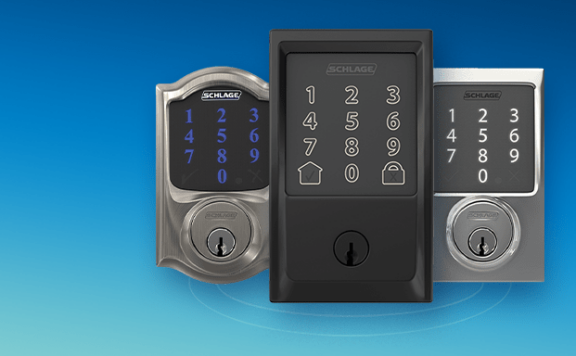
A smart lock should make travel access easier without turning one low battery, stale guest code, lost phone, jammed bolt, or failed automation into a lockout. The safest vacation setup treats the lock as one part of the entry system. Check the door, bolt, batteries, users, physical fallback, alerts, alarm relationship, internet dependence, and return procedure before departure.
What this checklist covers
This guide is for an owner, renter, pet sitter, family member, or property manager preparing a primary home for a trip. It does not replace the lock maker’s instructions, lease terms, local access rules, fire and egress requirements, or a locksmith. Verify the exact lock model, door, app, hub, battery type, emergency-power method, key path, and supported integrations before changing access.
Start 48 hours before departure
Do not make a major firmware, Wi-Fi, hub, account, or automation change on the way to the airport. Give the lock enough time to complete several normal lock-and-unlock cycles and one controlled failure test. Use the smart lock installation acceptance test if the hardware is new or the door has shifted.
- Identify the exact lock model, firmware, battery type, app owner, connected hub, and physical-key or emergency-power method.
- Inspect the door, hinges, strike plate, weather seal, latch, bolt hole, and alignment with the door open and closed.
- Lock and unlock from inside, keypad, app, physical key, and any approved local control.
- Confirm the door is fully latched before treating a locked status as proof the property is secure.
- Review every household member, guest, cleaner, dog walker, contractor, and emergency user.
- Test alerts on Wi-Fi and mobile data, then record who will act when a message arrives.
- Check the alarm mode, entry delay, contact sensor, camera view, and lighting routine for the same door.
- Write a local fallback plan that works when the internet, phone, hub, or lock battery does not.
Record the accepted starting state
| Item | Record before travel | Why it matters |
|---|---|---|
| Door and bolt | Photos of alignment, strike, weather seal, and fully extended bolt | A remote “locked” state may not show a door that failed to latch |
| Lock | Model, firmware, battery reading, recent faults, and last manual test | Support and recovery steps vary by model |
| Users | Named accounts, codes, schedules, owners, and expiry dates | Shared credentials are hard to revoke or audit |
| Fallback | Key holder, locksmith details, emergency-power method, local keypad, and permission | Remote access is not a substitute for a lawful local entry path |
| Alerts | Recipients for jam, low battery, offline, unlock, door-open, and alarm events | An alert without an owner and action is only a notification |
| Connected systems | Hub, router, contact sensor, camera, alarm mode, lighting, and automations | The lock may work while a dependent routine fails |
Batteries and power
Follow the lock maker’s battery guidance. Do not mix old and new cells or battery types unless the instructions explicitly allow it. A percentage in an app is useful, but it is not the whole test: check recent low-battery warnings, cold or hot weather exposure, motor strain, and how the lock behaves after repeated cycles.
- Replace batteries early when the maker’s guidance, recent alerts, travel length, or door friction makes the current set a poor risk.
- Keep the specified replacement batteries in a dry, known location that an approved local person can reach without opening the locked door.
- Test the documented physical key or emergency-power method before departure; do not assume every model supports one.
- Do not hide a spare key in an obvious exterior location. Use a named, lawful handover that can be revoked or changed.
- Record how the lock reports low battery, critical battery, and no power, and who receives each message.
The smart lock battery and outage checklist covers battery, hub, internet, phone, and local-access failures in more detail.
Codes, users, and temporary access
Give each person a named account or unique code when the system supports it. Avoid one household code shared across visitors and contractors. Use the shortest schedule that fits the real visit, confirm the time zone, and remove access after the final handover.
- Export or record the current user list without storing passwords in an insecure travel note.
- Remove former residents, old phones, unused integrations, expired workers, and unknown sessions.
- Create a unique code for each approved visitor and test it while the owner is present.
- Set a start time, end time, allowed days, and door scope where supported.
- Explain the latch, lock, alarm delay, camera, privacy, emergency, and key-return rules.
- Confirm a failed or expired code does not trigger an unsafe workaround.
- Schedule removal and verify it after the last visit instead of assuming expiry worked.
Run the smart lock access-code audit before travel and after returning.
Disable risky arrival automations
Review geofencing, auto-unlock, voice control, presence, schedules, shortcuts, and shared-home automations. Travel changes normal phone locations and household patterns. A broad rule that usually feels convenient can unlock at the wrong time, fail silently, or leave a stale action queued for recovery.
Use the smart lock auto-unlock safety checklist to test false arrival, lost phone, no internet, hub restart, delayed location, guest access, and rollback. For many homes, the lower-risk travel state is to disable automatic unlocking and keep deliberate keypad, key, or approved app access.
Pair the lock with the door sensor and alarm
A lock reports the bolt or motor state; a contact sensor reports whether the door is open or closed. Neither alone proves the door is secure. Test the following separate events: door opened, door closed, door left ajar, bolt extended, bolt jammed, valid code, invalid code, manual unlock, remote unlock, and alarm disarm.
Document whether unlocking also disarms the alarm. If it does, narrow the rule to approved users and tested conditions. If it does not, give visitors the correct entry delay and disarm instructions. A sitter should not have to choose between a false alarm and leaving the door unsecured.
Alerts need an owner and response
| Alert | First check | Named action |
|---|---|---|
| Door unlocked | Was it a scheduled visitor, manual action, automation, or unknown event? | Verify the person, door state, alarm, and camera without sending someone into danger |
| Door left open | Is the contact reliable and is a visitor still present? | Contact the approved person; do not remotely extend a bolt into an open door |
| Lock jammed | Check alignment, weather, obstruction, battery, and recent cycles | Use the authorized local person or locksmith; avoid repeated motor commands |
| Low battery | Confirm model guidance, travel duration, temperature, and local access | Arrange a safe replacement and retest every entry method |
| Lock offline | Separate lock, hub, router, internet, app, and power failures | Use local access and verify the door physically before resetting systems |
| Invalid-code attempts | Check visitor timing, code expiry, keypad use, and camera evidence | Contact the approved person and follow the alarm response plan |
Cameras and evidence
Position any camera to show the approach and door area without recording neighboring or private spaces unnecessarily. Test night lighting, glare, rain, plants, packages, and the height of real visitors. Confirm detection, recording, timestamp, retention, export, and access on mobile data. The camera evidence export checklist explains how to test a clip before an incident.
Do not use a camera view as the only proof that a bolt extended. Confirm the lock state, contact state, and visitor handover separately. Follow local law, lease, HOA rules, and household consent.
Give one local person a safe fallback
Choose someone who can reach the property lawfully and understands the door, lock, alarm, pets, camera boundaries, utility shutoffs, and emergency contacts. Give only the access required for the travel window. A local fallback might include a named keypad code, sealed physical key, building-manager process, or authorized locksmith instruction.
Do not share the owner’s password, recovery codes, or one permanent code. Test the fallback while the owner is present, then document how it will be removed or changed after the trip.
Fifteen-minute departure check
- Close the door completely and verify the latch without slamming or pulling it into alignment.
- Lock once from the normal departure method and confirm the bolt, contact sensor, and local indication.
- Confirm the accepted away mode using the HomeKit security away-mode checklist where relevant.
- Check that auto-unlock and temporary automations are in the intended travel state.
- Confirm expected users, schedules, alert recipients, mobile-data access, and the local fallback.
- Verify one current camera frame and recording without changing privacy settings at the last minute.
- Leave the door alone after the final accepted state; repeated remote commands can create uncertainty.
What to do during the trip
Review meaningful exceptions, not every normal event. A simple routine is to check unresolved low-battery, jam, offline, door-open, invalid-code, alarm, and camera alerts once at an agreed time. Contact the named local person when physical verification is required. Do not remotely unlock for an unverified caller, unexpected delivery, or unknown account request.
If a phone is lost, use the platform’s account-recovery and device-removal process from a trusted device. Remove the lost session, change exposed credentials, check users and automations, and verify that the local entry path remains available.
Return-home checks
- Review the event history before clearing alerts or changing modes.
- Use a deliberate entry method and confirm the alarm result.
- Inspect the door, strike, bolt, batteries, keypad, key cylinder, sensor, and nearby camera.
- Remove visitor accounts, codes, shares, and schedules that are no longer needed.
- Restore only the automations that passed the pre-travel test.
- Confirm the local fallback key or code was returned, revoked, or changed.
- Record missed alerts, jams, delays, false events, dead zones, and maintenance owners.
Where Abode fits
A smart lock can manage access, but it is not a complete alarm or response system. Compare Abode’s Smart Security Kit and current plans when a home needs door and window sensors, local alarm behavior, phone alerts, camera options, and optional paid response around the entry. Verify the exact lock integration, hub, plan, region, and automation behavior before purchase.
Vacation acceptance test
- Test the door fully closed, slightly ajar, under weather-seal pressure, and with a safe simulated obstruction.
- Use the inside control, keypad, app, approved key, and documented emergency-power method.
- Test one owner, one temporary visitor, one expired user, and one invalid-code attempt.
- Turn off internet, hub access, and the owner’s phone one at a time; confirm the local fallback still works.
- Trigger low-battery or offline test paths only as the maker permits and verify the right person receives the message.
- Test the door contact, alarm entry delay, camera recording, and evidence export for the same entry.
- Remove the test visitor and prove old code, app, share, voice, automation, and recovery access fails.
- Save the accepted settings, users, battery state, dependencies, screenshots, and return checklist.
FAQ
Should I replace smart lock batteries before every vacation?
Not automatically. Follow the maker’s guidance and consider battery age, warnings, weather, door friction, travel length, and local fallback. Replace early when those checks make the current set a poor risk, then retest every entry method.
Can I rely on remote unlock while I am away?
No remote method should be the only access path. Internet, app, account, hub, phone, and lock power can fail. Keep a tested, lawful local fallback with a named person.
Should a temporary lock code also disarm the alarm?
Only if the exact integration supports it and the rule has been narrowed and tested. Otherwise give the visitor clear entry-delay and disarm instructions without sharing the owner’s credentials.
What if the smart lock reports a jam while I am traveling?
Stop repeated motor commands. Check recent door and camera events, contact the authorized local person, and inspect alignment, obstruction, weather, and battery before using the approved locksmith or fallback process.
Build a vacation response plan that works without the traveler
A vacation lock plan fails when every alert and recovery step depends on the person who is on a plane, asleep in another time zone, or without mobile service. Before leaving, separate six jobs: power, temporary access, schedule accuracy, account recovery, internet-loss behavior, and maintenance ownership. The linked checklists below turn each job into a test with a named local responder.
Replace batteries by evidence, then prove the lockout path
Use the battery replacement and lockout-prevention checklist when the battery age, warning history, trip length, or expected weather makes a pre-trip change sensible. Record battery type, date, measured or app-reported state, approved chemistry, and who performed the change. Do not mix old and new cells or assume a fresh set proves the motor can move a binding deadbolt.
After replacement, cycle the door open and closed, test local and remote control, confirm low-battery alerts were cleared correctly, and verify emergency power or mechanical-key fallback where supported. Give the local responder the exact recovery steps without putting a physical key, code, or account credential in an exposed message.
Issue temporary access with an end state you can prove
Follow the temporary access-code removal checklist for a neighbour, cleaner, pet sitter, contractor, or property manager. Use one named credential per person, the narrowest useful schedule, and no shared permanent code. Record who approved access, which door it covers, when it starts, when it ends, and whether it can disarm an alarm or open another device.
Test the credential once before departure with the alarm and door sensor in their real states. Then test removal from a second administrator account. The trip is not closed until expired access fails at the keypad, disappears from each administrator view, and no related household, vendor-app, guest-link, key, or alarm permission remains.
Check time zone and daylight-saving behavior before scheduling access
Use the smart-lock time-zone and daylight-saving checklist whenever access depends on a schedule. Record the property time zone, lock or bridge time source, phone time zone, start and end timestamps, and what the interface means by “local time.” A traveler changing phone time zones should not shift the property’s access window.
Create a short test schedule that begins and ends while someone is standing at the door. Check the minute before, the first allowed minute, the last allowed minute, and the minute after expiry. Repeat from the traveler’s phone after changing its displayed time zone if the app permits. If the system’s schedule semantics are unclear, use a manual issue-and-revoke process owned by a local administrator.
Prepare for an account takeover while the home is empty
Keep the home-security account-compromise response checklist with the trip plan. Turn on supported multifactor authentication, use unique credentials, review active users and sessions, protect the recovery email and phone, and identify which account can remove users, change codes, unlock doors, alter notifications, or disable the alarm.
Write a short response order: preserve screenshots and timestamps, contact the local responder, block unsafe access, secure the recovery email, rotate credentials from a trusted device, revoke sessions and integrations, inspect codes and automations, then test the physical door and alarm state. Do not begin by deleting the only evidence or locking every administrator out of the property.
Test internet loss with one person away and one at the door
Run the internet-outage test log before the trip. Disconnect the WAN without removing power from the lock, bridge, router, or alarm. Record local keypad, Bluetooth, HomeKit, vendor-app, remote, notification, audit-log, alarm, and camera behavior separately.
The away person should document what disappears or goes stale. The local person should prove safe entry, locking, alarm handling, and fallback without relying on remote unlock. Restore the connection and check event order, missing records, delayed alerts, device time, automations, and remote control. If the local responder cannot recover the door safely during an outage, the vacation plan is not ready.
Put the lock on a maintenance calendar that survives the trip
Add the lock, bridge, keypad, door sensor, alarm zone, camera view, router, backup power, physical keys, and user review to the home-security maintenance calendar. Name an owner and a backup owner for every task. A reminder sent only to the traveler is not an operating plan.
Schedule checks for door alignment, battery warnings, keypad weather damage, code and user review, firmware and app changes, router or hub health, camera condition, alarm tests, key custody, and post-trip access removal. Record the last passed test and the trigger for an extra test, such as a jam, storm, outage, worker change, software update, or unexplained account alert.
Vacation lock response table
| Event | Remote owner action | Local responder action | Evidence to save |
|---|---|---|---|
| Low battery or repeated motor strain | Stop unnecessary remote cycles; confirm exact alert and model | Inspect alignment, use approved batteries or fallback, test open and closed states | Alert, battery date, physical state, fix, and test result |
| Temporary user outside schedule | Revoke the named credential and inspect related permissions | Verify the person and physical door state without granting a shared code | User, schedule, attempts, revocation, and final access test |
| Account or recovery alert | Preserve evidence, secure recovery channels, revoke sessions, rotate credentials | Check the door, alarm, keys, codes, and known users at the property | Timestamp, session, account changes, physical state, and recovery tests |
| Internet or bridge outage | Record stale remote states and avoid repeated blind commands | Use tested local entry and locking; follow the alarm outage plan | Outage start, local behavior, missing functions, recovery time, and late events |
| Jam or door-left-open state | Confirm the exact device and alert; contact the assigned responder | Inspect the opening physically, correct alignment or obstruction, secure the door | Before/after state, cause, action, and successful cycles |
| Return from trip | Review events, users, codes, sessions, alerts, and plan state | Return keys if required and report any physical change | Removal results, event review, maintenance items, and final test |
Run a 60-minute smart-lock vacation response test
- 0–10 minutes: record the physical door, deadbolt alignment, lock model, battery state, bridge or hub, alarm zone, camera view, router, users, keys, and responder contacts.
- 10–20 minutes: cycle the lock with the door open and closed, test low-battery and fallback instructions, and confirm the local responder can identify the correct door and hardware.
- 20–30 minutes: create one temporary credential, test the exact schedule boundary, revoke it, and prove removal from the keypad and every administrator view.
- 30–40 minutes: review account sessions, recovery channels, multifactor settings, integrations, and the written account-compromise response order.
- 40–50 minutes: disconnect household internet. Test one remote and one local person, then restore service and inspect alerts, events, time, and stale state.
- 50–60 minutes: run a jam or open-door response drill, review the maintenance calendar, and complete the return-home removal and event-review checklist.
Do not leave until these vacation blockers are cleared
- The door binds, the lock reports success without proving the opening is closed, or fallback entry has not been tested.
- A temporary user has a shared permanent code, owner-level account, hidden schedule, alarm access, or no tested revocation path.
- Access windows can shift with the traveler’s phone time zone or have not been tested at their start and end boundaries.
- The recovery email, phone, or only administrator account has no protected backup path.
- The local responder cannot enter, secure the door, and handle the alarm during an internet or bridge outage.
- Battery, alignment, users, codes, keys, firmware, account sessions, and post-trip removal have no owner or dated check.
Save the response table with the trip dates, exact models, software versions, plan state, named responders, tests, failures, fixes, and rollback steps. The aim is simple: a local person can secure the door safely, while the traveler can understand events without issuing blind remote commands.