Last Updated: April 2026
Buying security cameras is confusing. Indoor or outdoor? Battery or wired? Cloud or local storage? 1080p or 4K? This guide cuts through the noise and tells you exactly what to buy based on where you want to put the camera and what you want it to do.
Camera Types at a Glance
| Type | Best For | Power | Price Range | Example |
|---|---|---|---|---|
| Indoor (plug-in) | Living rooms, nurseries, offices | USB power | $30-80 | Abode Cam 2 ($35), Wyze v4 ($36) |
| Indoor (battery) | Shelves, temporary spots | Rechargeable battery | $50-130 | Blink Indoor ($50), Arlo Essential Indoor |
| Outdoor (wired) | Permanent mount, no battery worry | PoE or AC power | $80-250 | Reolink RLC-810A, Ring Stick Up Cam Elite |
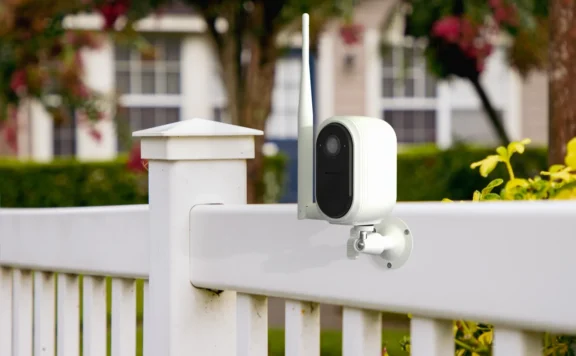
| Outdoor (battery) | No wiring access, flexible placement | Rechargeable + solar option | $80-200 | Arlo Pro 5S, eufy S3 Pro, Ring Stick Up Solar |
| Floodlight cam | Driveway, backyard — light + camera | Hardwired (replaces existing light) | $150-280 | Ring Floodlight Cam, Arlo Pro 3 Floodlight |
| Video doorbell | Front door — see who’s there | Battery or existing doorbell wiring | $60-230 | Ring Battery Doorbell, Reolink WiFi Doorbell |
Key Specs That Matter (and Don’t)
| Spec | What Matters | What Doesn’t |
|---|---|---|
| Resolution | 2K (2560×1440) identifies faces and plates at 20+ ft | 4K is overkill for most homes — eats storage and bandwidth |
| Night vision | Color night vision (spotlight or starlight sensor) vs B&W IR | IR range claims above 30ft are rarely useful in practice |
| Field of view | 120-160 degrees covers a doorway or room. Over 160 gets fisheye distortion | 360-degree pan cameras are slow and miss events while rotating |
| AI detection | Person/vehicle/pet detection cuts false alerts 90%+ | Generic “motion detection” triggers on every shadow and car |
| Two-way audio | Talk to delivery drivers, warn intruders | Speaker quality varies wildly — test before relying on it |
| Weather rating | IP65+ for outdoor. IP67 best. IP64 is splash-only | Indoor cameras don’t need weather ratings |
Storage: Cloud vs Local vs HomeKit Secure Video
| Storage Type | Monthly Cost | Privacy | Reliability | Best Option |
|---|---|---|---|---|
| Cloud (standard) | $3-18/mo | Lower — company has access | High — always accessible | Ring, Arlo, Nest |
| Local (microSD/NVR) | $0 | Highest — footage stays home | Risk: thief steals camera = footage gone | Reolink, eufy HomeBase |
| HomeKit Secure Video | Included with iCloud+ ($1-10/mo) | High — E2E encrypted on iCloud | High — Apple manages storage | Abode + HKSV cameras, Eve, Logitech |
| Hybrid (cloud + local) | $0-10/mo | Good — local backup if cloud fails | Best of both | Abode Cam 2 (free clips + hub storage) |
Cameras vs a Security System: Do You Need Both?
Cameras record. They don’t call the police. A camera catches a burglar on video — after they’ve already broken in and left. A security system with sensors detects the break-in in progress and dispatches police in real-time.
| Capability | Cameras Only | Alarm System + Cameras |
|---|---|---|
| Record break-in | Yes | Yes |
| Alert you (phone notification) | Yes | Yes |
| Dispatch police automatically | No | Yes (with monitoring) |
| Detect door/window opened | Only if in camera view | Yes (contact sensors) |
| Work when internet is down | Most don’t | Yes (cellular backup + RF sensors) |
| Deter break-in before entry | Somewhat (visible cameras) | Yes (siren + monitoring sticker) |
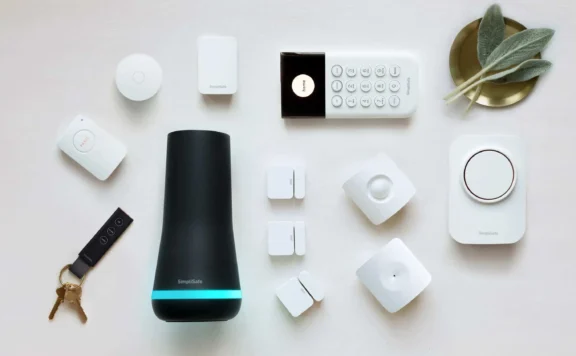
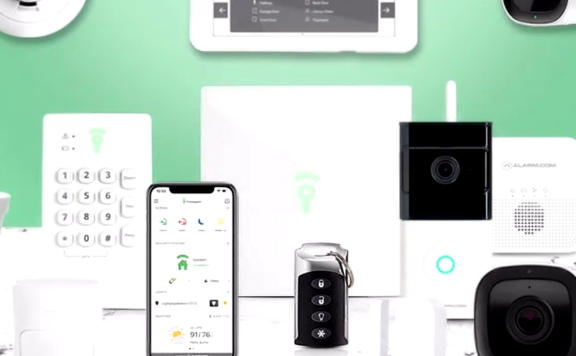
The best setup: an alarm system like Abode with door/window sensors for instant detection, plus cameras for video verification and evidence. When a door sensor trips, the camera starts recording automatically.
Our Top Camera Picks by Use Case
| Use Case | Camera | Price | Why |
|---|---|---|---|
| Best alarm-integrated indoor | Abode Cam 2 | $35 | Free clips, alarm triggers recording, no subscription needed |
| Best no-subscription outdoor | Reolink Argus 4 Pro | $130 | 4K, color night, solar, free local + cloud |
| Best doorbell | Reolink Video Doorbell WiFi | $80 | 2K, no subscription, local storage |
| Best premium outdoor | Arlo Pro 5S | $200 | 2K HDR, color night, HomeKit, 6-month battery |
| Best budget indoor | Wyze Cam v4 | $36 | 2K, color night, $2/mo for AI + cloud |
FAQ
How many cameras do I need?
Most homes: 2-4. Front door (doorbell), back door (outdoor cam), one indoor for main living area. Add driveway or garage if needed. More isn’t always better — each camera needs storage, bandwidth, and monitoring attention.
Do cameras prevent crime?
Visible cameras deter opportunistic burglars. A University of North Carolina study found 60% of burglars would choose a different target if they saw cameras. But cameras alone don’t stop a determined break-in. Pair cameras with an alarm system for real protection.
Wired or wireless?
Wireless (battery) for most renters and homes. Wired (PoE) for permanent installations where you want zero maintenance and maximum reliability. Battery cameras need recharging every 3-6 months (or add a solar panel).
Are cheap cameras ($30-40) worth it?
For indoor use, yes. The Abode Cam 2 ($35) and Wyze v4 ($36) deliver 2K video with AI detection. For outdoor, spend $80-130 for better weather resistance and battery life.