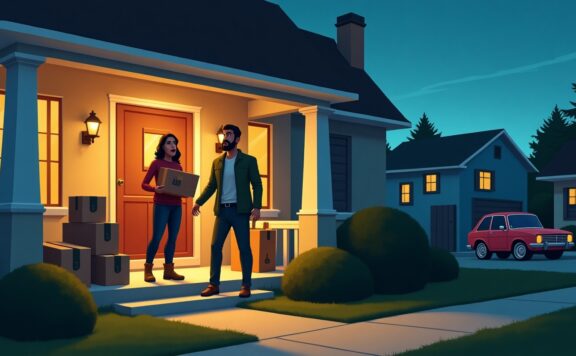
The best video doorbell is the one that captures a usable first frame, survives the weather and power setup at your door, stores evidence where you expect, and fits the household response plan. Resolution and a low sale price are not enough. Compare the exact model, wiring, field of view, detection, storage, subscription, privacy, and alarm-system role before buying.
Video doorbell decision table
| Need | Prioritize | Verify before purchase |
|---|---|---|
| Packages and visitors | Head-to-toe view, useful first frame, clear day/night image | Mounting height, porch layout, backlight, package zone, motion approach |
| Low maintenance | Compatible wired power and stable network | Transformer rating, chime support, bypass, Wi-Fi signal, outage behavior |
| No recurring cloud plan | Documented local storage path | Storage location, theft risk, retention, overwrite, export, remote-view limits |
| Privacy control | Zones, audio controls, named users, strong account recovery | Neighbor views, shared access, provider access, retention, deletion |
| Alarm response | Door sensor, siren, arming, backup, monitoring | Whether the doorbell integrates or remains a separate camera alert |
1. Map the doorway before choosing a model
Record the door swing, existing button, transformer, chime, wall material, porch depth, steps, sidelight, street and neighbor views, package location, sun, rain, temperature, and the direction people approach. A wide specification can still miss faces or packages when the camera sits too high, too low, or beside a deep wall.
2. Test the first useful frame
Doorbells often wake after motion starts. Ask for unedited sample clips from the exact model and test a person approaching quickly, stopping at the door, leaving a package, and walking away. Check face detail, package visibility, motion blur, backlight, night lighting, notification delay, and whether the recording begins before or after the useful moment.
3. Choose wired or battery power deliberately
Battery models are easier where wiring is unavailable, but runtime varies with traffic, temperature, Wi-Fi, live view, recording length, and alerts. Wired models can reduce charging, yet transformer voltage, power, chime compatibility, and installation rules matter. Confirm the exact manufacturer’s electrical requirements and use a qualified installer where required.
4. Treat storage as an evidence workflow
- Where is video stored: doorbell, indoor hub, recorder, microSD, or cloud?
- What subscription or base station is required for recording, people/package detection, history, sharing, or downloads?
- How many days or events are retained, and what happens when storage fills?
- Can a household member export the original clip with a correct timestamp?
- What remains available if internet, power, the vendor cloud, or the doorbell itself fails?
Local storage is not automatically safer if the card is in a removable outdoor device. Cloud storage is not automatically more reliable if the connection fails before upload. Test the whole path.
5. Compare detection, not just labels
Person, package, vehicle, animal, familiar-face, and motion-zone features vary by model, plan, region, and firmware. Test the actual porch in rain, headlights, insects, shadows, trees, and street traffic. Tune zones and sensitivity, then measure missed events and nuisance alerts for at least two weeks.
6. Protect household and neighbor privacy
Aim at the smallest area needed for the security job. Use privacy zones where they work, disable audio if it is unnecessary or restricted, use named accounts instead of shared passwords, enable multi-factor authentication, and remove former residents, cleaners, contractors, and guests promptly. Review local recording and audio rules.
7. Separate a doorbell camera from an alarm
A doorbell can show a visitor or package, but it may not provide a supervised door sensor, arming state, entry delay, local siren, cellular backup, or professional response. If the front door is a priority intrusion point, pair video with a contact sensor and tested alarm workflow. Start with the Abode Smart Security Kit and compare current Abode plans when a sensor-led system is required.
8. Run a two-week doorway test
- Test arrivals from every normal approach in daylight and darkness.
- Test doorbell presses, motion-only events, packages, deliveries, and fast departures.
- Review alert delay, first frame, audio, zones, missed events, and nuisance alerts.
- Disconnect internet and AC power separately; record capture, alerts, local storage, and recovery.
- Export a clip and confirm timestamp, image, audio, and playback on another device.
- Remove a test user and confirm access is revoked.
9. Calculate three-year cost
Add the doorbell, wedge or mount, transformer/chime work, hub or recorder, storage, subscription, spare battery, replacement battery, network upgrades, installation, and owner maintenance. Compare the plan features you will actually use, not a headline hardware discount.
Shortlist by household need
- Existing compatible wiring: prioritize stable power, chime support, useful first frame, and tested outage behavior.
- Rental or no wiring: prioritize reversible mounting, realistic battery service, anti-theft plan, and landlord rules.
- Local evidence control: prioritize exact storage compatibility, protected indoor storage, retention, export, and fault alerts.
- Alarm integration: prioritize the contact-sensor, siren, arming, backup, and response path before camera extras.
- Busy street: prioritize narrow zones, fast review, and measured nuisance-alert control.
FAQ
Do video doorbells work without a subscription?
Some models provide live view, alerts, or local recording without a recurring plan, but recording history, smart detection, sharing, and remote access vary. Verify the exact model and storage path.
Is wired always better than battery?
No. Wired power can reduce charging, but compatibility and installation matter. Battery models fit more doors but require realistic maintenance and cold-weather testing.
Can a video doorbell replace a door sensor?
Usually not. A camera alert is not the same as a supervised contact sensor, arming state, siren, backup communication, and alarm response.
How should I test privacy?
Review the live and recorded view, audio, privacy zones, household users, provider access, retention, deletion, and shared clips from the actual doorway.
Build a video-doorbell operating plan, not just a product shortlist
A video doorbell succeeds only when a real press, approach, package delivery, or attempted entry produces a useful alert and a usable recording. Field of view and resolution matter, but they do not prove that the household will see the event, hear the chime, save the clip, or know who should respond.
Write down the operating path before buying: who owns the account, who receives alerts, how visitors identify themselves, where recordings are stored, how clips are exported, what happens during an outage, and who restores service after a router, phone, or doorbell change. This turns a camera purchase into a doorway control the household can test.
Assign one owner and one backup
The primary owner should control billing, device settings, retention, household members, privacy zones, and recovery. A backup should know how to reach the account without sharing the owner’s password. Record both roles in an equipment list and review them after a move, phone replacement, separation, tenancy change, or staff handover.
| Responsibility | Primary owner | Backup | Proof |
|---|---|---|---|
| Account and billing | Maintains email, payment, and plan | Knows escalation path | Current account record |
| Doorway settings | Controls zones, audio, chime, and recording | Can review without changing core settings | Settings screenshot |
| Evidence | Exports and protects incident clips | Can repeat the export | Playable test file |
| Recovery | Restores device and account | Holds recovery instructions | Dated recovery drill |
Keep model, serial number, purchase date, transformer or battery details, mount type, Wi-Fi band, account owner, plan, and warranty in the equipment inventory. Do not put passwords or recovery codes in the same unprotected document.
Separate six events that sellers often group together
| Event | What must happen | Failure to watch |
|---|---|---|
| Button press | Indoor chime and chosen phones alert | Silent chime, delayed push, wrong phone |
| Person approach | Useful first frame before the person reaches the door | Recording starts after the face passes |
| Package delivery | Parcel placement is visible and retained | Ground area outside the frame |
| Night visit | Face, clothing, and direction remain usable | Porch light glare or infrared washout |
| Door opened | Alarm contact sensor reports door state | Camera motion mistaken for a supervised zone |
| Internet loss | Household knows what recording and alert functions remain | Silent loss of remote view or history |
A doorbell camera can show an approach, but it should not be described as proof that a door is closed, latched, or locked. Use a contact sensor for open and closed state and a supported smart-lock path for lock state. If arming, siren, monitoring, or dispatch matters, test the alarm system separately.
Test the first useful frame at real walking speed
Walk the approach from the pavement, driveway, stairs, and any side path. Test a slow visitor, a fast courier, a person wearing a hat, and two people arriving together. Review when the recording begins, whether a face appears before the person turns away, and whether the clip shows the route into and out of the doorway.
Do this in daylight, at dusk, and after dark. Add porch lights to the test because bright fixtures can damage the view as easily as low light. Use the camera coverage and blind-spot audit to record weak angles, privacy boundaries, and places where an object can block the lens.
Design alerts for action
Do not send every motion event to every resident. Choose which event types deserve an immediate push, which can wait in history, and which device should alert overnight. A useful alert names the device, doorway, event type, and time. Test alert delay on Wi-Fi and mobile data with the alert-delay drill.
- Primary responder: receives doorbell presses and high-confidence person events.
- Secondary resident: receives presses but not every motion event.
- Children or guests: receive only the access needed for their role.
- Overnight: uses an audible phone, watch, display, or chime path that the sleeper can actually notice.
Record nuisance alerts for seven days. Change one zone, sensitivity, or schedule at a time and repeat the same route. If one change hides real visitors, restore the prior setting.
Prove the chime path from every occupied area
Press the button while someone is in the kitchen, bedroom, office, shower area, garden, and any room with loud television or music. Confirm which indoor chime, speaker, display, phone, or watch alerts. The video-doorbell chime reliability checklist provides a room-by-room test and recovery record.
For hearing, vision, mobility, or memory needs, add a second alert form rather than only raising volume. A light, wearable vibration, large display, or named voice alert may work better. The alert still needs a clear owner and an escalation rule.
Control privacy before sharing access
Review the live view from the installer account and every shared account. Mask neighboring windows, shared hallways, or areas beyond the property where the system supports it. Decide whether audio recording is needed, check local rules, and place a notice where required. Test whether a guest can change settings, download video, speak through the doorbell, or invite another user.
Do not leave incident clips in chat threads or personal photo libraries without a reason. Record who exported the clip, original time zone, event time, file name, and where the protected copy is stored. The app clipboard and screenshot privacy audit helps find copied codes, still images, and exports that remain on phones.
Verify recording, retention, and export
Create one test event, locate it in history, export it, and play the exported file on a second device. Confirm that the file contains the beginning and end of the event, carries a usable date and time, and can be shared without granting account access. If local storage is used, verify card health, overwrite behavior, and fault alerts with the microSD health audit.
Write the retention period in days and test deletion. A plan name or storage label is not enough. The household needs to know when a clip disappears, whether cancelled service changes access, and how long an export remains available.
Test power, Wi-Fi, and recovery as separate failures
| Failure | Test | Pass condition |
|---|---|---|
| Internet offline | Disconnect WAN without cutting local power | Expected chime, recording, and recovery behavior is documented |
| Wi-Fi change | Use the documented reconnect path | Doorbell returns without losing ownership or history unexpectedly |
| Power loss | Test transformer or battery behavior safely | Household knows runtime, charging, and restart steps |
| Phone replaced | Sign in on a replacement test device | Alerts, permissions, and recovery work without a shared password |
| Subscription ended | Review the current plan boundary | Remaining live, alert, recording, and export functions are known |
Use the internet-outage test log to record what stopped, what continued, and the order in which service returned. Do not factory-reset first. Capture the device state, account, LED pattern, network changes, and last successful event before removing evidence that can explain the fault.
Run a 60-minute video-doorbell acceptance test
- Minutes 0–10: confirm account owner, backup, device model, plan, mount, transformer or battery state, Wi-Fi, and recovery details.
- Minutes 10–20: test a button press from every occupied area and on each chosen responder device.
- Minutes 20–30: walk every approach at normal and fast speed in the available lighting.
- Minutes 30–40: verify zones, privacy, two-way talk, shared-user limits, and the door contact or lock-state boundary.
- Minutes 40–50: locate, export, play, and delete a test clip according to the household rule.
- Minutes 50–60: run one safe internet-loss test, restore service, and confirm the next press, alert, recording, and history entry.
Pass/fail criteria
- Pass: useful first frame, reliable press and alert path, protected privacy area, playable export, known retention, documented outage behavior, and successful recovery.
- Repair: one named fault has an owner, deadline, temporary control, and retest date.
- Fail: the household cannot receive a press, identify an approach, protect neighboring areas, retrieve evidence, or restore the device after a common failure.
Repeat the test after router, transformer, door, chime, phone, account-owner, plan, or major app changes. A dated test result is stronger evidence than an app screen that merely says the doorbell is online.