Your Smart Home Is a Network — and Most People Leave the Front Door Open
The average US home has 22 connected devices in 2026. Each one is a potential entry point for attackers. Most homeowners lock their front door but leave their smart cameras, doorbells, thermostats, and speakers running on default passwords with outdated firmware.
This is not theoretical. In 2023, Eufy cameras were caught sending unencrypted video to cloud servers they claimed did not exist. In 2024, Ring settled with the FTC for $5.8M after employees accessed customer camera feeds. Wyze disclosed that 13,000 users briefly saw other people’s camera footage due to a server overload.
Here is what actually gets exploited, which brands handle security well, and 9 concrete steps to protect your smart home.
How Hackers Actually Attack Smart Homes
| Attack Method | How It Works | Real Example | Risk Level |
|---|---|---|---|
| Default credentials | Factory passwords never changed | Mirai botnet (2016) — 600K+ IoT devices hijacked | High — most common attack |
| Unpatched firmware | Known vulnerability left open | TP-Link router CVEs exploited within days of disclosure | High |
| WiFi eavesdropping | Intercepting unencrypted local traffic | Smart plugs sending data in plaintext | Medium |
| Cloud account compromise | Phishing or credential stuffing on app accounts | Ring account breaches (2019-2020) | Medium-High |
| Bluetooth exploits | Short-range attacks on smart locks/speakers | August Smart Lock BLE replay attacks | Low (requires proximity) |
| Supply chain | Malware built into cheap devices at the factory | Cheap IP cameras phoning home to unknown servers | Low-Medium |
Brand Security Scorecard (2026)
Not all smart home brands treat security equally. Here is how major brands compare on the factors that matter:
| Brand | 2FA Available? | Auto Updates? | Local Processing? | Encryption | Security Track Record | Overall |
|---|---|---|---|---|---|---|
| Apple HomeKit | Yes (mandatory) | Yes | Yes (on-device) | End-to-end | Strong — no major breaches | A |
| Google Nest | Yes | Yes | Partial | TLS + at-rest | Good — ADT partnership secure | B+ |
| Ring (Amazon) | Yes (added after FTC) | Yes | No | E2E optional | Poor — FTC settlement, employee access | B- |
| Arlo | Yes | Yes | No | TLS + at-rest | Decent — no major incidents | B |
| SimpliSafe | No | Yes | No | Proprietary | Mixed — RF jamming vulnerability disclosed | B- |
| Eufy | Yes | Manual | Yes (local NVR) | AES-128 | Poor — 2023 cloud upload scandal | C+ |
| Wyze | Yes | Yes | No | TLS | Poor — 13K user feed exposure (2024) | C |
| Abode | Yes | Yes | No | TLS + at-rest | Good — no breaches reported | B+ |
9 Steps to Lock Down Your Smart Home
1. Change Every Default Password (5 minutes)
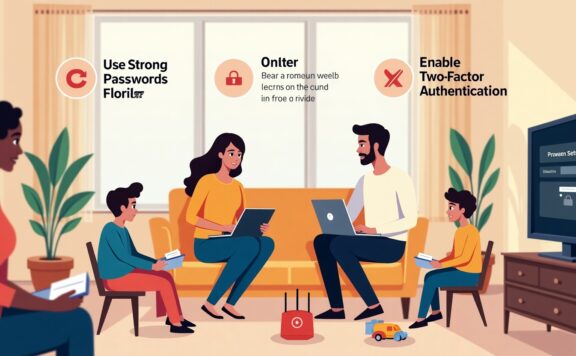
This stops the #1 attack vector. Every camera, router, smart plug, and hub ships with a default password. Change them all. Use a password manager — do not reuse passwords across devices.
2. Enable Two-Factor Authentication on Every Account (10 minutes)
Ring, Nest, Arlo, Abode — all support 2FA now. Turn it on for every smart home app. Use an authenticator app (Google Authenticator, Authy), not SMS — SIM swapping makes SMS 2FA unreliable.
3. Create a Separate WiFi Network for IoT Devices (15 minutes)
Most modern routers support guest networks or VLANs. Put all smart home devices on a separate network from your computers and phones. If a smart plug gets compromised, the attacker cannot reach your laptop.
4. Keep Firmware Updated (Ongoing)
Enable auto-updates where available. For devices without auto-update (Eufy, some Reolink cameras), check monthly. Unpatched firmware is the second most common attack vector after default passwords.
5. Disable Universal Plug and Play (UPnP) on Your Router (2 minutes)
UPnP lets devices open ports on your router automatically. Attackers exploit this to reach devices from the internet. Disable it in your router settings — most smart home devices work fine without it.
6. Use a Router With Automatic Security Updates (One-time purchase)
Your router is the gateway to every device. Cheap ISP-provided routers often stop receiving updates after 2-3 years. Eero, Google Nest WiFi, and Ubiquiti Dream Machine all push automatic security patches.
7. Review App Permissions and Camera Access (10 minutes)
Check which apps have access to your cameras and microphones. Remove any you do not recognize. On smart home hubs, review linked accounts and remove old integrations.
8. Use End-to-End Encryption Where Available
Ring offers optional E2E encryption for video. Apple HomeKit Secure Video encrypts footage so only your devices can view it. If your system offers encryption, enable it — the slight convenience tradeoff is worth it.
9. Buy From Brands That Disclose Vulnerabilities (Ongoing)
Companies with public security advisories and bug bounty programs (Google, Apple, Arlo) are safer bets than brands that quietly patch or deny issues. Check whether a brand has a responsible disclosure policy before buying.
What About Matter and Thread?
Matter (the new smart home standard backed by Apple, Google, Amazon, and Samsung) improves security by requiring encrypted communication between devices. Thread (the mesh networking protocol) keeps traffic local — devices communicate without hitting cloud servers.
In 2026, Matter-certified devices are still rolling out, but any new purchase should be Matter-compatible when possible. It is the closest the industry has come to a baseline security standard across brands.
FAQ
Can someone hack my security cameras?
Yes, if you use default passwords, skip 2FA, or buy cameras from unknown brands. Name-brand cameras with updated firmware and 2FA enabled are significantly harder to compromise. The biggest risk is your account password, not the camera hardware itself.
Is local storage safer than cloud storage for camera footage?
Local storage (Eufy, Reolink NVR) eliminates cloud breach risk but adds physical theft risk — if someone steals the base station, footage is gone. Cloud storage with end-to-end encryption is the most balanced option.
Do smart home devices listen to everything I say?
Smart speakers (Alexa, Google Home) record after hearing the wake word. They store recordings in your cloud account. You can review and delete these recordings in the app. For cameras with AI features, processing happens on-device or in the cloud depending on the brand.
Which smart home ecosystem is most secure?
Apple HomeKit leads on security — mandatory 2FA, on-device processing, end-to-end encryption. The tradeoff is fewer compatible devices and higher prices. Google Nest and Abode offer good security with broader device support.