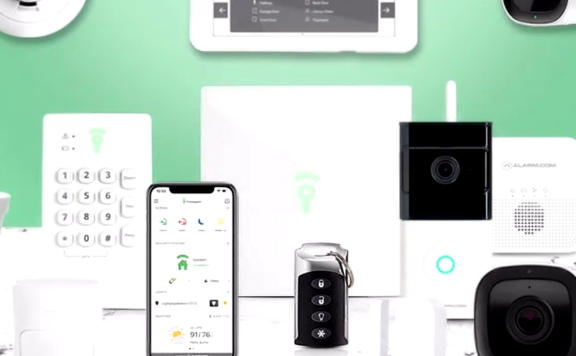
Updated August 2026: A no-subscription security setup can work well for renters who use pet sitters, but only when alerts, access, privacy, outages, and response are assigned to people. “No monthly fee” does not mean “no operating work.” Without professional monitoring, the household owns every alert, callback, code, camera setting, and recovery test.
This guide starts with jobs rather than brands. The system must show when a renter-controlled entry changes state, give a sitter narrow and temporary access, avoid pet-driven false alarms, protect private areas, and keep a usable local path when internet or one phone fails. Product and plan terms change, so verify every named feature against the exact model, app, region, and account before buying.
Fast recommendation
- Best fit for a flexible alarm path: Abode, when renters want direct entry sensors, self-monitoring now, and the option to add paid monitoring for travel or higher-risk periods.
- Best fit for a small Apple Home setup: Aqara, when the household will verify the exact hub, sensor, lock, camera, and Home app behavior.
- Best fit for local camera storage: eufy or another exact local-storage camera design, when video is needed and the renter can place cameras legally and respectfully.
- Best fit for a low-cost camera layer: Wyze or a similar camera-first setup, when the renter understands that video alerts do not replace direct door state or an alarm response plan.
Best overall approach: put direct sensors on renter-controlled entry points, use named temporary access at the lock or alarm, keep indoor cameras out of private rooms, and document who responds to alerts. Add cameras only where video answers a real question.
No-subscription does not mean no cost
A free or self-monitored tier can still require hardware, a hub, cloud storage, a bridge, replacement batteries, local storage media, faster internet, or paid features for advanced video and sharing. Build a three-year cost sheet before calling a system subscription-free.
| Cost line | What renters should capture | Failure question |
|---|---|---|
| Starter hardware | Hub, keypad, contacts, motion, siren, lock, cameras | Which core job disappears if one device fails? |
| Required bridge | Lock hub, camera base, Thread border router, vendor gateway | Does local operation continue if the bridge or internet is down? |
| Video storage | Local card, base storage, cloud retention, export limits | Can an event be found and exported without a paid plan? |
| Optional service | Monitoring, cellular backup, warranty, advanced alerts | What changes when the trial or paid service ends? |
| Rental setup | Removable mounts, landlord-approved lock hardware, cable routing | Can the property be restored without damage? |
| Maintenance | Batteries, storage media, replacement adhesive, travel labor | Who handles a low-battery or offline warning while the renter is away? |
Map the renter, sitter, pet, and property boundaries
Draw the actual path used during a visit. Include the building entrance, unit door, balcony or patio, garage or storage area, pet gate, feeding area, and any door the sitter should never open. Mark which opening the renter controls and which belongs to a landlord, strata, or building manager.
For each point, record:
- door, window, gate, lock, and sensor type;
- whether drilling, adhesive, or lock replacement is permitted;
- normal pet movement near the device;
- who can enter and during which window;
- which direct state is reported;
- which camera view, if any, is legal and disclosed;
- what continues during internet and power loss;
- how every device and account is removed at move-out.
A camera at the unit door may show a person entering but cannot prove the door latched afterward. A contact sensor can show open or closed but cannot identify the person. A lock event can show a credential action but may not prove the door position. Use each signal for the job it performs.
Choose direct entry state before indoor motion
Pets make indoor motion alerts noisy. Start with renter-controlled doors and accessible windows. A direct contact normally produces a cleaner security signal than trying to tune motion around a dog, cat, robot vacuum, curtain, sunlight, or heater.
Use indoor motion only after testing the animal’s real path at morning, afternoon, night, feeding, play, and sitter arrival times. Record the device height, angle, sensitivity, temperature conditions, pet size, and rooms the animal can enter. “Pet friendly” is a marketing phrase, not a test result.
Give the sitter one named access path
The sitter should not receive the renter’s permanent alarm PIN, primary lock code, password, recovery method, or full administrator role. Create a unique credential with a person, door, start, end, and owner.
| Sitter job | Minimum access | Do not grant by default | Closeout |
|---|---|---|---|
| Feed and check pet | Scheduled entry at one door; basic arrival instructions | Camera history, billing, system ownership | Expire code and test it fails |
| Overnight stay | Longer code window; clear alarm modes; emergency contacts | Other residents’ private-camera views | Remove app role, code, and shared albums |
| Dog walk | Short recurring window at one entry | Permanent key or household PIN | Review events and remove when service ends |
| Emergency backup | Sealed or controlled fallback method | Every-day administrator access | Rotate after use and document why |
Use the smart-lock guide for pet sitters to check door fit, scheduled codes, local fallback, batteries, and removal. If the property has a garage-to-home path, add the pet-owner garage smart-lock guide.
Build a sitter arrival and departure record
A self-monitored visit should create a small chain of direct events:
- named credential accepted at the approved door;
- door opens during the expected window;
- alarm state changes only if required;
- pet task is confirmed without unnecessary indoor surveillance;
- door closes and the lock reaches the intended state;
- alarm returns to the intended mode;
- exceptions reach the renter and backup contact.
Do not automate disarming solely because a phone arrives near the property. Geofencing can be late, attached to the wrong person, or disabled by phone permissions and battery controls. Keep a clear manual path and test the exact alert route with the home-security alert delay guide.
Set camera privacy rules before the first visit
Indoor camera use around pet sitters requires disclosure, restraint, and local legal review. Keep cameras out of bedrooms, bathrooms, changing areas, and any place where a person reasonably expects privacy. Avoid audio unless it is needed, lawful, disclosed, and tested. Building corridors, neighboring doors, shared yards, and windows can create additional privacy problems.
Write the camera’s job:
- Entry context: confirm that a person approached or left the renter-controlled door.
- Pet welfare: view a disclosed common area only when necessary for the pet’s care.
- Incident evidence: preserve the minimum useful clip and protect unrelated people.
- Property condition: check a leak, smoke, temperature, or open-door event without continuous surveillance.
Use the security camera privacy guide for placement and access. If a screenshot, clip, or code leaves the app, use the clipboard and screenshot privacy audit for sharing, retention, and tested deletion.
Compare no-subscription platform roles
Abode
Abode is a strong fit when the renter wants a hub-based alarm path with self-monitoring and optional service changes later. Start by verifying the current Smart Security Kit, use Mini Door/Window Sensors on renter-controlled openings, and place Abode Cam 2 only where video is necessary and privacy-safe. Compare the current Abode plans before assuming a feature is free or included.
Record what the free path currently includes for app alerts, users, automations, history, cameras, storage, and integrations. Then record what changes if a paid plan starts or ends. A temporary monitoring upgrade may make sense for travel, but the no-subscription design should still have an owner and fallback when the paid period ends.
Aqara
Aqara can suit a compact renter setup, especially when the household uses Apple Home or another supported smart-home layer. Verify the exact hub, region, sensor, camera, lock, Matter or HomeKit path, notification behavior, and local operation. Do not assume every Aqara product exposes the same functions to every platform.
eufy and local-storage camera designs
A local-storage camera can reduce recurring cloud fees, but the renter still owns storage health, export, access, updates, and failure alerts. Check whether the recording lives on the camera or a base, what happens if the device is removed, and whether remote viewing or advanced detection needs an account or paid service.
Wyze and budget camera-first setups
Budget cameras can add useful entry context, but they should not become the only entry signal. Verify the exact model, storage method, alert type, plan boundary, update policy, privacy controls, and outage behavior. Pair camera context with direct door state when intrusion detection matters.
Create a two-person self-monitoring response plan
Without professional monitoring, an alert needs a primary and backup responder. The plan should prevent unsafe entry and avoid calling the sitter for every pet-driven event.
| Event | Primary check | Backup | Safe action |
|---|---|---|---|
| Expected sitter entry | Named code and expected time | Direct message if one state is missing | Do not escalate solely because indoor motion followed entry |
| Unexpected door event | Direct contact, lock event, disclosed camera context | Second resident or local keyholder | Do not enter an unsafe property; use emergency services when warranted |
| Door left open | Direct contact remains open | Sitter or local responder | Protect pet safety without remotely locking an open door |
| Camera offline | Check network and power alerts | Use direct entry sensors | Do not treat missing video as proof that nothing happened |
| Pet motion alert | Compare room, time, and entry state | Adjust sensitivity only after repeat evidence | Preserve direct perimeter detection |
| Lost sitter phone | Remove the sitter role | Expire codes and sessions | Review access history and issue a new narrow credential only if needed |
Test internet and power loss
A no-subscription design often depends heavily on home internet and resident phones. Test the exact system safely:
- direct sensor and local siren behavior during internet loss;
- local lock code and key operation when the cloud is unavailable;
- camera recording, storage, and offline warning behavior;
- whether push alerts, automation, and remote viewing stop;
- hub, router, bridge, and camera power-loss behavior;
- restoration timing, stale state, duplicate alerts, and missed events;
- which person acts if the renter is traveling.
Use the backup internet guide and UPS runtime test to separate internet continuity from power continuity. A hotspot does not power the hub, and a UPS does not create an internet path.
Prepare for move-out and sitter closeout
Keep a list of devices, owners, accounts, mounts, original screws, reset steps, codes, camera shares, automations, bridges, and voice assistants. At the end of a sitter relationship or tenancy:
- remove named codes and app roles;
- remove camera shares, albums, and exported links;
- rotate any permanent credential that was disclosed;
- remove routines, hubs, bridges, and devices from every account;
- factory-reset only after evidence and ownership records are saved;
- restore landlord hardware and document property condition;
- test from the former user’s phone that access is gone.
The renter routines guide now includes a 45-minute operating test for leaving, arrival, guest access, alerts, outages, recovery, and move-out.
60-minute renter and pet-sitter acceptance test
Tell residents and the sitter before testing. Use a harmless test visit, keep a backup entry method available, and place any professional monitoring into the provider’s approved test state before creating alarm signals.
- Minutes 0–5 — Record scope. List renter-controlled doors, windows, sensors, locks, cameras, hub, internet, power backup, residents, sitter, codes, and alert owners.
- Minutes 5–12 — Test direct entry state. Open and close each protected sitter entry. Confirm the correct name, state, timestamp, and alert.
- Minutes 12–20 — Test sitter access. Use a named temporary code during its window. Confirm the door can open and close, the alarm path is clear, and no broad administrator role is required.
- Minutes 20–27 — Test pet movement. Run normal pet paths with the sitter present. Confirm direct entry remains useful and indoor motion does not create uncontrolled noise.
- Minutes 27–34 — Test privacy. Review every camera angle, user, audio setting, recording path, share link, and private area. Remove any unnecessary view.
- Minutes 34–41 — Test alert ownership. Trigger safe test events on primary and backup phones over Wi-Fi and mobile data. Record delivery and acknowledgement time.
- Minutes 41–48 — Test internet loss. Disconnect the normal path safely. Check local sensors, siren, lock access, camera recording, visible warnings, and remote failures.
- Minutes 48–54 — Test power and recovery. Review hub, router, bridge, and camera backup behavior, then restore service and check for stale or missing state.
- Minutes 54–60 — Remove access. Expire the sitter code and role, test that they fail, review the activity record, and save the final configuration.
Pass condition: every approved entry reports direct state, the sitter has one narrow credential, the old credential fails after removal, pet movement does not drown out perimeter events, camera views are disclosed and limited, two people receive critical alerts, and local entry plus direct sensor behavior is documented for an outage.
Frequently asked questions
Can renters use a security system without a subscription?
Yes, when the exact hardware and current free tier provide the alerts, local operation, storage, users, and integrations the household needs. The renter must own response, maintenance, and outage testing.
What is the safest access method for a pet sitter?
Use a unique scheduled code or narrow app role tied to one person and entry. Do not share the household’s permanent PIN, password, recovery method, or full administrator account.
Should a renter use indoor cameras around a pet sitter?
Only where lawful, disclosed, necessary, and privacy-safe. Keep cameras out of private areas, limit audio and sharing, and use direct door sensors when entry state is the actual job.
What happens when internet service fails?
Behavior depends on the exact system. Test direct sensors, local siren, lock codes, camera recording, backup communication, offline warnings, and restoration instead of assuming the app reflects current state.
Is Abode subscription-free?
Abode offers a self-monitoring path and optional paid plans, but features and plan terms can change. Verify current app, automation, camera, storage, monitoring, and cellular-backup boundaries before purchase.