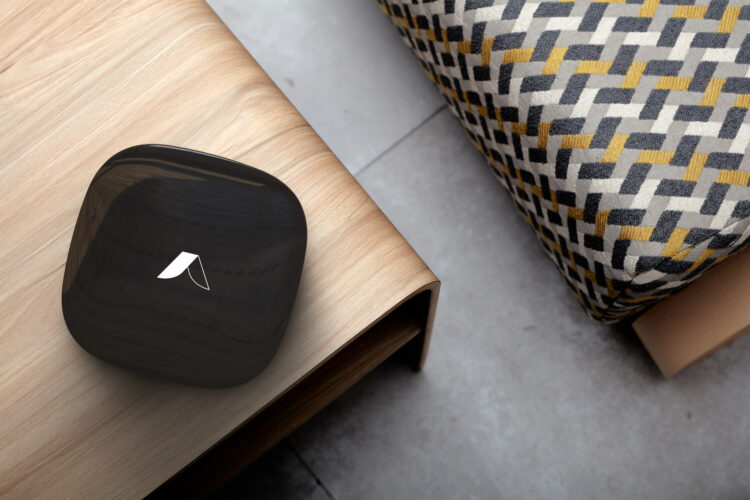
Abode’s hub is the control point for a direct-purchase DIY alarm, but the hub alone is not the security design. Buyers need to match the exact kit, direct sensors, local warning, cameras, communications, service plan, smart-home links, outage behavior, and owner handover to one property. This review uses current product and plan pages as the source of truth instead of preserving old fixed-price tables.
Abode hub decision at a glance
| Decision | What to verify | Failure to avoid |
|---|---|---|
| Starter kit | Exact hub, included contacts, motion sensor, key fob, keypad, siren, camera, and current price | Comparing kit prices before matching every door and window |
| Direct sensing | Exterior openings, interior motion routes, garage, detached spaces, water risks, and required life-safety devices | Using camera motion as the only proof that an opening changed state |
| Communications | Ethernet or Wi-Fi, cellular path, plan requirements, local alarm, app alerts, and monitoring | Assuming every advertised function remains during internet or plan loss |
| Smart home | Exact Apple Home, Alexa, Google Home, Z-Wave, Zigbee, Matter, bridge, model, firmware, and function | Treating protocol support as proof that every third-party device is compatible |
| Ownership | Primary owner, second administrator, accounts, codes, recovery, data, cancellation, transfer, and usable no-plan state | An installer, former resident, or old phone retaining access |
Choose the kit from a property map
Count exterior doors, accessible windows, garage openings, detached spaces, interior motion routes, required smoke and carbon-monoxide devices, water-risk points, cameras, doorbells, locks, users, pets, package routes, weak radio or Wi-Fi areas, router, backup power, mobile coverage, emergency contacts, and the intended response.
Then compare the current Abode Security Kit with the Smart Security Kit. Record every included model and quantity. Add the missing contacts, motion sensors, keypads, sirens, cameras, locks, environmental devices, mounts, batteries, and network work before comparing checkout totals.
Direct sensors and local warning
A good hub installation starts with direct state. Each protected door and window should report a readable zone name, consistent open and closed state, expected entry delay, local alarm behavior, household notification, restoration, and battery warning. Run ten open-close cycles per opening before the return period ends.
Place motion sensors around actual travel routes and pets, not around marketing diagrams. Test normal household movement, night routes, heating and cooling airflow, sunlight, curtains, and pet behavior. A local siren must be audible where people sleep and spend time; a push alert on one muted phone is not a complete warning path.
Plans, monitoring, and the permanent no-plan state
Use the current Abode plans page to verify self-monitoring, automations, event history, cellular service, professional monitoring, camera functions, trial terms, billing, cancellation, and any short-term service. Plan names, prices, and included features can change.
Test the permanent state you intend to keep. If a trial is active, record its end date and repeat the sensor, siren, camera, alert, automation, integration, cellular, monitoring, history, export, support, and account tests after the trial ends. “Works without a subscription” should be a measured result, not a sales-page assumption.
Where professional monitoring is purchased, coordinate a test. Confirm the exact signal, service address, emergency contacts, call order, verification, cancellation word, dispatch rule, permit data, false-alarm process, and exit from test mode without causing a real emergency response.
Apple Home and other integrations
Apple documents current home hub and remote-access requirements. Verify the exact Abode hub model, firmware, accessory type, Apple Home exposure, Home owner, residents, automations, remote access, and behavior when internet, the home hub, the Abode hub, or one phone is unavailable.
Run the same model-specific check for Alexa, Google Home, Z-Wave, Zigbee, Matter, locks, lights, switches, and third-party sensors. Protocol support does not guarantee every command, state, alert, battery report, automation, or security mode works. Keep direct alarm sensing and local warning independent of a voice assistant or one automation.
Cameras and evidence
Review the current Abode Cam 2 page and any other chosen camera by exact model. Record power, network, field of view, first useful frame, trigger, timestamp, recording, plan, retention, export, audio, privacy zones, shared users, health alerts, and outage behavior.
Walk the front entry, package route, driveway, side access, and lawful indoor common areas in daylight and low light. Keep cameras out of bedrooms, bathrooms, neighbour windows, and shared private spaces. Check local audio rules. A camera can add context and evidence, but it should not replace a direct contact where immediate perimeter state matters.
Accounts, codes, privacy, and handover
List the Abode owner, second administrator, residents, codes, key fobs, app users, camera viewers, monitoring contacts, Apple Home members, voice assistants, third-party accounts, emails, phones, shared links, and recovery routes. Use individual access and multi-factor authentication where available.
Add and remove one temporary resident. Prove the old app role, code, key fob, camera share, Home role, voice link, shared link, monitoring contact, and recovery route fail. Follow the security handover checklist when a resident, installer, property owner, or primary administrator changes.
Failure matrix
| Failure | Required check | Record |
|---|---|---|
| Internet unavailable | Direct sensors, local siren, keypad or fob, automations, cameras, recording, cellular path, app alerts, monitoring, and recovery | Functions lost, events stored, monitoring receipt, restoration, and missed-event handling |
| AC power loss | Hub, router, mesh, cameras, keypad, siren, locks, cellular path, and approved backup runtime | Low battery, measured runtime, shutdown, restart order, and maintenance owner |
| Hub or app unavailable | Physical keys, lock access, local controls, life safety, camera recording, service status, and household response | Single points of failure, fallback, repair, data, and recommissioning |
| Primary owner leaves | Hub ownership, residents, monitoring, camera shares, integrations, codes, MFA, recovery, and billing | New owner, removed-user proof, transferred data, and next test |
| Plan or provider ends | Local alarm, sensors, cameras, alerts, history, automations, integrations, data, reset, transfer, and support | Cancellation, permanent no-plan state, replacement allowance, and three-year exit cost |
Use the power-outage and recovery checklist to record dependencies and restart order.
Three-year cost worksheet
Add the hub or kit, every contact and motion sensor, keypad, siren, camera, doorbell, lock, environmental device, mount, installation task, network upgrade, cellular or monitoring plan, camera plan, battery, replacement, shipping, and tax. Price normal ownership, one failed device, one resident change, and a year-two move or plan change.
Do not reuse an old price table. Capture dated totals from current product and plan pages, then state which functions and risks each total covers. A low starter price is not a saving if the kit omits most openings or the desired camera and communications functions.
45-minute acceptance test
- Reconcile the property map, equipment, firmware, zones, users, accounts, plans, monitoring, integrations, network, power, privacy choices, warranty, and ownership.
- Open and close every protected opening ten times. Confirm zone, state, delay, local alarm, alert, monitoring signal where purchased, and restoration.
- Walk motion and camera routes in daylight and low light. Confirm detection, first useful frame, timestamp, recording, retention, export, and privacy.
- Sound the local alarm in an approved test state. Confirm volume, controls, panic process, phone-off warning, accessibility, and household response.
- Coordinate a monitoring test where purchased. Confirm signal, address, contacts, call order, verification, cancellation, dispatch rule, and test-mode exit.
- Disconnect internet safely. Test sensors, local siren, hub controls, cameras, locks, automations, cellular path, monitoring, app alerts, recovery, and missed events.
- Run an approved AC-loss test. Measure hub, router, mesh, camera, keypad, siren, lock, and communicator behavior and recovery.
- Add and remove one temporary user. Prove every old physical, app, camera, Home, voice, monitoring, shared-link, and recovery path fails.
- Repeat the required tests in the permanent no-plan state and give the owner the zone list, accounts, plans, outage result, battery schedule, next test, and support contacts.
Verdict
Abode is a strong route for buyers who want a direct-purchase sensor-led alarm, optional service, and broad smart-home choices without starting from a dealer contract. The best fit depends on the exact hub, kit, integrations, camera needs, communications, plan, and owner-maintenance tolerance.
Buy only after the matched property design and acceptance test prove direct sensing, local warning, evidence, communications, response, privacy, outages, account transfer, permanent no-plan behavior, and three-year cost.
FAQ
Does an Abode hub work without a subscription?
Abode offers a no-plan route, but buyers should verify and test the current permanent state for local alarm, app control, alerts, history, automations, integrations, cameras, support, and data after any trial ends.
Does Abode work with Apple Home?
Support depends on the exact hub, accessory, firmware, Apple Home function, home hub, network, and current documentation. Run a model-specific setup and outage test before relying on it.
Can I add third-party Z-Wave or Zigbee devices?
Protocol support does not guarantee every model or function. Check the exact device against current compatibility information and test state, control, alerts, batteries, automations, and recovery.
Which Abode kit should I buy?
Map every opening and required job first, then compare the exact included hub and devices with the sensors, cameras, locks, communications, monitoring, and backup you still need.