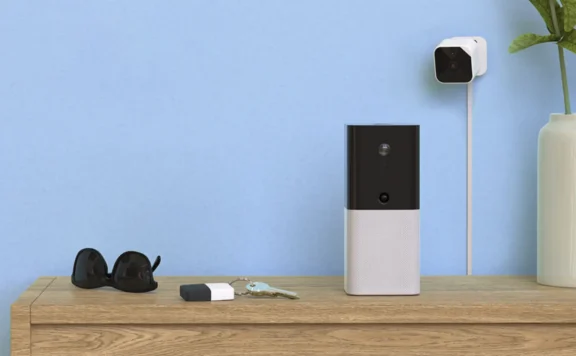
Verdict: the Abode Multi Sensor is most useful when one placement can serve four jobs: motion, temperature, humidity, and light-level reporting. Abode’s current product page describes those four sensing functions, wireless operation, long battery life, and automation triggers based on readings. The value comes from a tested room role, not from mounting it wherever an ordinary motion detector would go.
This is a source-based product review, not a hands-on durability test. Abode’s public page does not currently publish every measurement a buyer may need, including a complete range, battery, interval, threshold, or environmental specification table. Verify the current product page, hub compatibility, app behavior, dimensions, battery details, and return terms before purchase, then run the installed acceptance test below.
Abode Multi Sensor at a glance
| Question | Current official claim | What to prove after installation |
|---|---|---|
| What does it sense? | Motion, temperature, humidity, and light | Each reading appears, updates, and matches the named room role |
| Can readings drive actions? | Abode says any reading can be used for smart automations | Trigger, condition, delay, recovery, and failure behavior |
| Is it wireless? | Yes | Signal at the final mounting position and after the door is closed |
| What about battery life? | The page says long battery life | Battery type, owner, alert path, spare location, and replacement test |
| Is it a replacement for every dedicated sensor? | No such universal claim is published | Whether the room needs a dedicated motion, leak, smoke, door, or safety sensor |
Check the current Abode Multi Sensor product page for availability and claims. Save the dated page and order confirmation because product specifications and bundles can change.
What the four readings can do
Motion
Motion can support intrusion detection, room occupancy, lighting, and household routines. Those are not the same job. A security motion zone should be tested against the alarm mode, entry/exit delay, pets, heat sources, and the response path. An occupancy automation can tolerate different timing and false-trigger rules.
Name the intended role before mounting:
- Security motion: detect passage through a hallway or room when the alarm is armed.
- Occupancy cue: turn on a light or change a room routine when someone enters.
- Vacancy cue: turn something off after the room has remained inactive for a tested period.
- Verification cue: combine motion with another state, such as a door opening.
Do not assume one motion placement can satisfy every role. A corner that sees the full room may also see a sunny window, moving curtain, heating vent, pet route, ceiling fan, or hot appliance.
Temperature
A room-temperature reading can support comfort and equipment-protection routines. It is not automatically a calibrated thermostat or life-safety device. Compare the installed reading with a trusted reference placed nearby, allow both devices to settle, and record the observed difference.
Useful test cases include:
- A nursery, bedroom, or home office that runs warmer or cooler than the thermostat location
- A utility room where a heating or cooling failure should trigger an alert
- A second home where a trusted local responder can check an unusual reading
- A media cabinet or equipment room where heat buildup needs attention
Keep the sensor away from direct sun, supply vents, radiators, exterior-door drafts, cooking steam, and electronics that produce local heat unless measuring that source is the point.
Humidity
Humidity trends can help identify a damp basement, steamy bathroom, dry nursery, or room with poor ventilation. A humidity reading is not a water-leak detector and does not replace a listed smoke, carbon-monoxide, freeze, or flood safety device.
Test how quickly the value changes during a normal event, such as a shower or ventilation cycle, and how long it takes to return. Build alerts around a sustained condition after observing the room, not around one copied percentage from another house.
Light level
Light-level readings can help decide whether a motion-triggered light should turn on. Placement matters: a sensor facing a window sees a different day/night boundary from one in an interior corridor. Test dawn, daylight, dusk, normal evening lighting, and full darkness.
A good lighting rule usually combines motion, light level, time or mode, and a shutoff condition. Avoid a loop in which a light turns on, the sensor sees the new brightness, the rule turns off, and the cycle repeats.
Best rooms for the Abode Multi Sensor
| Room | Primary role | Placement risk | Acceptance proof |
|---|---|---|---|
| Hallway | Motion plus low-light automation | Pet route, adjacent windows, HVAC movement | Walk path detected; daylight does not trigger the light |
| Basement | Motion, humidity trend, temperature alert | Concrete, hub range, drafts, damp surfaces | Signal, normal baseline, sustained-condition alert, outage behavior |
| Bedroom | Temperature/humidity trend and low-light cue | Privacy, bed motion, vent or window bias | Household consent and stable comparison reading |
| Utility room | Temperature/humidity anomaly plus motion | Appliance heat, metal enclosure, leak risk | Dedicated leak/safety sensors remain in place; alert owner named |
| Home office | Occupancy lighting and comfort trend | Monitor heat, desk lamp, inactive seated person | Light does not switch off during normal work |
| Second-home room | Environment trend and unexpected motion | No local responder, internet/power loss | Escalation and local verification path tested |
Rooms where a dedicated sensor may be better
One four-in-one device should not be stretched into jobs it was not sold to perform:
- Under a sink or water heater: use a dedicated water-contact sensor for leak detection.
- Smoke or carbon monoxide protection: use listed life-safety devices and any approved monitoring path.
- Exterior door state: use a contact sensor to prove open/closed state.
- Glass attack: use the appropriate acoustic or vibration glass-break design after placement testing.
- Outdoor exposure: do not assume indoor product claims extend to weather, condensation, or temperature extremes.
- Critical HVAC control: do not substitute an unverified room reading for an approved equipment controller or safety limit.
Placement: choose the primary job first
A multi-sensor placement is a compromise. Rank the four jobs from most important to least important, then mount for the primary job and confirm the other readings remain useful.
- Draw the room and mark doors, windows, vents, heat sources, reflective surfaces, pet routes, and the expected walking path.
- Name the primary job: security motion, occupancy, temperature, humidity, or light.
- Temporarily place the sensor without permanent adhesive or drilling.
- Collect baseline readings across at least one normal room cycle.
- Run motion and automation tests from every approach.
- Move the sensor if a vent, window, lamp, or appliance dominates the readings.
- Only then complete the permanent mount.
The sensor adhesive-mounting guide covers paint, glass, vinyl, metal, cure time, removal, and retesting. Do not let a permanent mount outrun the placement test.
Hub range and signal test
Wireless does not mean every room works from every hub location. Concrete, brick, metal cabinets, mirrors, appliances, foil-backed insulation, and closed fire doors can change radio behavior. Test at the final height and orientation with doors in their normal position.
Use the home-security hub placement guide when a basement, detached room, utility area, or metal obstruction creates weak or inconsistent communication. Avoid moving the hub merely to fix one sensor if that harms the rest of the alarm system.
Zone naming and app ownership
Name the sensor by location and role, not by product:
- Basement Hall — motion/environment
- Nursery East Wall — temperature/humidity
- Office Entry — occupancy/light
- Utility Room — environment/motion
The zone-naming guide helps keep alerts, automations, monitoring calls, and household handoff records understandable. Record who owns the Abode account, who receives each alert, who replaces the battery, and who can change an automation.
Build automations one reading at a time
Start with a notification or harmless light, not a lock, alarm-mode change, heater, or other high-impact action. A safe commissioning sequence is:
- Create one trigger from one reading.
- Add one condition, such as alarm mode, time, or light level.
- Send one visible action or notification.
- Test the normal trigger and a near-threshold non-trigger.
- Test the reset or shutoff path.
- Disconnect the hub or internet and observe the result.
- Document how to disable the rule without deleting the sensor.
Use the automation failure-test checklist for trigger, condition, action, delay, outage, and rollback checks.
Four sample automation designs
Dark hallway light
- Trigger: hallway motion.
- Condition: light reading below the tested room threshold.
- Action: turn on a hallway light.
- Reset: turn off after a tested inactive period.
- Failure test: daylight motion must not turn it on; normal slow walking must not leave a person in darkness.
Basement humidity warning
- Trigger: humidity remains above the room’s observed baseline for a sustained period.
- Action: notify the owner or local responder.
- Verification: inspect the room; do not infer a leak from humidity alone.
- Failure test: routine laundry or weather changes must not create constant alerts.
Cold-room alert
- Trigger: temperature crosses a tested threshold for a sustained period.
- Action: notify an owner and backup contact.
- Verification: compare with a second thermometer and inspect HVAC/power.
- Failure test: short door openings and normal night setback must not create panic alerts.
Away-mode motion
- Trigger: motion while the security system is in the intended armed mode.
- Action: follow the tested alarm and notification path.
- Condition: placement and mode must account for authorized occupants and pets.
- Failure test: walk every approach, then repeat with normal pet or HVAC activity.
Motion false alarms and missed events
When motion is wrong, diagnose the room before blaming the sensor. Record time, alarm mode, room state, HVAC state, sunlight, pet activity, door position, and recent placement or firmware changes.
Common causes to test:
- Direct or reflected sunlight moving across the field
- Heating or cooling air moving curtains or changing local temperature
- Pets climbing furniture closer to the sensor
- A door or object blocking the intended path
- A mount shifting after installation
- Signal loss or delayed state reporting
- An automation condition that was copied incorrectly
Do not solve a false alarm by disabling the entire zone without a replacement detection plan.
Temperature and humidity baseline
Collect a baseline before creating thresholds. Record readings at the same times for several normal cycles: morning, occupied daytime, evening, overnight, HVAC on, HVAC off, and a routine humidity event if relevant. Compare the sensor with a trusted reference nearby rather than across the room.
Document the observed difference, not a claimed laboratory accuracy that Abode’s public product page does not currently publish. If the reading controls comfort or equipment protection, keep the rule conservative and require a sustained condition plus human verification.
Battery and maintenance
“Long battery life” is not a maintenance plan. At installation, record the battery type, install date, owner, spare location, low-battery notification route, and safe replacement steps. After replacement, test all four readings and every automation that depends on the sensor.
Inspect the mount, label, room conditions, and app state during each scheduled check. A sensor that remains online can still have a shifted view, blocked lens, stale automation, or misleading environmental placement.
Firmware and change control
Before any hub, app, or device update, list the automations and alarm roles that depend on the Multi Sensor. After the change, repeat motion, readings, notification, and failure checks. The firmware-update checklist covers staging, evidence, failure tests, and rollback.
Keep a short change log with date, installer, location, battery, hub, automation names, thresholds, update version, test result, and rollback action.
Privacy and household consent
The Multi Sensor is not described as a camera or microphone on the current product page, but motion and occupancy patterns can still reveal when a room is used. Tell residents what the sensor records, which alerts exist, who can view history, and what automations act on the readings.
Bedrooms, caregiver spaces, home offices, and shared rentals need explicit agreement. Use data for the named security or comfort job, not hidden attendance tracking.
Plan and service dependency
Check current Abode plans for the exact app, automation, history, notification, and monitoring behavior you expect. Do not assume a feature is free, paid, local, cloud-based, or professionally monitored from the sensor’s product description alone.
Test the unpaid or changed-plan state if it matters to the purchase. Save the current plan page and cart with the return deadline.
Who should buy it?
Good fit: an Abode household with one room where motion and environmental trends are both useful; a user willing to test placement and automations; a second home with a local responder; or a room where one device reduces clutter without replacing dedicated safety sensors.
Poor fit: a buyer who needs published precision specifications not shown on the current page; a weather-exposed location without a documented rating; a leak, smoke, CO, or certified HVAC-safety job; or a room where one placement cannot serve both motion and environmental readings.
Cost and return-window worksheet
Record the sensor price, shipping, hub requirement, batteries, mounting materials, smart plug/light/HVAC accessory used by the automation, monitoring or app plan, and replacement cost. Compare the installed result with using separate purpose-built devices.
Run the return-window acceptance checklist before the deadline. A four-in-one sensor is good value only when the chosen placement produces four useful and dependable signals.
60-minute Abode Multi Sensor acceptance test
- 0–10 minutes — identity: record product, hub, room, primary role, battery, mount, owner, plan, and return deadline.
- 10–20 minutes — motion: walk every approach at normal and slow pace; test authorized occupants, pets, and the intended alarm mode.
- 20–30 minutes — environment: compare temperature and humidity with a nearby reference and record the light reading in current conditions.
- 30–40 minutes — automation: trigger one rule, test the near-threshold non-trigger, and confirm the reset or shutoff action.
- 40–50 minutes — failures: interrupt internet or hub communication safely, observe alerts and actions, restore service, and check state recovery.
- 50–60 minutes — handoff: verify names, notification recipients, battery owner, disable/rollback steps, and the date for the next retest.
Do not complete the permanent mount until the sensor passes from the final location with the room in a normal occupied state.
FAQ
What does the Abode Multi Sensor detect?
Abode’s current product page describes motion, temperature, humidity, and light sensing in one wireless device.
Can every reading trigger an automation?
Abode says actions can be triggered from any reading. Verify the exact current app and plan behavior, then test trigger, condition, action, reset, outage, and rollback.
Can it replace a water leak or smoke sensor?
No. Humidity and temperature trends do not replace purpose-built leak, smoke, carbon-monoxide, freeze, or other life-safety devices.
Where should it be mounted?
Choose the primary job first, avoid direct sun, vents, local heat, moving curtains, and pet routes where they distort that job, then test all four readings before permanent mounting.
Does it work without a paid plan?
Check Abode’s current plan page for the exact automation, history, notification, and monitoring behavior you need. Do not infer service behavior from the sensor page alone.