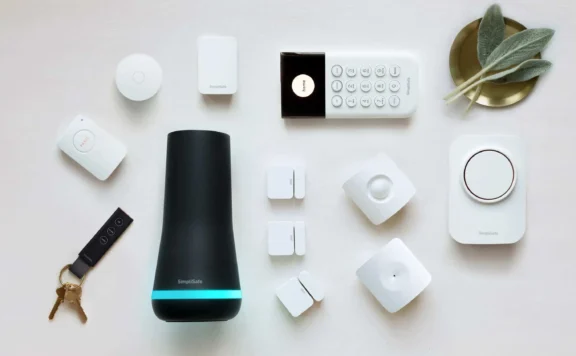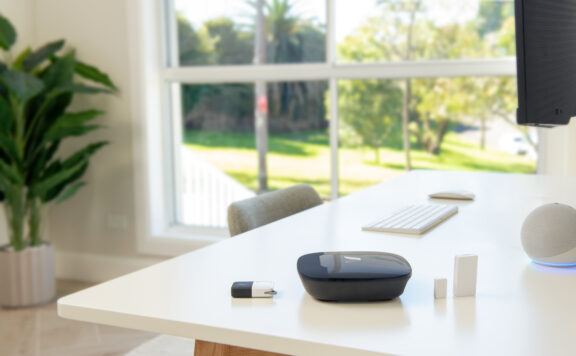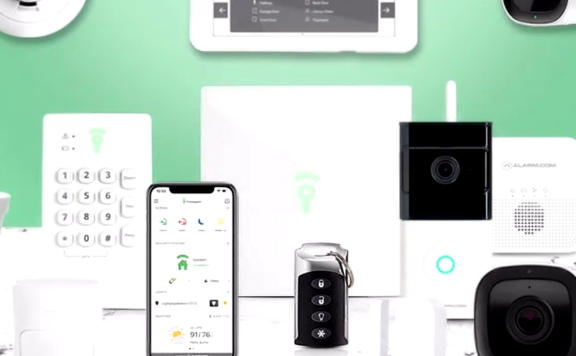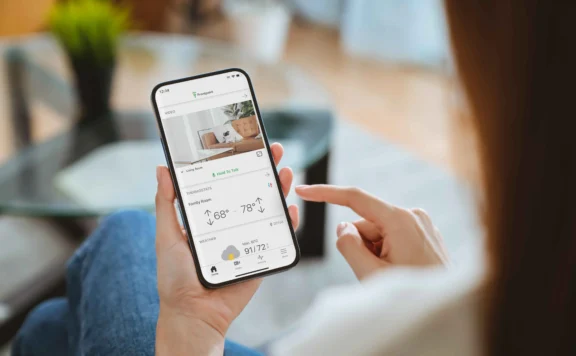
A no-contract security system lets the buyer stop or change paid service without a long alarm agreement. It does not automatically mean no monthly fee, free camera recording, cellular backup, professional monitoring, or full app access.
The best choice is the system whose unpaid, self-monitored, and professionally monitored states are all clear before purchase. Compare the same property coverage, save the plan terms, and test the exit path while the equipment can still be returned.
Sources checked July 28, 2026: Abode plans, Ring plans, SimpliSafe monitoring, and eufy Security. Equipment, plan features, promotions, monitoring eligibility, and terms can change. Save the dated checkout and service terms used for the decision.
No-contract systems at a glance
| Route | Best reason to shortlist it | What to verify |
|---|---|---|
| Abode | Direct DIY alarm ownership, broad smart-home support, and optional monitoring choices | Exact hub, free-plan state, integrations, camera recording, cellular path, and selected monitoring plan |
| Ring Alarm | Alarm sensors joined to a large Ring doorbell and camera catalogue | Plan-dependent recording, cellular backup, monitoring, camera features, and Alexa account control |
| SimpliSafe | Direct single-brand alarm, camera, app, and monitoring route | Selected plan, camera verification, recording, cellular service, and no-plan behaviour |
| eufy Security | Camera-led route with model-dependent local storage and directly purchased devices | Whether the selected products form a complete alarm, storage location, hub dependence, remote access, and response path |
This is a shortlist, not a universal ranking. A camera-led setup and a sensor-led alarm solve different problems. Start with the property jobs, then remove any option that cannot cover them.
What “no contract” should mean in writing
Before ordering, collect written answers to these questions:
- Is there a minimum monitoring or equipment-financing term?
- Does the service renew automatically, and how much notice is required to cancel?
- Who owns the hub, sensors, cameras, mounts, and cellular communicator?
- What works when the paid plan stops?
- Can another monitoring service use the equipment?
- Can the system move to a new address or owner?
- How are recordings, event history, codes, and household accounts removed or exported?
- Are any checkout discounts tied to keeping a plan?
“Cancel anytime” describes billing, not equipment usefulness. The no-plan state deserves its own test.
Build the same property map for every system
Count every job before comparing bundles:
- exterior doors, accessible windows, garage openings, and gates;
- interior motion routes and rooms that remain occupied;
- glass, smoke, carbon-monoxide, water, temperature, and other warning needs;
- camera views, privacy boundaries, retention, and evidence export;
- local sirens, phone alerts, monitoring, verification, and dispatch;
- internet, cellular, router, battery, and power-failure requirements;
- owners, family members, carers, tenants, guests, and local responders;
- move, cancellation, handover, reset, and account-recovery needs.
Price each system against that map. Add the sensors, cameras, sirens, storage, plans, installation, permits, batteries, and network work missing from the starter kit.
Abode: flexible alarm ownership and smart-home control
Abode is the strongest shortlist candidate when the buyer wants a sensor-led DIY alarm, optional monitoring, and compatibility beyond one voice-assistant brand. The exact hub matters. Verify its radios, cellular capability, battery backup, supported devices, and integration route.
Record:
- hub and sensor models, quantities, siren coverage, and camera choices;
- which app, automation, notification, timeline, and integration features remain on the free state;
- the monitoring and cellular functions included in each selected plan;
- HomeKit, Alexa, Google Home, Z-Wave, Zigbee, or other support needed by the household;
- owner, household, temporary, and installer permissions;
- what happens after cancellation, address change, router replacement, or owner handover.
Use the Abode review for a deeper equipment and ownership check.
Ring Alarm: strongest fit for Ring camera households
Ring Alarm makes the most sense when the home already uses Ring doorbells or cameras and wants alarm sensors in the same app. The tradeoff is that camera recording, cellular service, professional monitoring, and selected features depend on the current plan.
Separate four layers:
- Local alarm: sensors, base station, keypad, siren, entry delay, and battery.
- App: remote status, arming, alerts, shared users, and account recovery.
- Video: recording, detection, clip retention, download, and household access.
- Response: self-monitoring, cellular backup, professional monitoring, verification, and dispatch.
Test what remains after the plan stops. See the Ring review for a deeper system check.
SimpliSafe: direct single-brand alarm route
SimpliSafe keeps the base station, sensors, cameras, app, and monitoring under one direct buying route. That can make ordering and support easier to understand. It does not remove plan boundaries.
Save the exact base station, keypad, sensor, siren, and camera models. Map each advertised feature to the selected monitoring or recording plan. Confirm local alarm, app control, notifications, cellular backup, camera clips, verification, and professional response in the paid and unpaid states.
DIY installation is only cheaper when coverage is complete. Walk every opening and room, then use the SimpliSafe review to check ownership and monitoring details.
eufy Security: local-storage appeal needs a response plan
eufy can appeal to buyers who want directly purchased cameras and model-dependent local storage. Product families differ, so do not assume every camera, doorbell, hub, sensor, and storage feature works the same way.
For the exact basket, record:
- camera and hub models, storage media, capacity, overwrite rules, and encryption;
- whether clips remain available if internet, cloud service, the app, or the hub fails;
- which sensors create a local siren and whether the setup is a complete alarm;
- remote access, household roles, account recovery, and removed-user checks;
- who responds when an alert is missed and whether professional monitoring is available for the selected system.
Use the eufy camera review for model and privacy questions.
Free state, self-monitoring, and professional monitoring
| State | What to test | Main failure |
|---|---|---|
| No paid plan | Local sensing, siren, arming, app, alerts, live view, recording, automation, and household users | Buyer assumes advertised cloud, cellular, or video features remain |
| Paid self-monitoring | Remote alerts, recording, storage, export, cellular service if included, and response ownership | Nobody acts when the owner misses the alert |
| Professional monitoring | Signal path, call list, verification, test mode, permits, dispatch, cancellation, and plan change | Monitoring receives an unclear zone or cannot reach the right responder |
Run the system in the state the household expects to use six months later. A free trial can hide the real no-plan experience.
Cameras and privacy
Compare cameras separately from alarm sensors. Test live view on local Wi-Fi and mobile data, night image, glare, audio, activity zones, event-to-clip delay, retention, download, sharing, household permissions, and no-plan behaviour.
Avoid bedrooms, bathrooms, neighbour windows, and unnecessary shared-space views. Remove former residents, installers, guests, and old phones from every app. Read the camera privacy guide before placing indoor cameras.
Outage and exit matrix
| Event | Questions to answer before purchase |
|---|---|
| Internet fails | Do sensors, siren, local arming, cellular signalling, app control, cameras, and recordings continue? |
| Power fails | Which hub, router, cameras, keypad, sirens, and communicators have batteries or UPS power, and for how long? |
| Phone is lost | How does the owner revoke access, recover the account, preserve codes, and keep monitoring contacts? |
| Plan stops | Which local, app, video, cellular, automation, support, and monitoring features remain? |
| Owner moves | How are location, permits, devices, codes, cameras, users, and monitoring transferred or reset? |
| Provider or product exits | What works locally, what can move to another service, and what equipment must be replaced? |
Three-year cost worksheet
For each system, total:
- hub, base station, keypad, sensors, sirens, cameras, mounts, storage, shipping, tax, and installation;
- 36 months of the monitoring, cellular, recording, storage, or support plan actually selected;
- broadband, router, UPS units, batteries, permits, and replacement devices;
- price after equipment and service promotions end;
- move, cancellation, account transfer, and replacement costs.
Show the no-plan total, the self-monitored total, and the professionally monitored total. This exposes whether the system stays useful when household needs or budget change.
40-minute acceptance test
- Five minutes — inventory: match every installed model, zone, account owner, plan, code, and contact to the order.
- Five minutes — entry: trigger one door and verify name, delay, local sound, app alert, and expected response.
- Five minutes — motion: walk the protected route and test occupied or pet settings.
- Five minutes — camera: create an event, retrieve the clip, inspect timestamp, night image, retention, and viewing rights.
- Five minutes — remote: move the phone off local Wi-Fi and confirm status, alert, and authorised control.
- Five minutes — internet failure: follow the approved test and record sensing, siren, app, cellular, monitoring, and camera behaviour.
- Five minutes — user removal: revoke one test user or code and confirm access ends everywhere.
- Five minutes — no-plan state: document what remains after trials and paid services are removed.
Verdict
Choose Abode when the priority is a directly owned DIY alarm with optional monitoring and broad smart-home support.
Choose Ring Alarm when the household wants its alarm joined to Ring cameras, doorbells, and Alexa.
Choose SimpliSafe when the buyer wants a direct single-brand alarm, camera, app, and monitoring path.
Choose eufy when camera coverage and model-specific local storage matter more than a traditional monitored alarm.
The best no-contract system is the one whose equipment, plan states, outages, account rights, response, and exit path pass the household’s test at the lowest verified three-year cost.
FAQ
Does no contract mean no monthly fee?
No. A system can avoid a long agreement while charging monthly for monitoring, cellular backup, camera recording, storage, or selected app features.
What happens when a security subscription ends?
Local alarm, app, alerts, video, cellular, automation, and support features vary by system and plan. Test the real unpaid state before the return window closes.
Can a no-contract system call emergency services?
A professionally monitored plan may support verification and dispatch. Self-monitored systems rely on the household or a local responder. Confirm the selected service, permit rules, and event chain.
Which system is best for renters?
Renters should favour removable sensors, simple reset, portable equipment, clear owner accounts, and a no-plan state that remains useful. Landlord permission and local rules still apply.