Apple HomeKit compatibility is one of the most requested features in home security — and one of the hardest to find. Most major brands either don’t support it or offer limited integration. In 2026, only a handful of systems give you full HomeKit control of your security. Here’s what actually works.
Why HomeKit Matters for Home Security
HomeKit lets you control your security system from the Apple Home app, use Siri voice commands, and create powerful automations with other Apple-compatible devices. More importantly, HomeKit uses end-to-end encryption and processes data locally on your Apple TV or HomePod hub — meaning your security footage and sensor data never touch a third-party cloud unless you choose it.
For privacy-conscious Apple users, this isn’t a nice-to-have. It’s a dealbreaker.
HomeKit Home Security Systems Compared
| System | HomeKit Support | What Works | Starting Price | Pro Monitoring |
|---|---|---|---|---|
| Abode | ✅ Full native | Arm/disarm, sensors, automations | $199 (Smart Security Kit) | $20/mo (optional) |
| Eve | ✅ Full native | Sensors, cameras, motion | $40 per sensor | ❌ Self-monitoring only |
| Aqara | ✅ Full native | Hub, sensors, cameras, locks | $60 (hub) | ❌ Self-monitoring only |
| eufy | ⚠️ Limited | Some cameras only | $99 | ❌ |
1. Abode — Best Overall HomeKit Security System
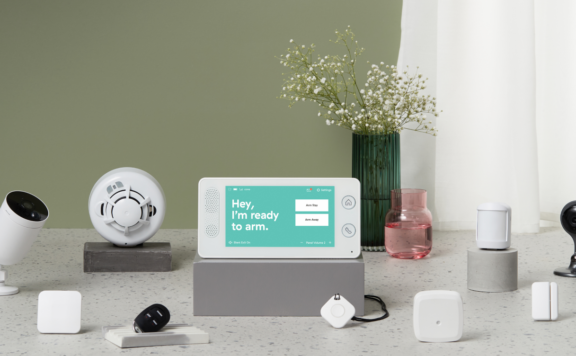
Abode is the only full home security system with native HomeKit integration. You get an alarm panel, door/window sensors, motion detectors, a key fob — and it all shows up in Apple Home. You can arm and disarm from your iPhone, create automations (like locking doors when you arm “Away”), and get sensor alerts through HomeKit.
What sets Abode apart from Eve and Aqara is that it’s a real security system with optional 24/7 professional monitoring for $20/month. If someone breaks in while you’re away, a monitoring center calls the police. No other HomeKit-compatible system offers this.
Abode HomeKit Highlights
- Full arm/disarm from Apple Home app
- All sensors visible in HomeKit (door/window, motion, water leak)
- HomeKit automations (turn on lights when motion detected, lock doors when armed)
- Also supports Alexa, Google Home, Z-Wave, and Zigbee
- Optional professional monitoring ($20/mo) — unique among HomeKit systems
- No contract required
Best for: Apple households that want a real security system with monitoring, not just smart sensors.
2. Aqara — Best Budget HomeKit Security Setup
Aqara offers a Zigbee-based smart home hub with excellent HomeKit support. Their M2 and M3 hubs connect door sensors, motion sensors, cameras, and smart plugs to Apple Home. The pricing is aggressive — sensors start around $15 each, and the hub is $60.
The catch: Aqara is a sensor/automation platform, not a security system. There’s no alarm panel, no siren, no professional monitoring. You’re building a DIY setup and relying on HomeKit automations for alerts.
Aqara HomeKit Highlights
- Hub + sensors visible in Apple Home
- Door/window, motion, temperature, humidity, water leak sensors
- Camera Hub G3 works as both a Zigbee hub and HomeKit Secure Video camera
- Extremely affordable sensors ($15-25 each)
- Matter support on newer hubs
Best for: Budget-conscious Apple users who want smart sensors and automations without a full alarm system.
3. Eve — Best Privacy-First HomeKit Sensors
Eve is the gold standard for HomeKit-only devices. Every Eve product works exclusively through HomeKit (and now Thread/Matter), with zero cloud dependency. Their door sensors, motion sensors, and indoor cameras use HomeKit Secure Video — meaning footage is encrypted and stored in iCloud.
Like Aqara, Eve isn’t a security system. It’s individual sensors and cameras that you assemble into a custom setup through Apple Home.
Eve HomeKit Highlights
- 100% HomeKit-native — no third-party cloud, ever
- Thread/Matter support for faster, more reliable connections
- HomeKit Secure Video on cameras (encrypted iCloud storage)
- Premium build quality (but premium pricing too)
- No hub required (Thread devices mesh directly)
Best for: Privacy purists who want zero-cloud smart home sensors and don’t need an alarm system.
4. eufy — Limited HomeKit (Cameras Only)
eufy supports HomeKit on some camera models (like the Indoor Cam 2K), but the integration is inconsistent. Their security system (eufy Security) does NOT work with HomeKit. Only standalone cameras get HomeKit Secure Video support, and even then, not all models.
Best for: Users who just want one or two HomeKit-compatible cameras, not a full system.
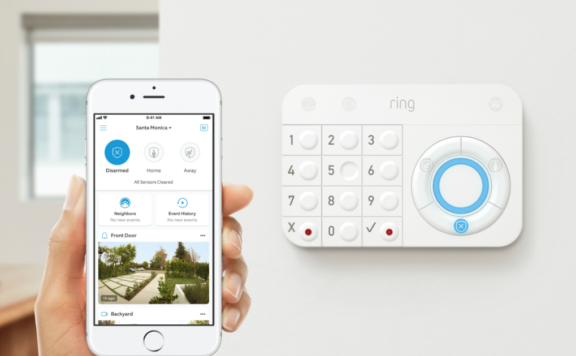
What About Ring, SimpliSafe, and ADT?
None of them support HomeKit.
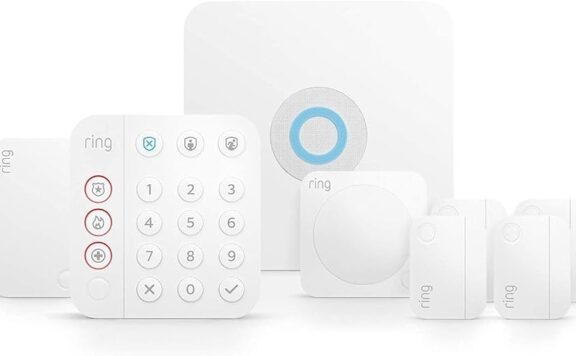
- Ring — Alexa only (Amazon-owned)
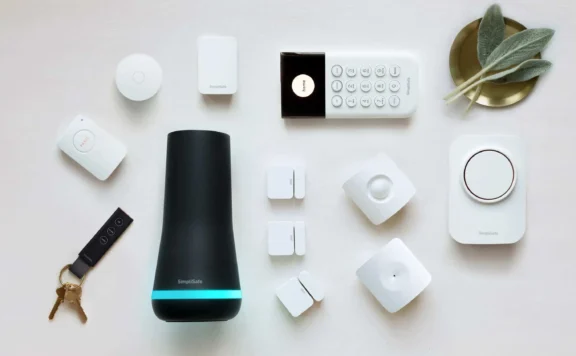
- SimpliSafe — Alexa and Google only
- ADT — Google Home partnership, no HomeKit
- Vivint — Google and Alexa, no HomeKit
If you’re an Apple household, these are non-starters for full smart home integration.
HomeKit Security in 2026: What’s New
The HomeKit security landscape has evolved meaningfully this year:
- Abode adds Matter controller support — Abode’s Smart Security Hub now acts as a Matter controller, letting you pair Matter-certified devices from any brand directly. This means you can use Matter locks, lights, and sensors alongside Abode’s HomeKit integration — giving you the broadest device compatibility of any security system.
- Matter security device type still pending — The Connectivity Standards Alliance has published draft specs for security panel and sensor device types in Matter, but no shipping products support them yet. For now, HomeKit remains the only way to integrate a full alarm system with Apple Home. This makes Abode’s native HomeKit support even more valuable in 2026.
- HomeKit Secure Video gets activity zones — Apple expanded HSV features with granular activity zones, face recognition improvements, and package detection. The Abode Cam 2 supports all these features, making it the only security system camera with full HSV integration.
- Aqara M3 hub launched — Aqara’s latest hub supports Matter, Thread, Zigbee 3.0, and IR control. It’s the most versatile budget hub for HomeKit sensor setups. Still not a security system (no monitoring, no alarm), but excellent for supplementing Abode with extra sensors at $15–25 each.
- Eve switches to Matter-over-Thread — Eve’s latest devices ship as Matter devices first, with HomeKit compatibility via Matter. This simplifies setup and future-proofs against ecosystem changes. Eve remains camera- and sensor-only, though.
The takeaway: Abode has extended its lead as the only real security system for Apple households. With native HomeKit + Matter controller + professional monitoring, no competitor comes close. Aqara and Eve remain excellent for supplemental sensors, but they can’t replace a proper alarm.
The Bottom Line
Abode is the clear winner for HomeKit home security. It’s the only system that combines a real alarm panel, professional monitoring, and full HomeKit integration. Aqara and Eve are excellent for smart sensors and cameras, but they’re not security systems — they’re smart home accessories.
If HomeKit compatibility is a requirement, Abode is the only game in town for actual security.
FAQs
Does Ring work with HomeKit?
No. Ring is owned by Amazon and only supports Alexa. There’s no HomeKit integration and Amazon has shown no interest in adding it.
Can I use HomeKit Secure Video for home security?
Yes, but it’s camera-only. HomeKit Secure Video encrypts footage and stores it in iCloud (requires 50GB+ iCloud plan). Eve and some Aqara/eufy cameras support it. But it doesn’t replace a full alarm system with sensors and monitoring.
Does Abode work with Apple Home?
Yes. Abode has full native HomeKit support. You can arm/disarm, view sensor status, and create automations — all from the Apple Home app or Siri.
Will Matter replace HomeKit for security?
Matter is a new smart home standard that works across Apple, Google, and Amazon. Some Aqara and Eve devices already support Matter. However, Matter doesn’t yet have a security system device type, so full alarm integration still requires HomeKit or a proprietary app.
Last updated: March 2026
Related HomeKit & Security Guides
- Best HomeKit Security Cameras 2026
- Abode Review 2026
- eufy Security Cameras Review 2026
- Best Home Security Systems With HomeKit, Alexa & Google (2026)
Editorial note: Compatibility and pricing can change. Always verify current integrations and plan details before buying.